How to create a new question. Please follow these next steps:
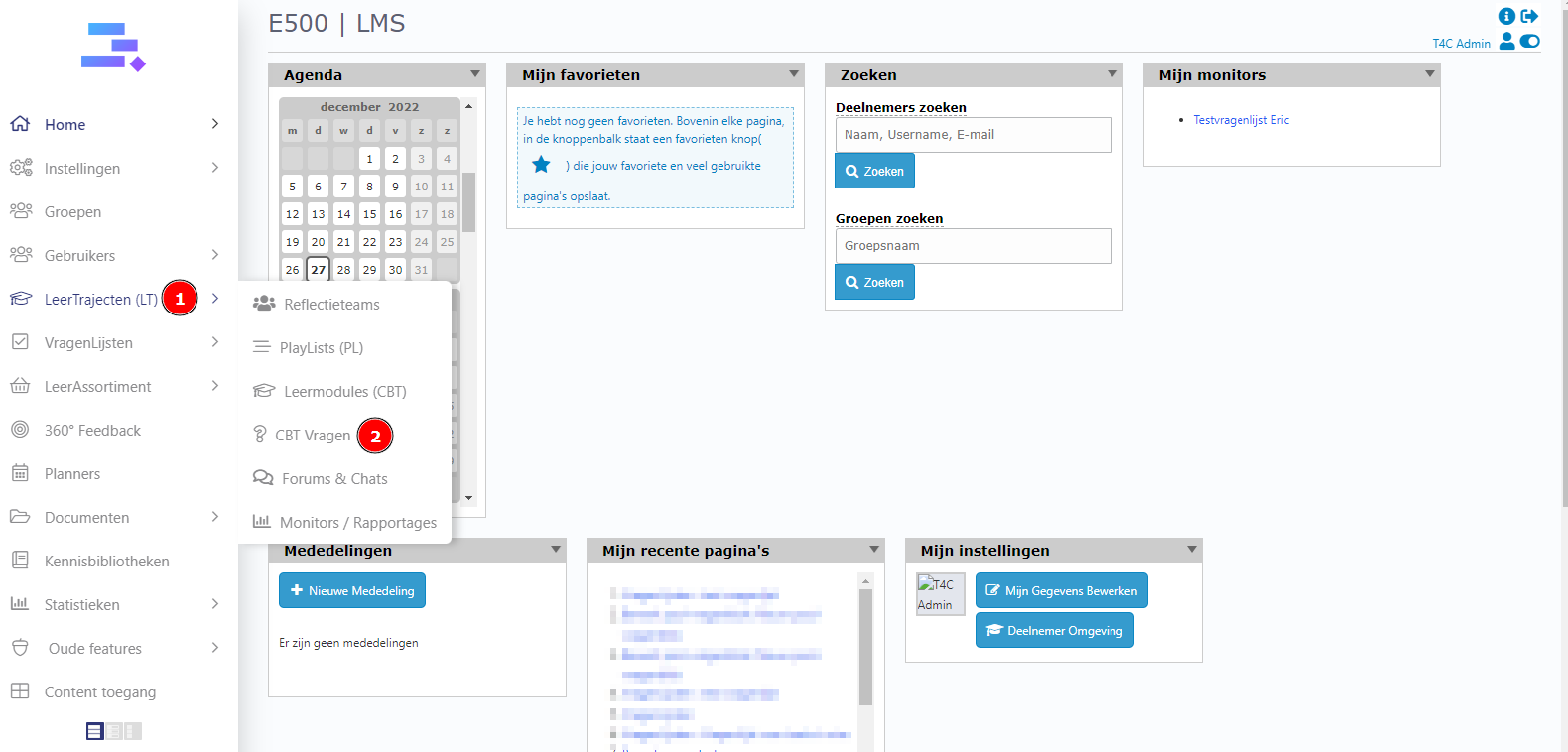
1. Login with your administration account. Hover into Leertrajecten and click on CBT Vragen.
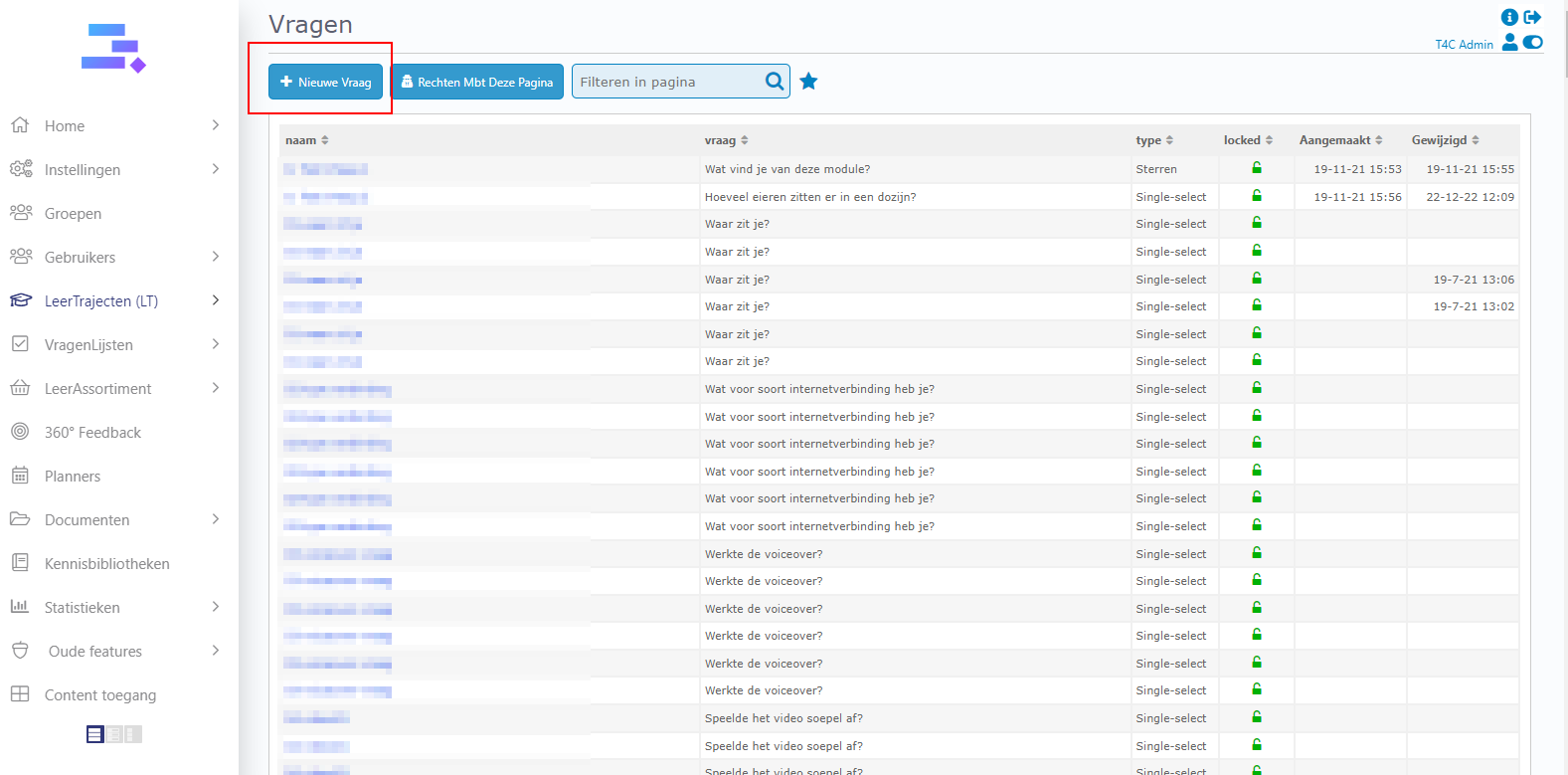
2. In the Vragen page, click on Nieuwe Vraag.
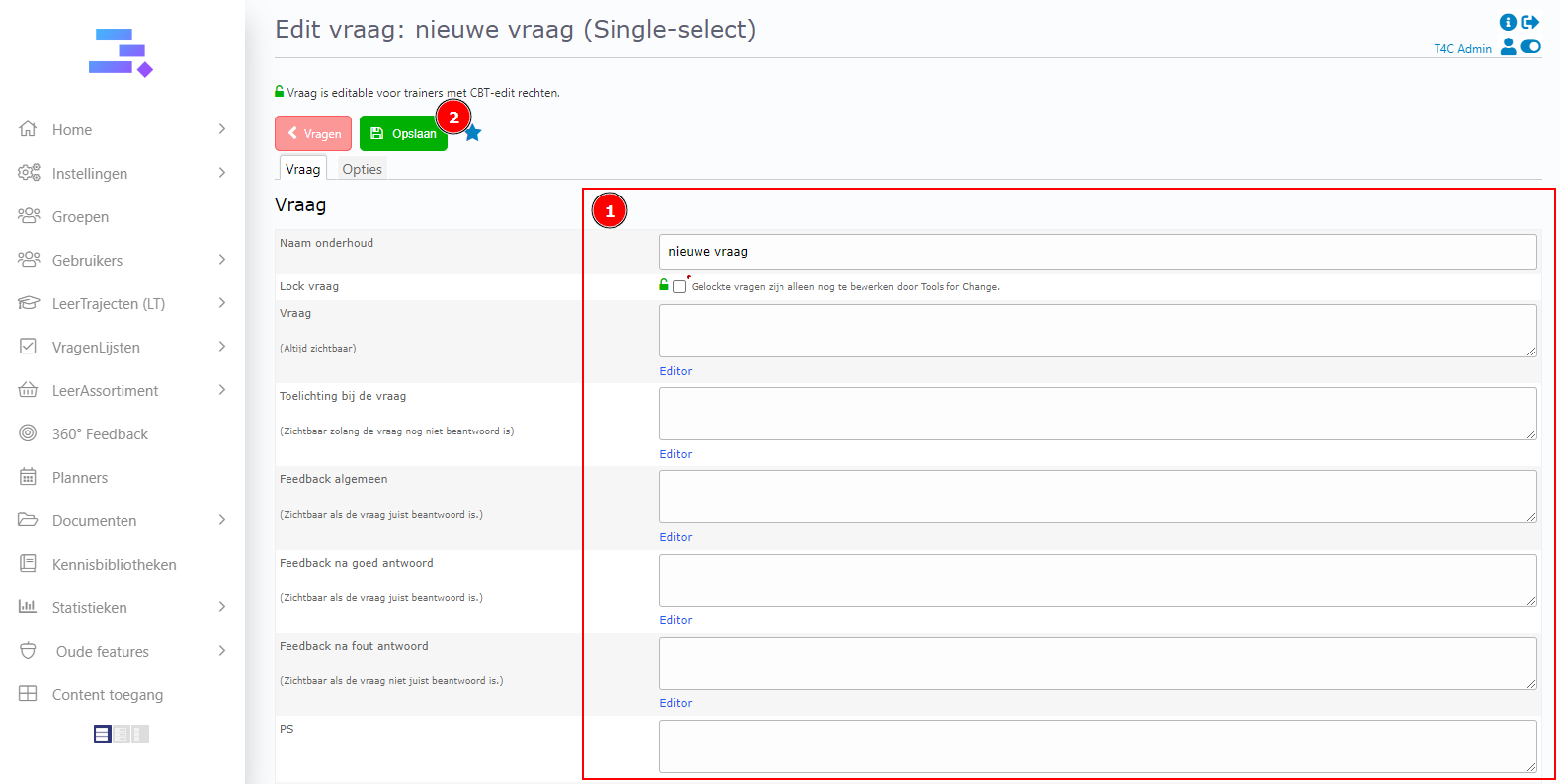
3. Fill in information about the question and click Opslaan to save.
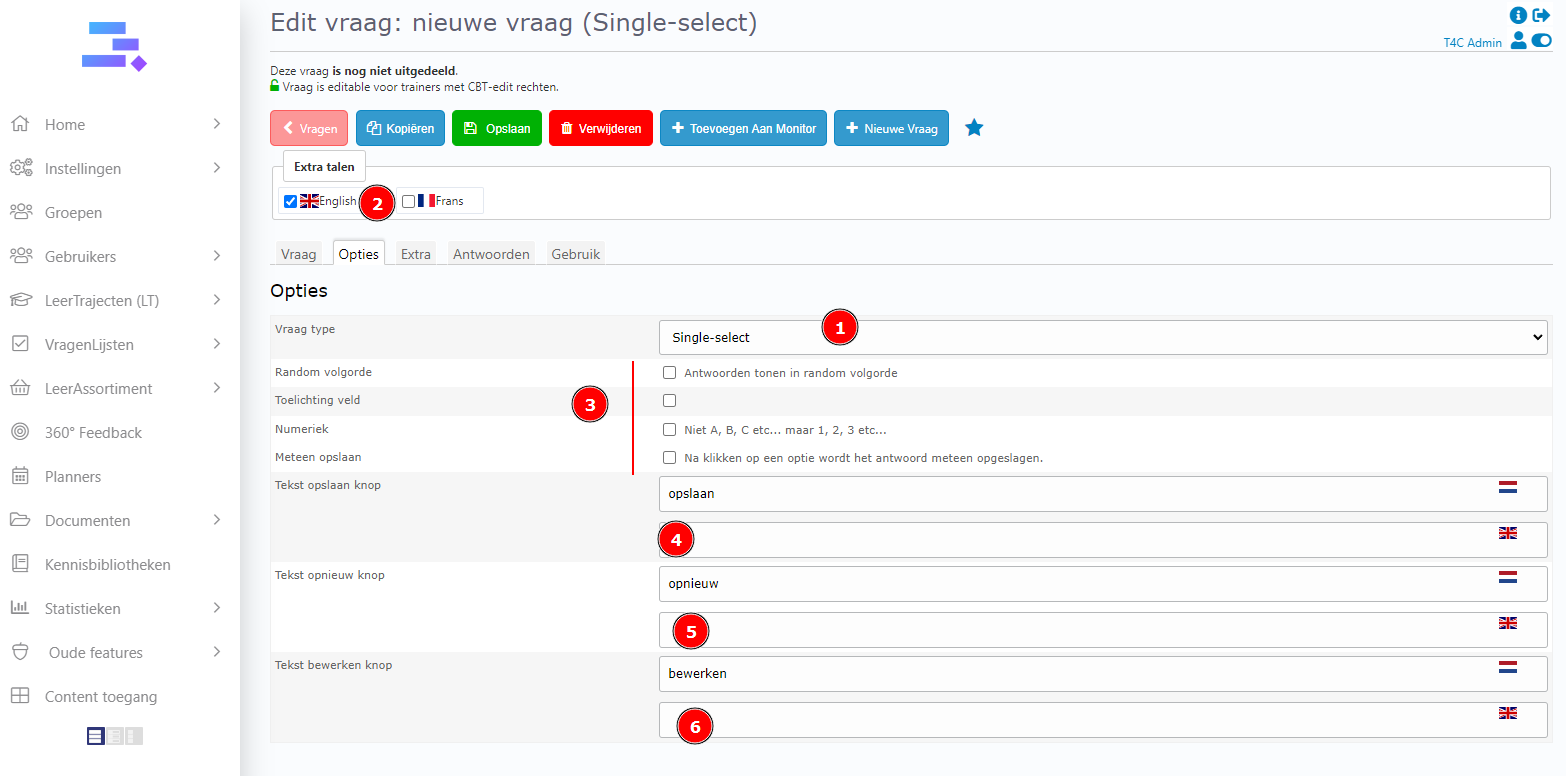
4. Then, go to the Options tab and click on [kies een type] to choose the type of question. And there are some options for you to choose for the vraag. You also can turn on the multi language for the buttons of the vraag.
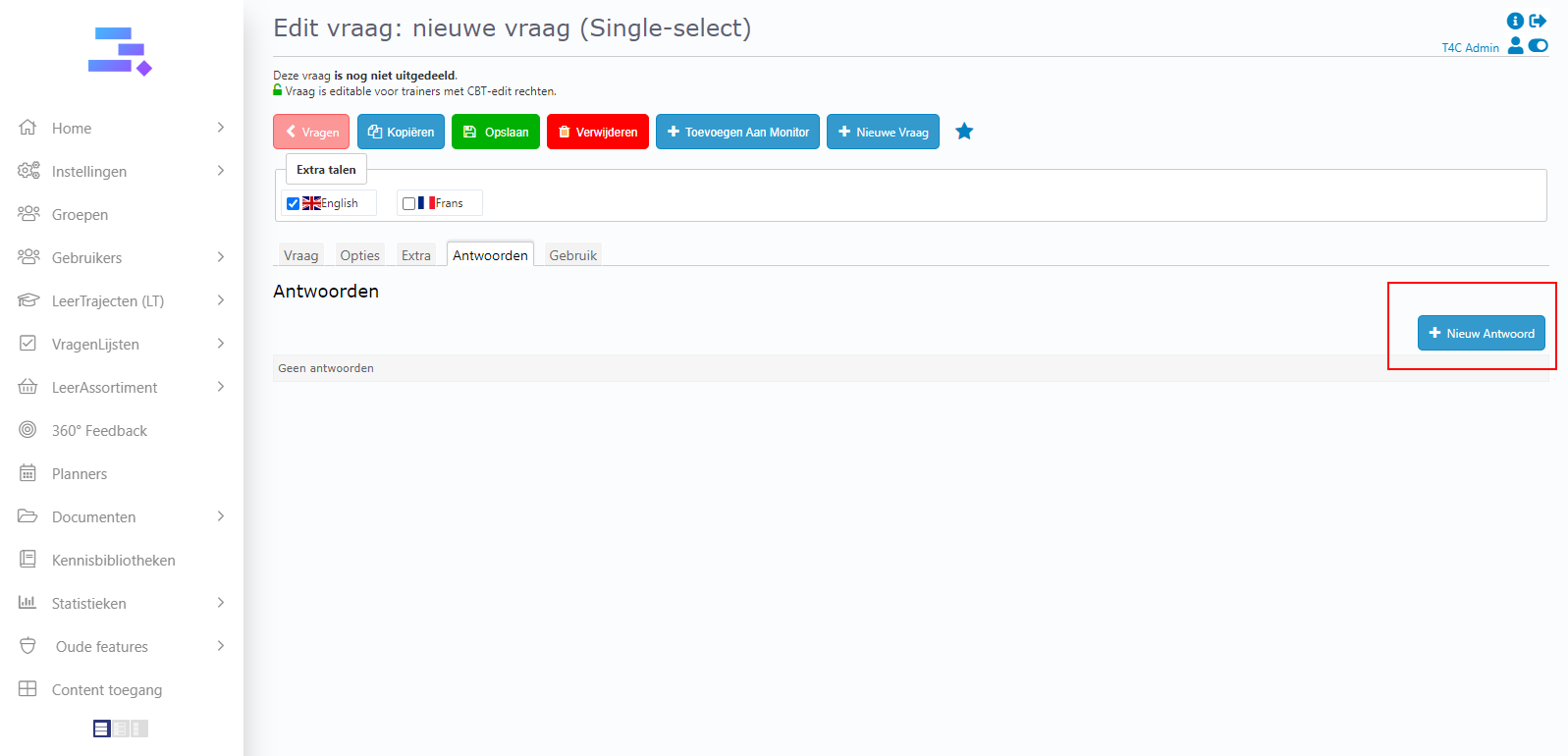
5. Go to the Antwoorden tab and click on Nieuw Antwoord to create an answer for the question.
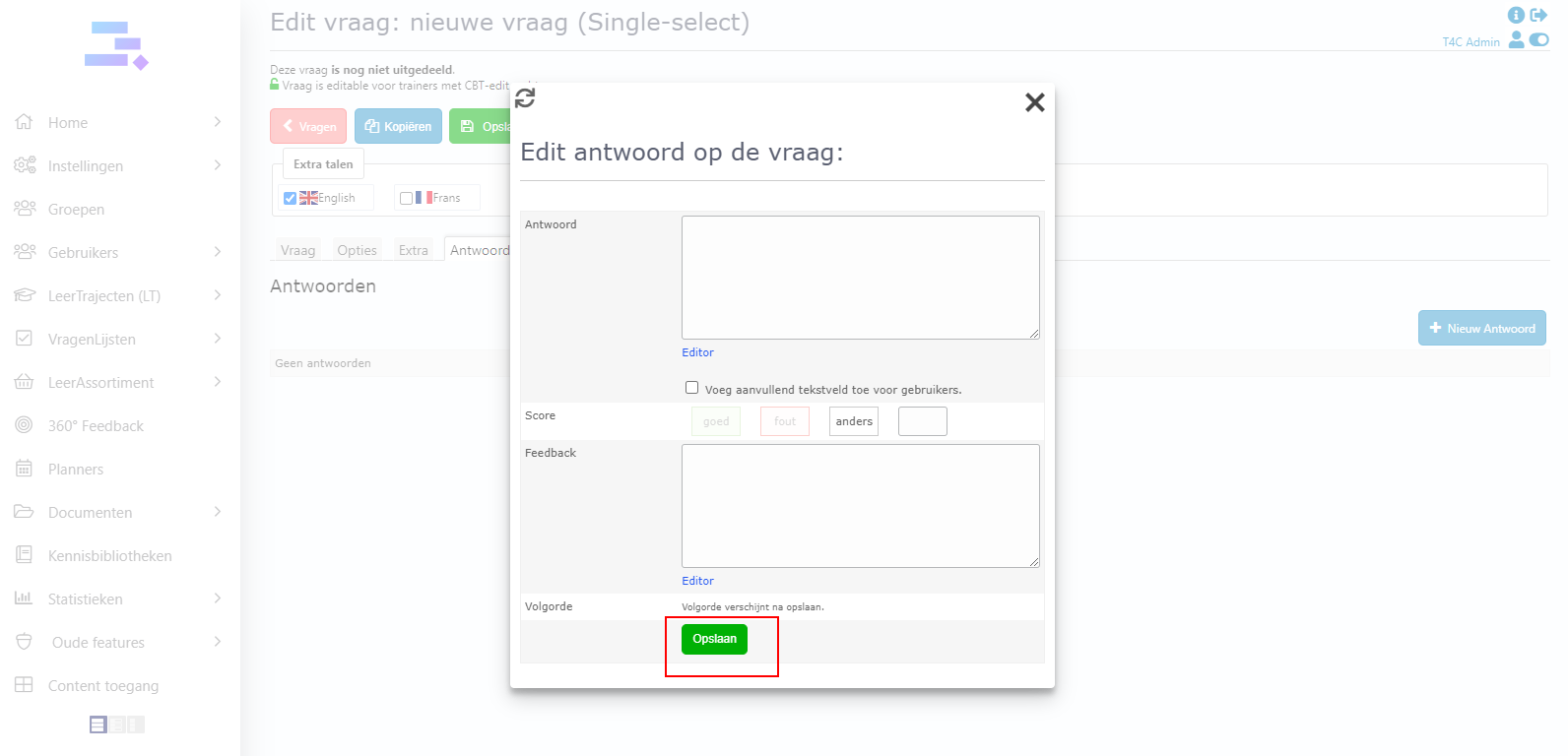
6. Fill in the information of the answer, choose a cbt for it and then click Opslaan to save.
7. To continue, click Nieuw Antwoord to create the other answers. And afterall, click Opslaan to save the question. Good luck!