How to edit blocks in homepage. Including move, add delete, select content for blocks. To do this you can follow these steps:
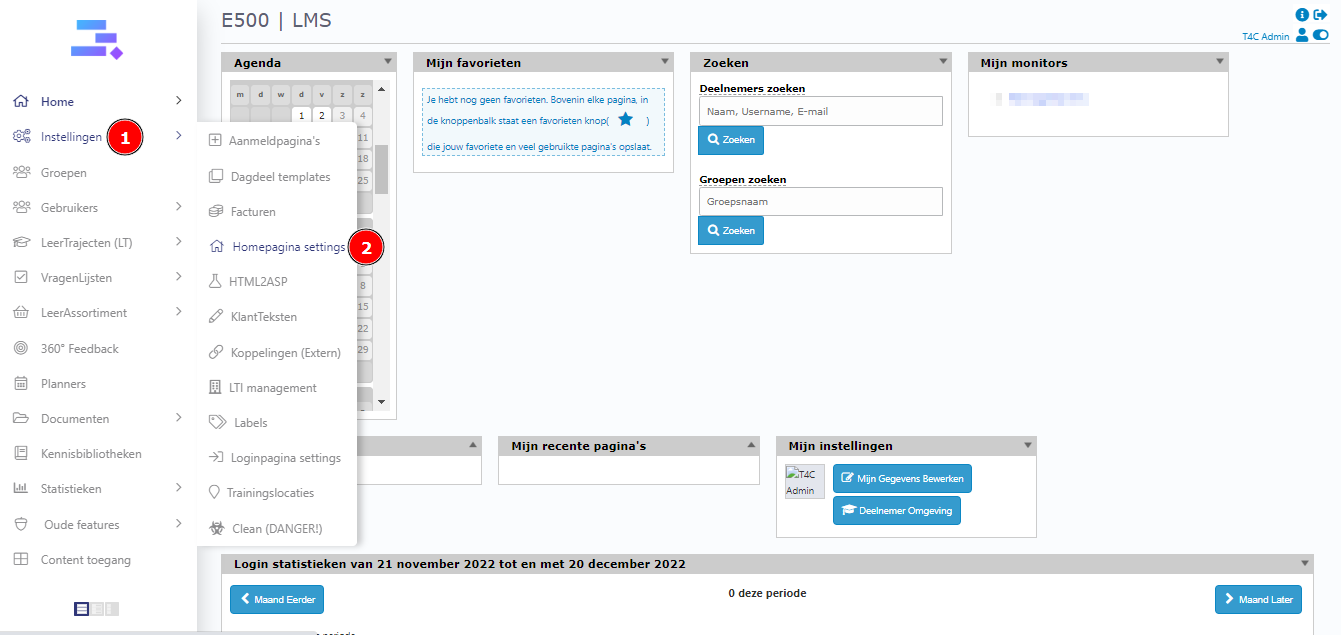
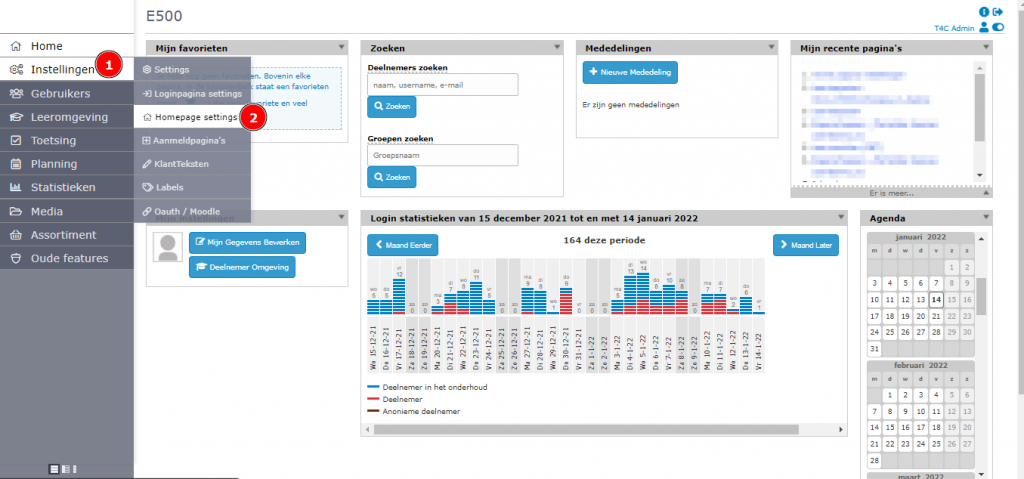
First, login with your administration account. Hover into Instellingen and click on Homepage settings.
To move blocks
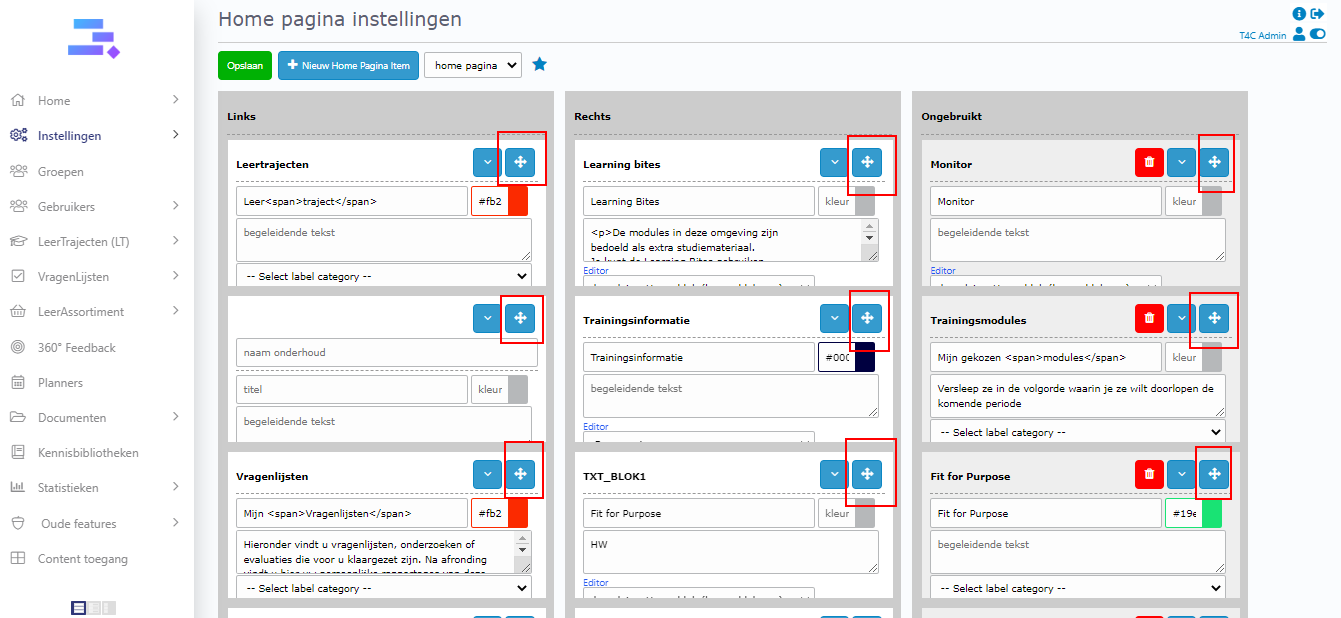
A new window opens, you can see 3 columns. 1 & 2 are corresponding to the right & left column in the hompage display . And 3 have the blocks not used. To move any block, you can click on its icon selected on the right of the block, keep and move it to the place you want.
To add a new block on the homepage
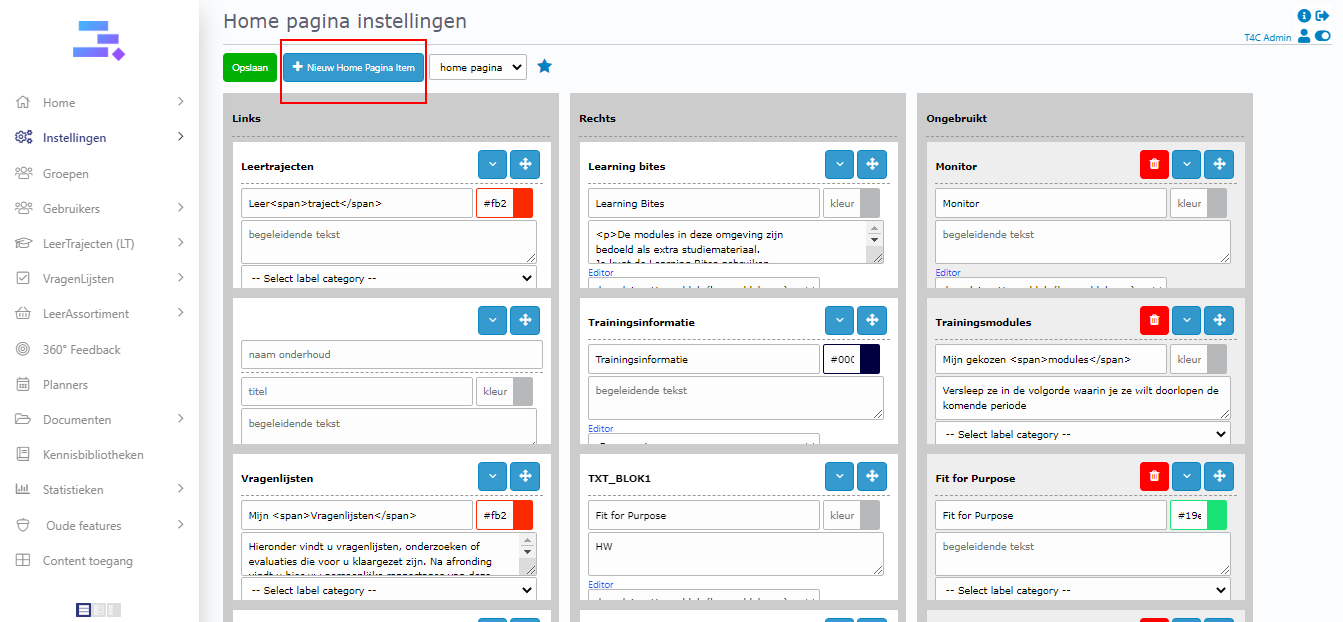
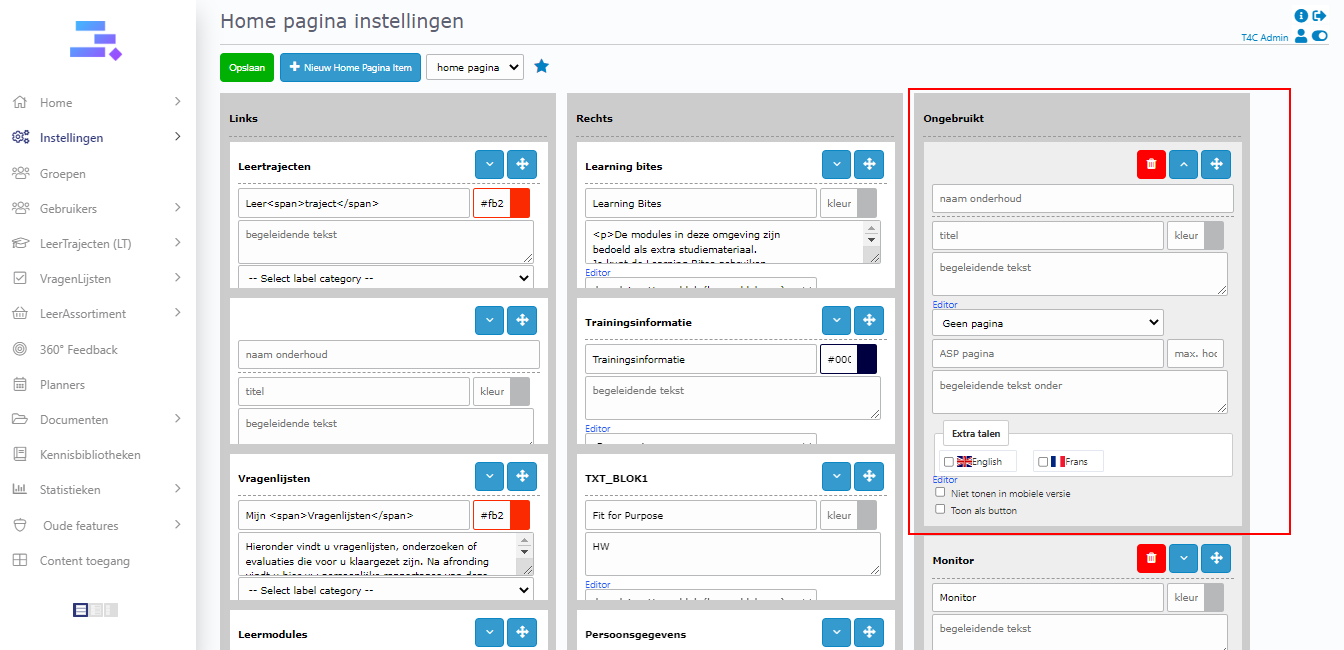
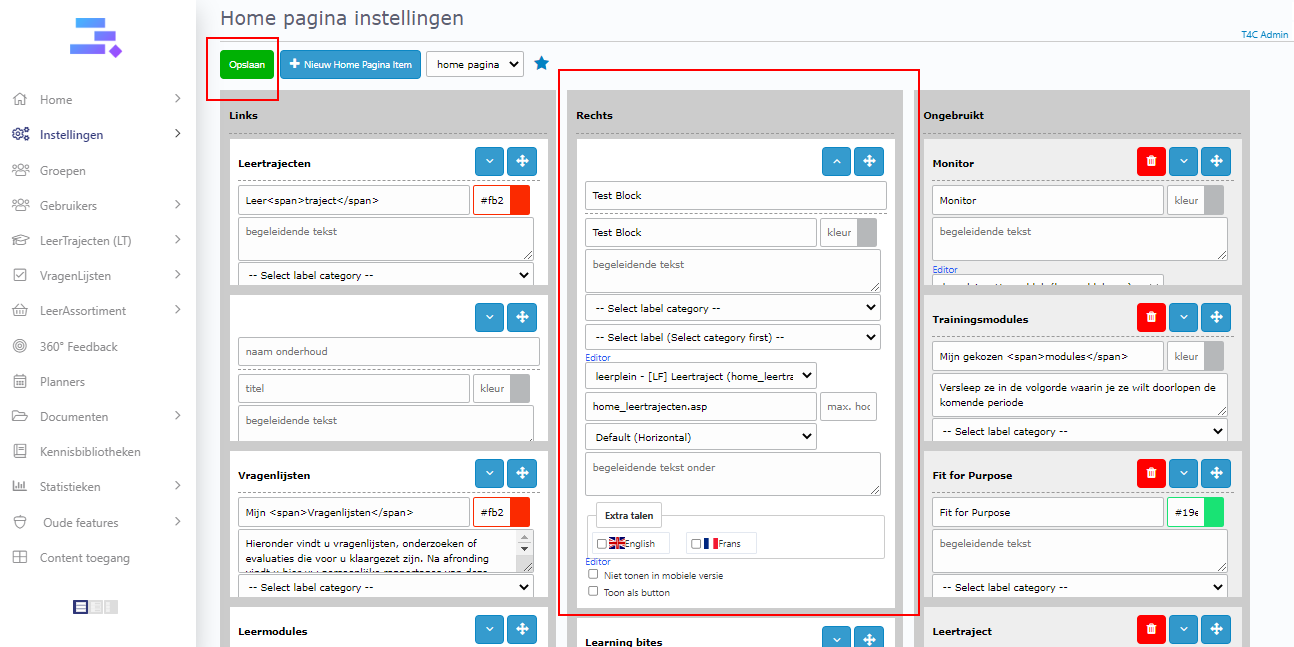
Click + nieuw home pagina item. Then a new block appears on column 3. You need to fill in all information and choose content available for block. Move it to column 1 or 2 to it can be displayed on the homepage. Don’t forget to click Opslaan to save all updates.
How to delete blocks
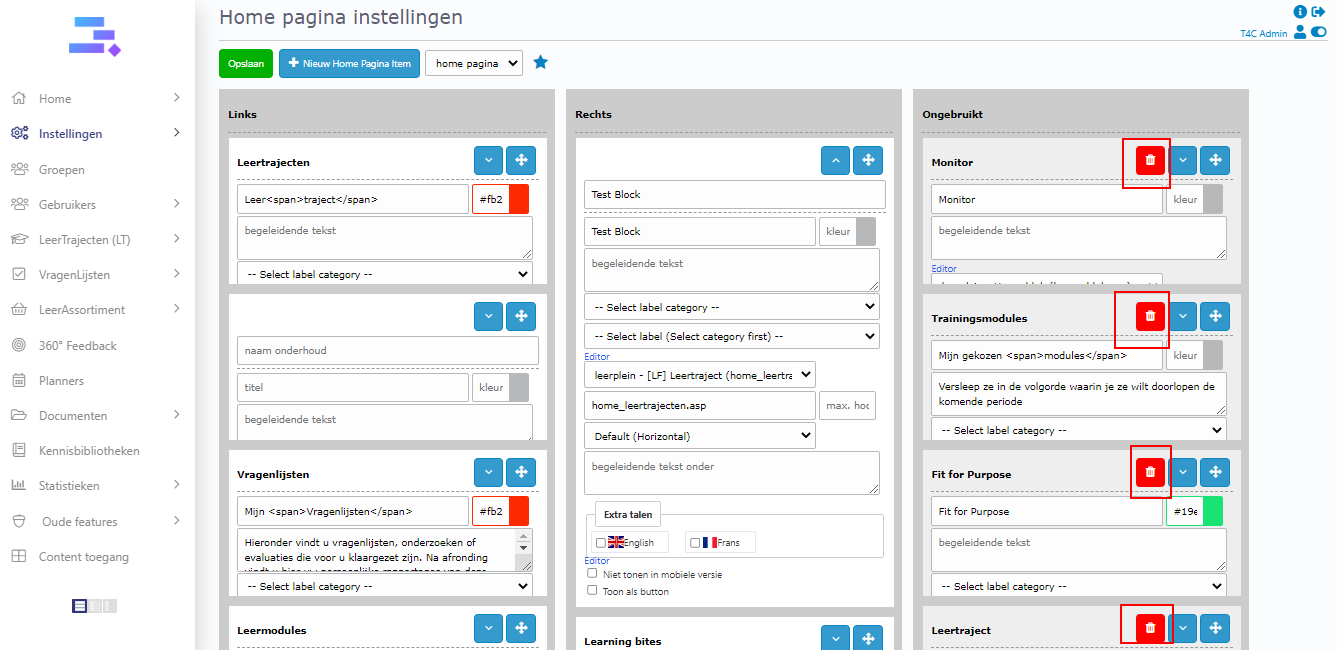
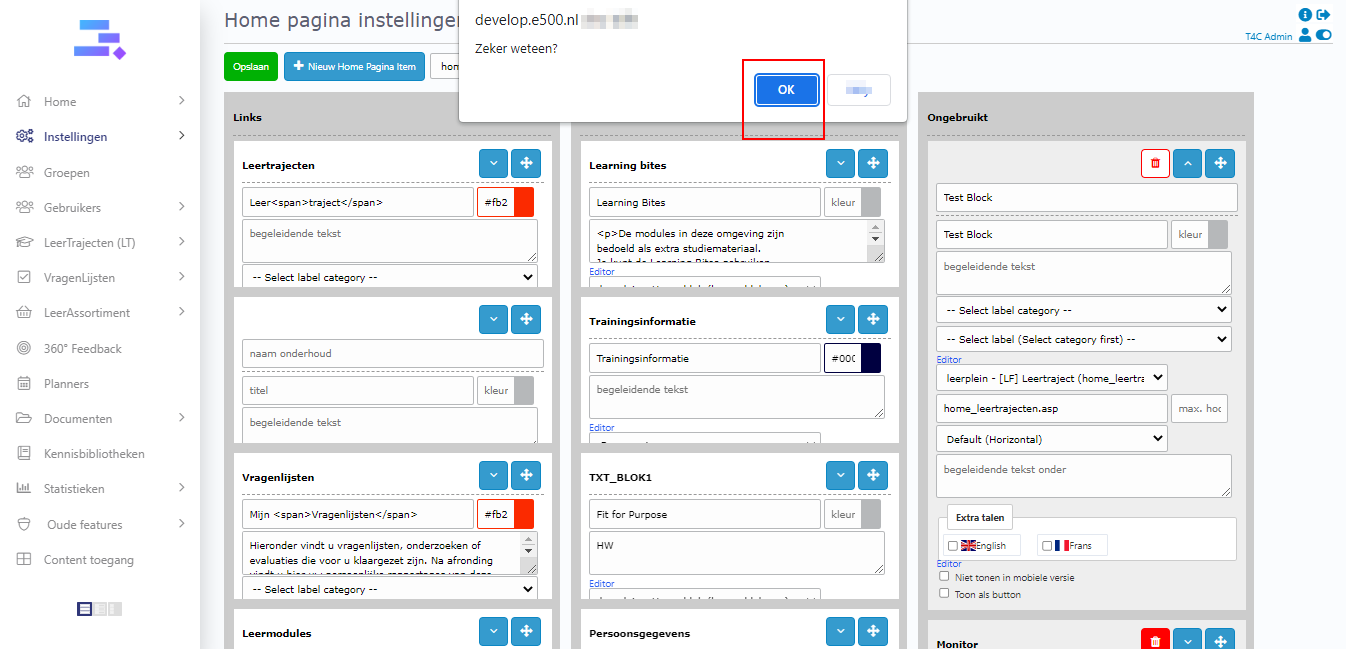
If you want to delete one block, move it to column 3. Then, on that block will appear a pink recyclebin icon, you can just click it and next click Ok to delete.
Good luck!