Leermodules – CBT is the Learning modules contains items for user to learning.
How to create a new Leermodules – CBT
You can create a new Module with the easy steps below:
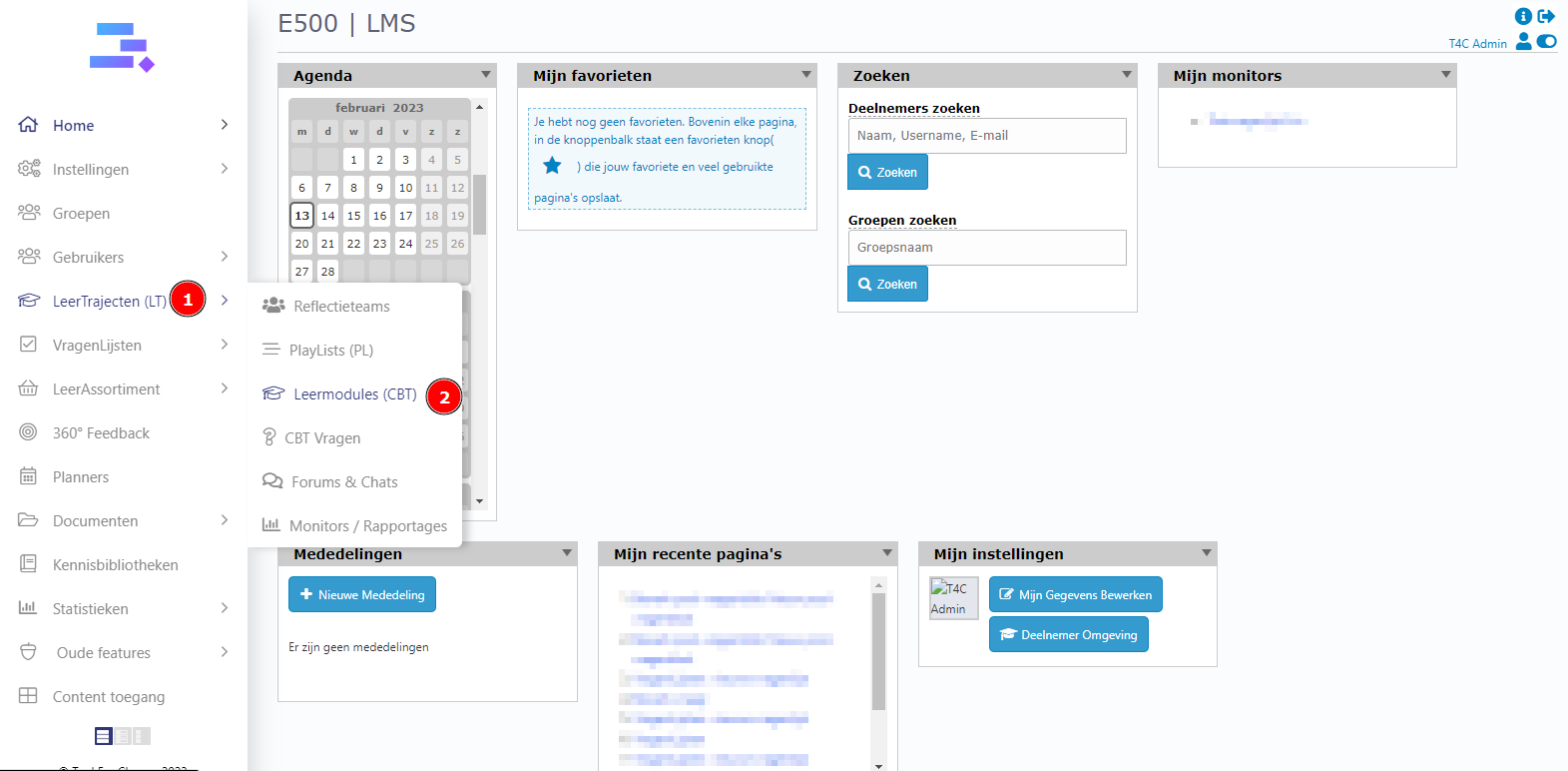
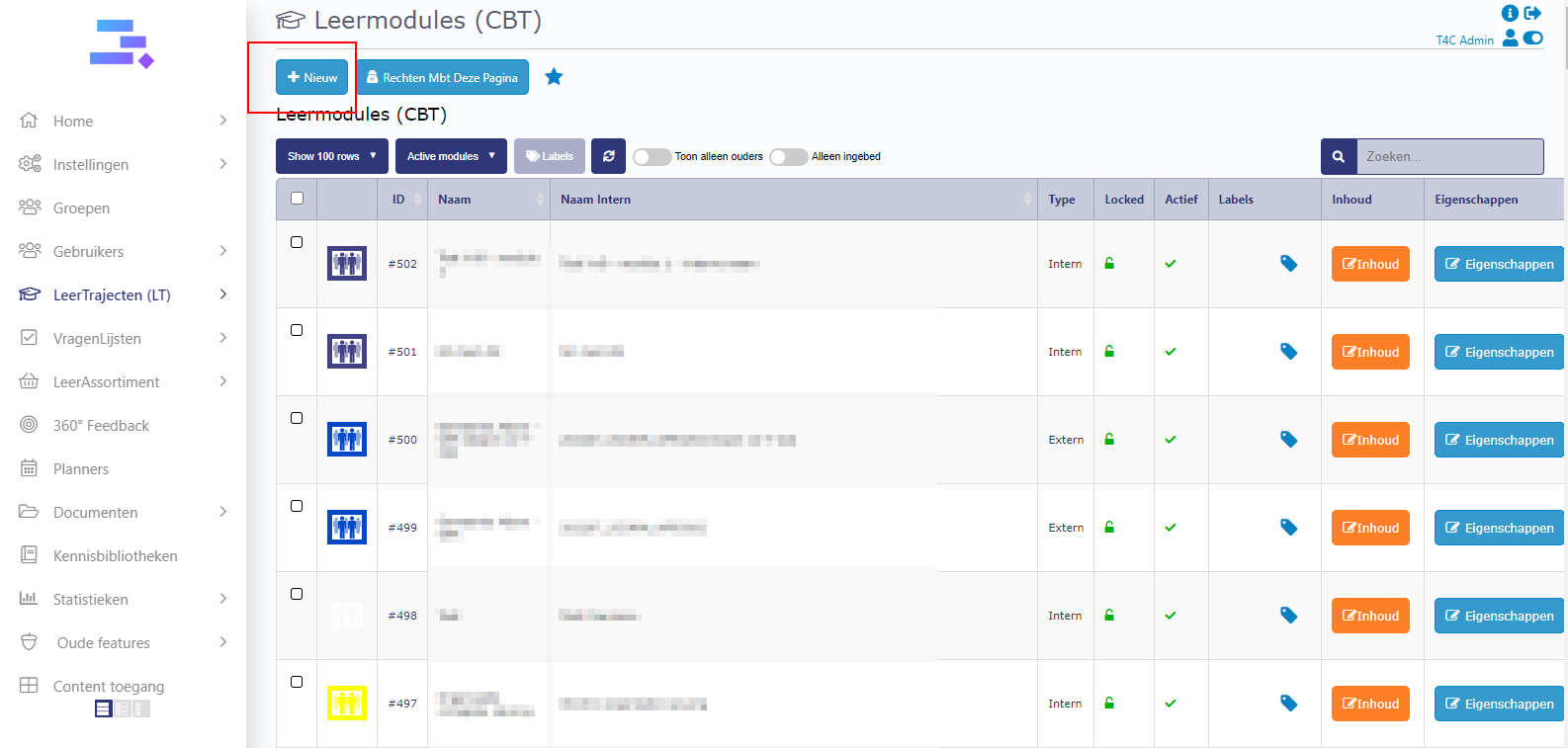
First, Login with your administrator account. Hover into LeerTrajecten (LT) and click to choose Leermodules (CBT). After that, a new window open. Click Nieuw to create a new Module .
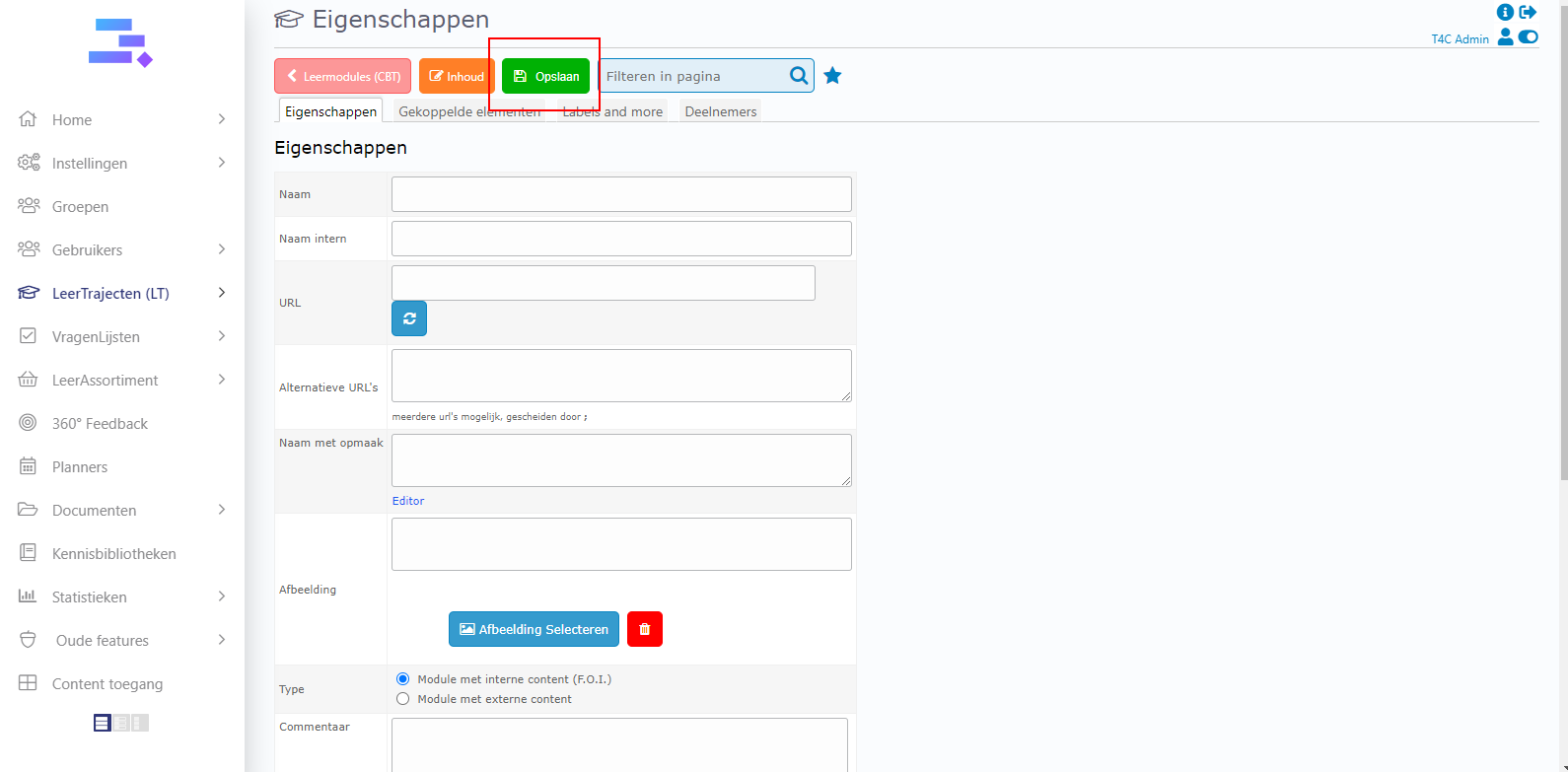
Eigenschappen tab is open. Fill in the information about your course and click Opslaan to create it.
How to change interface of a CBT
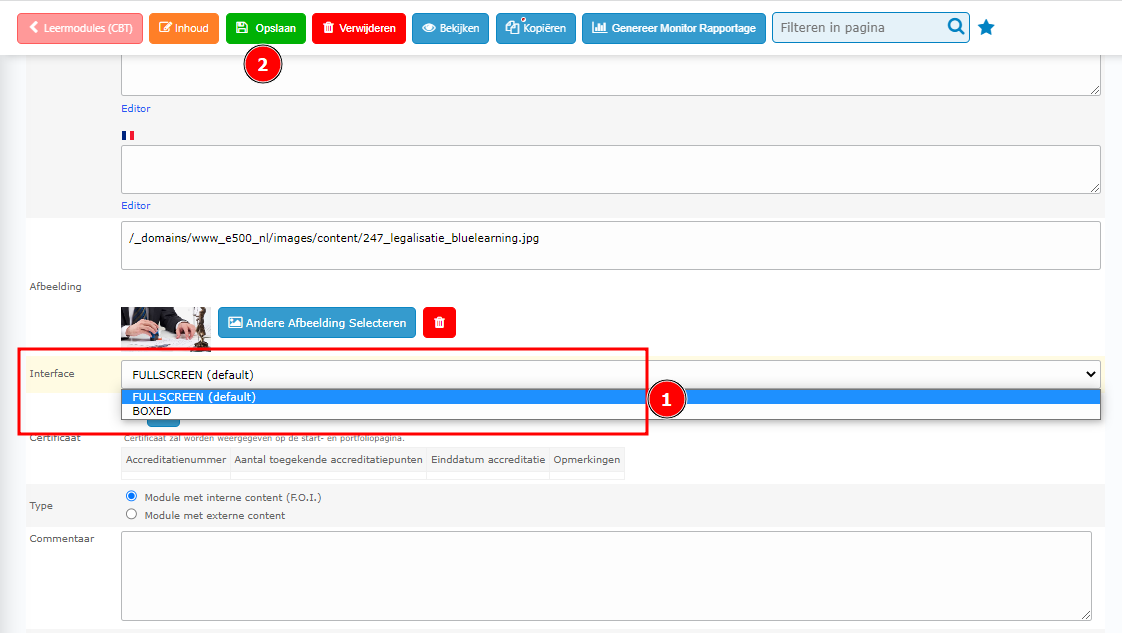
In Eigenschappen tab of detail page of the CBT, scroll down to see the selectbox Interface. Click on it to select interface for this CBT. After selected, click Opslaan to save.
 How to set up items for the Leermodule
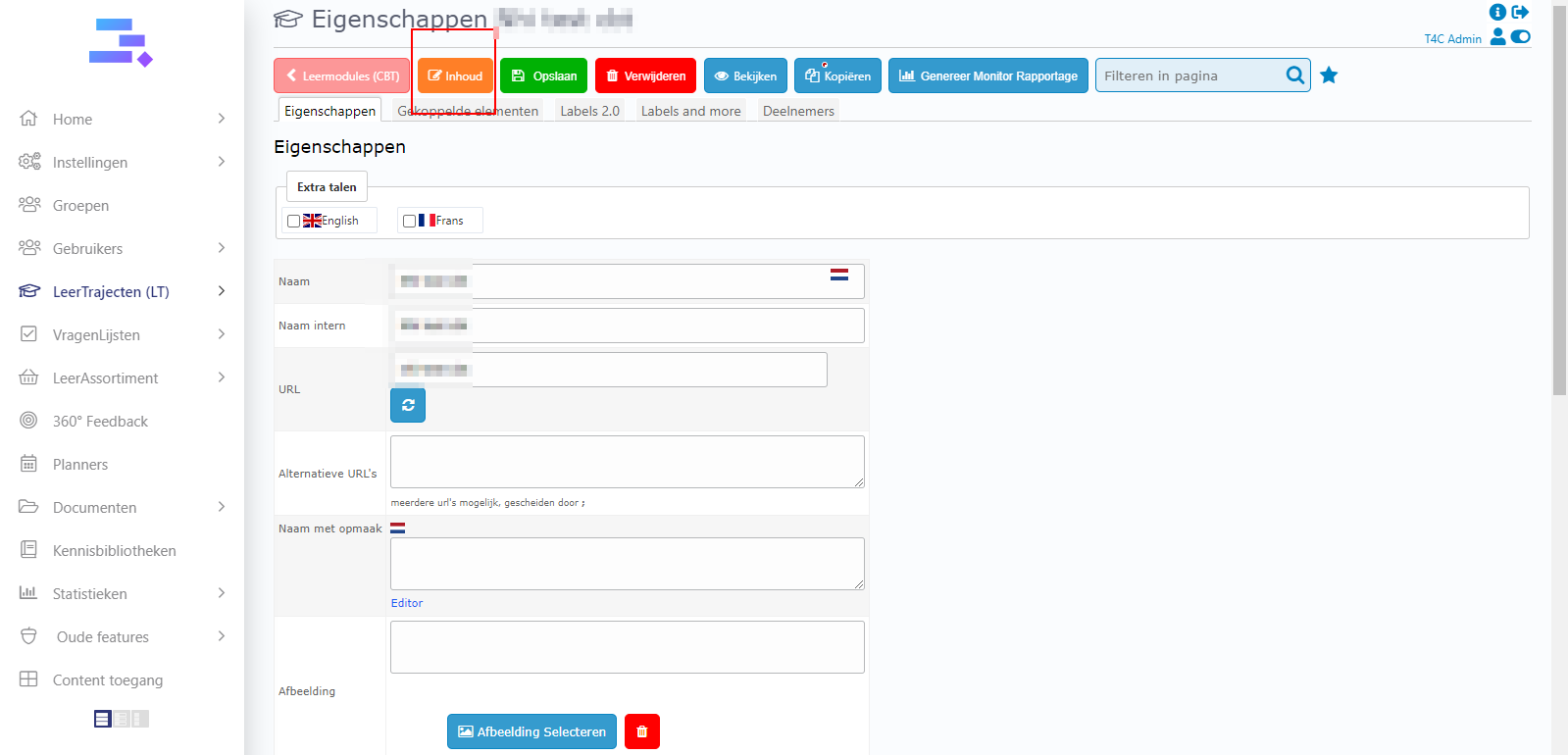
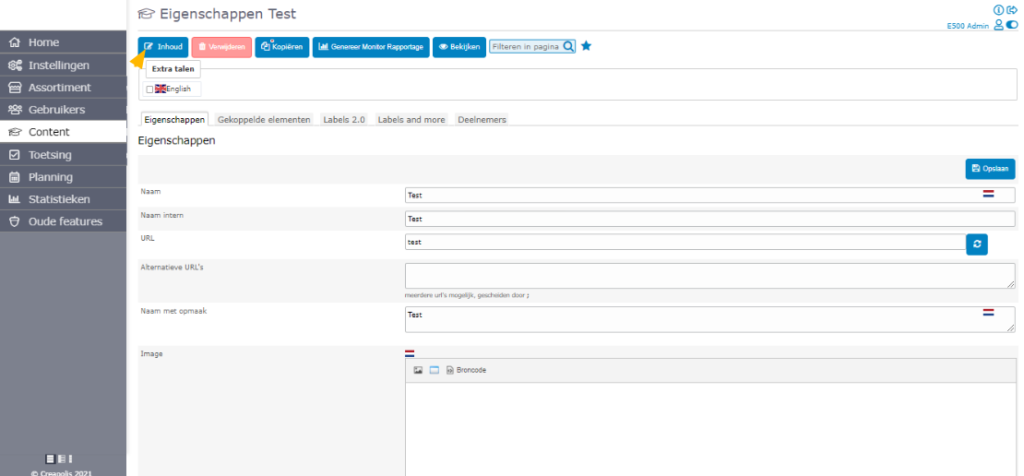
In the detail page of CBT, click on Inhoud to set up the items for this leermodule.
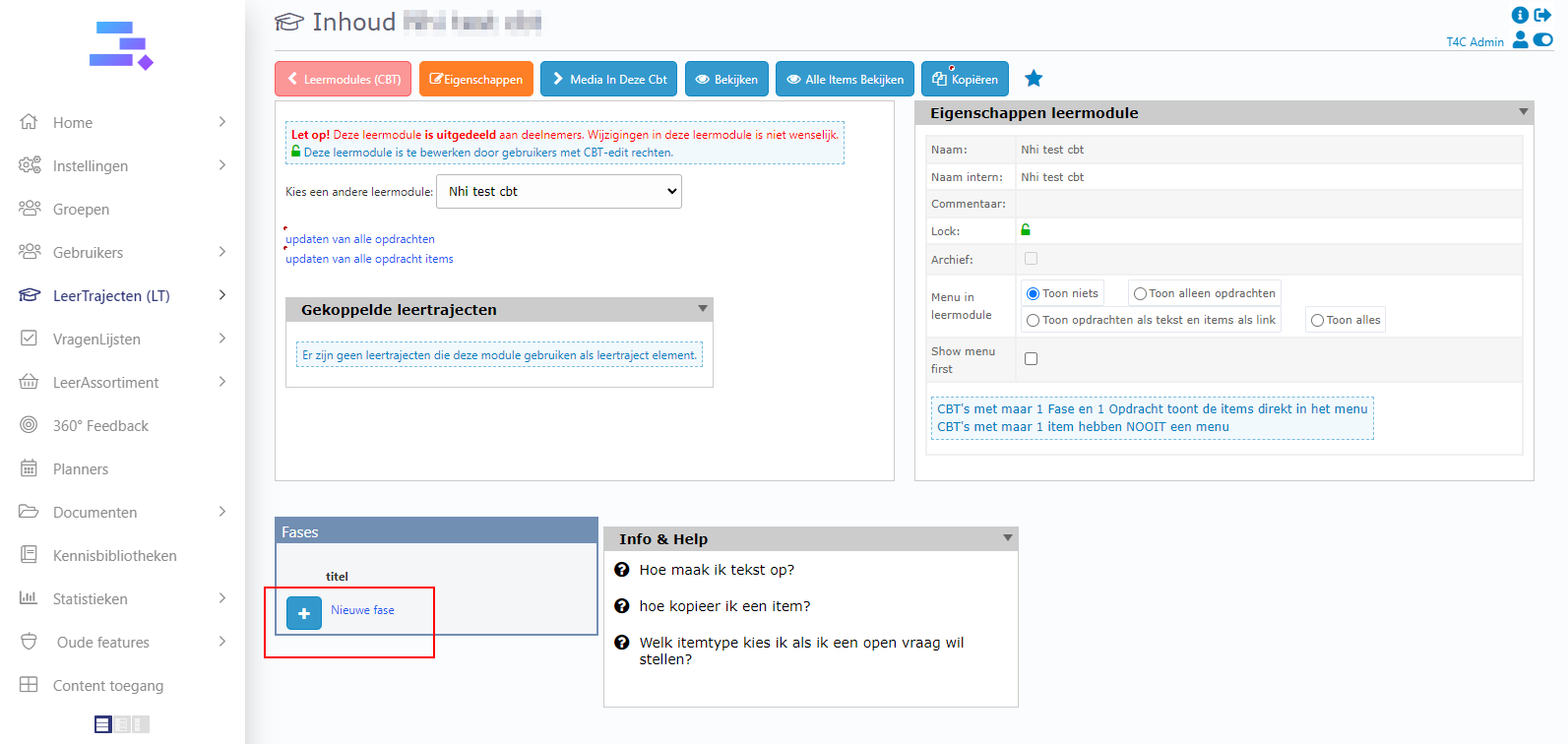
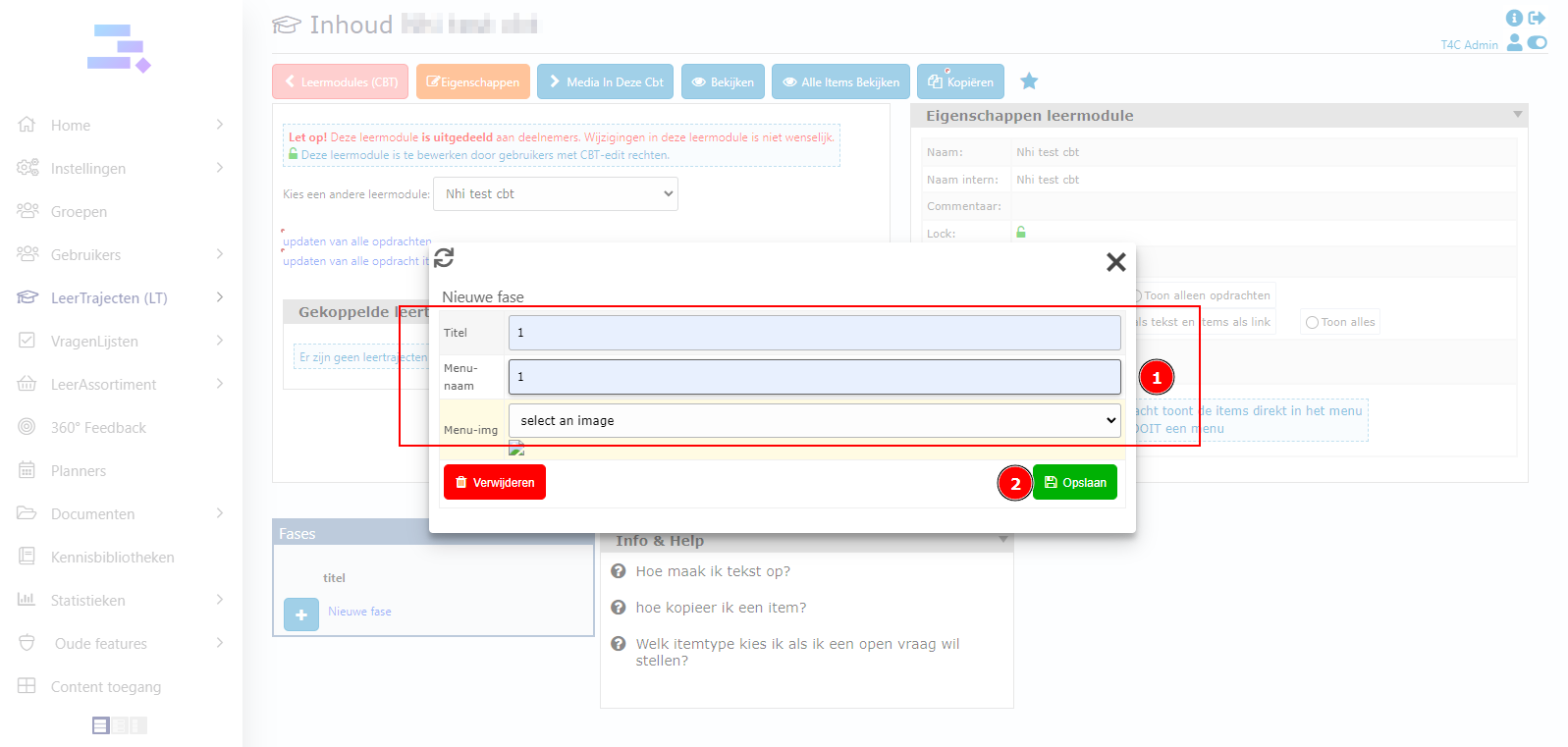
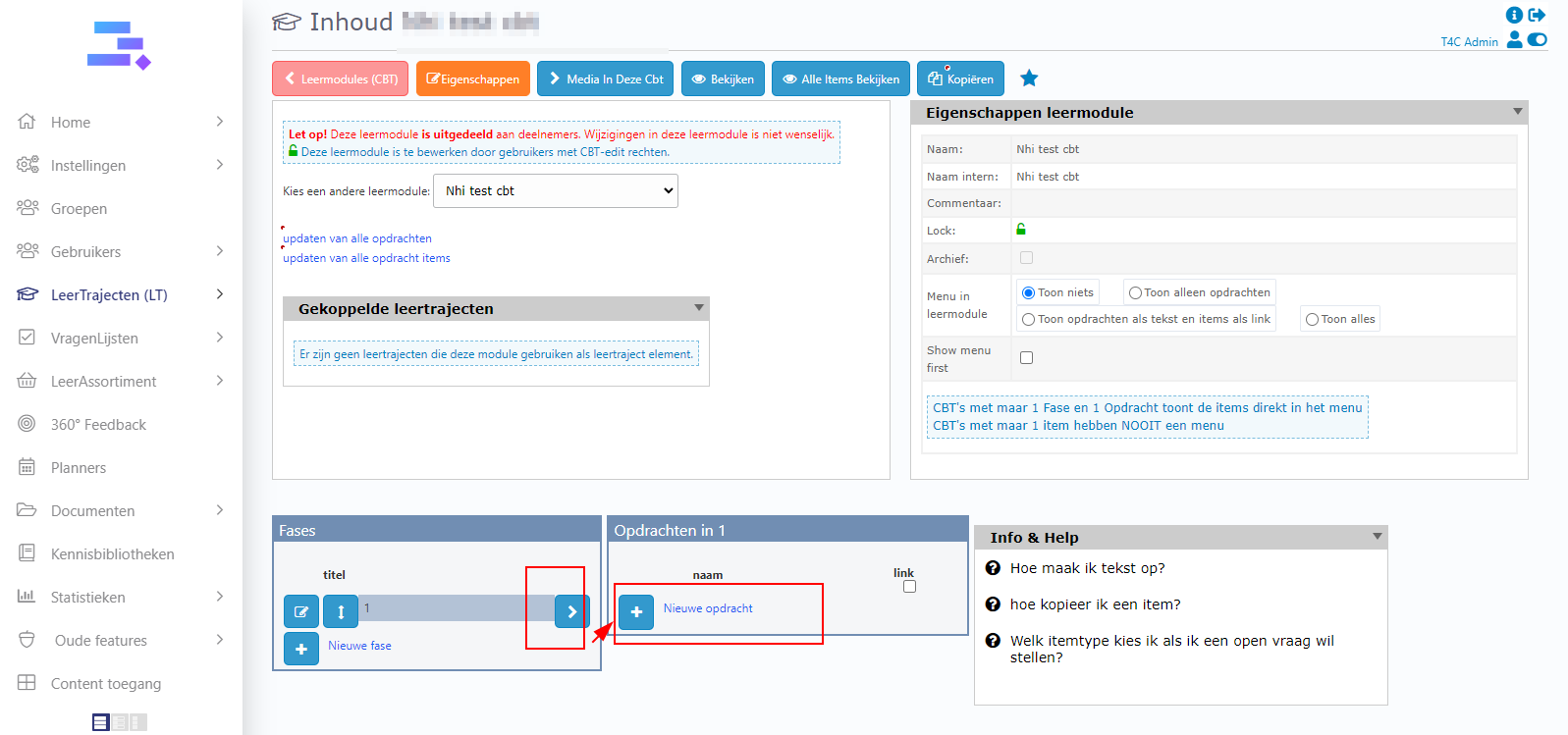
Click on Nieuwe Fase to make the pages of your Module. Add information and click Opslaan to save all.
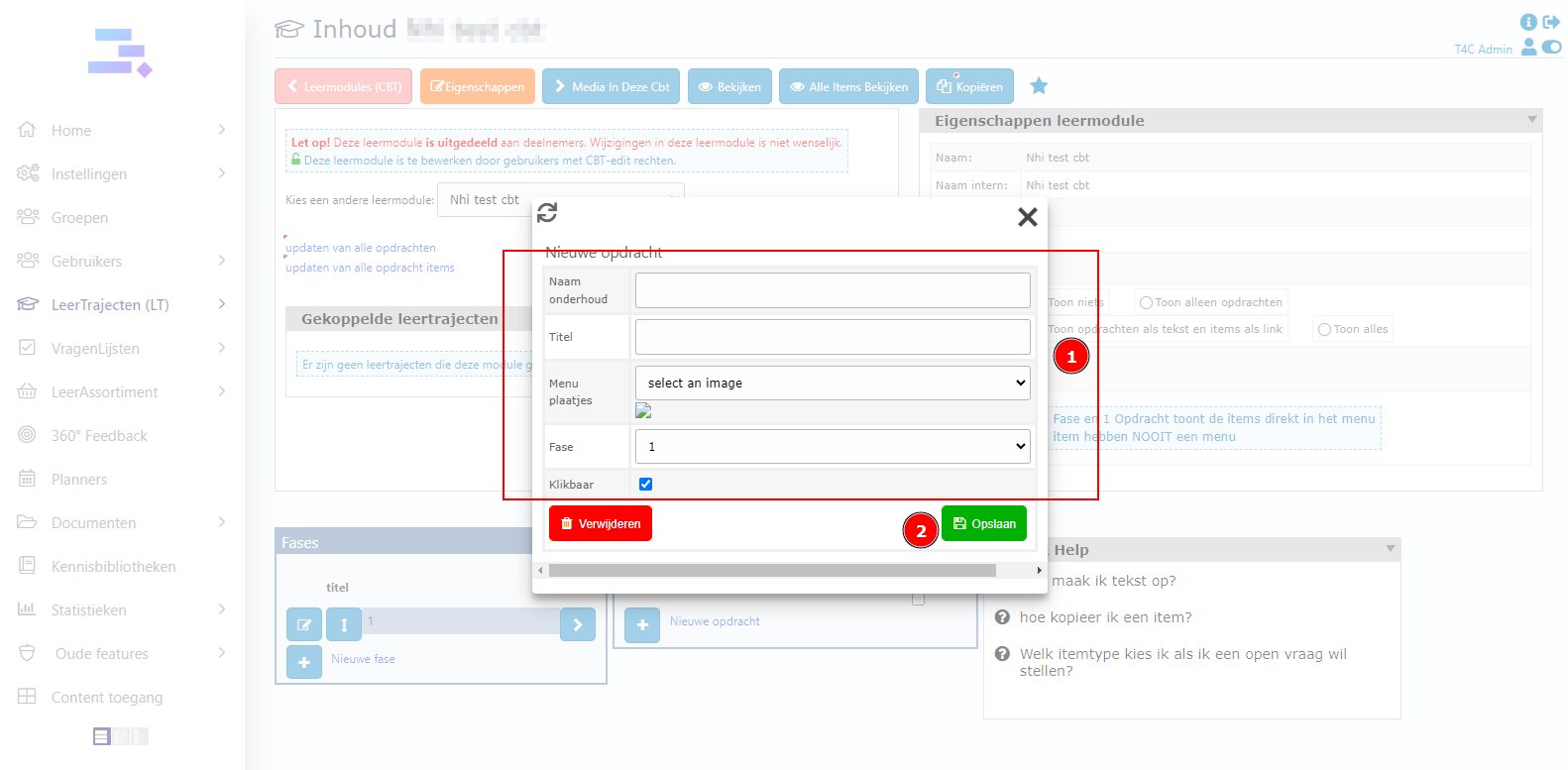
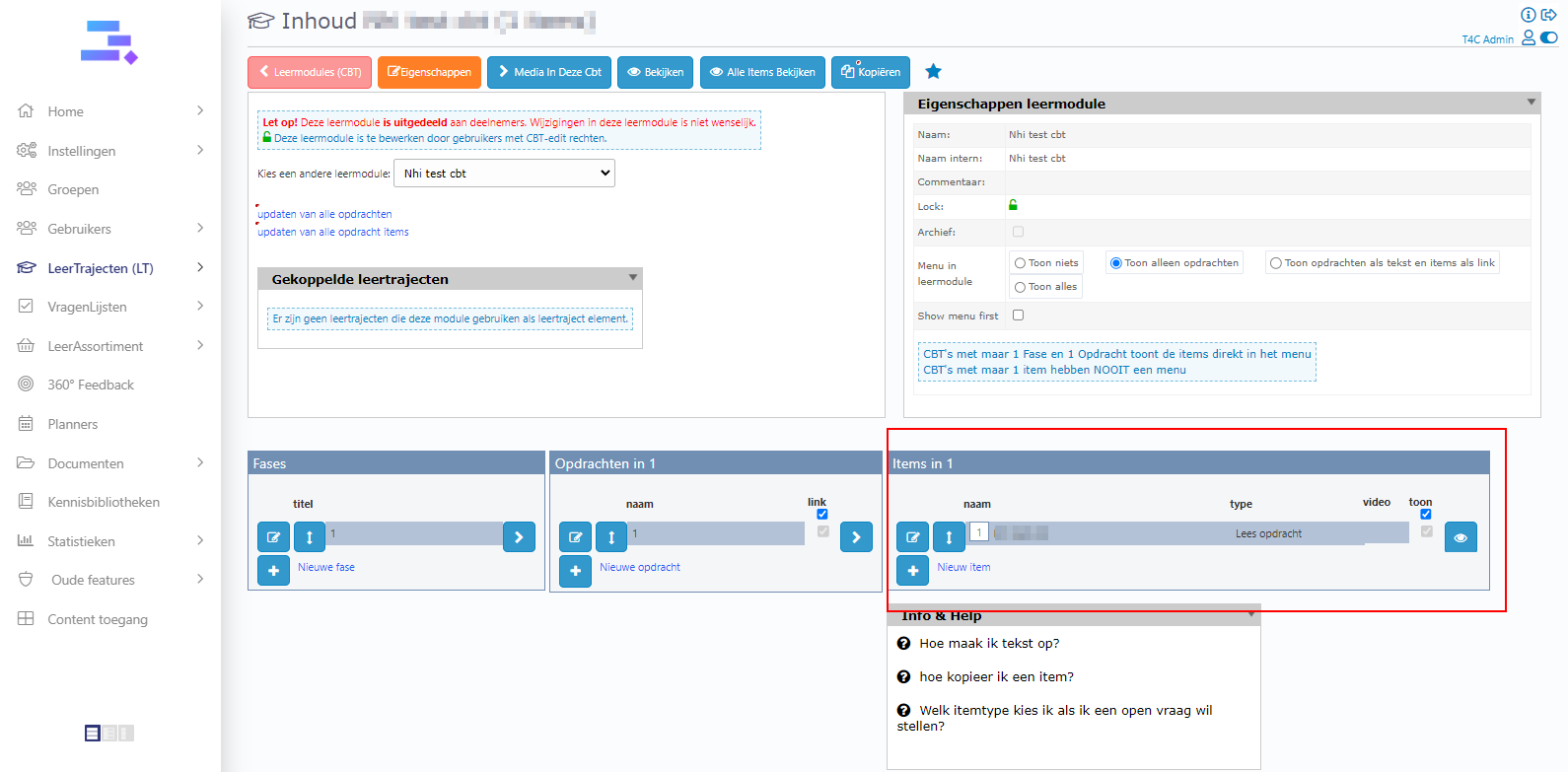
Next step is click icon > in Fase block. Then, you can see Opdrachten block appear. Click Nieuwe Opdracht to create the assignments for your students. Fill in the information and click Opslaan one more time to save all.
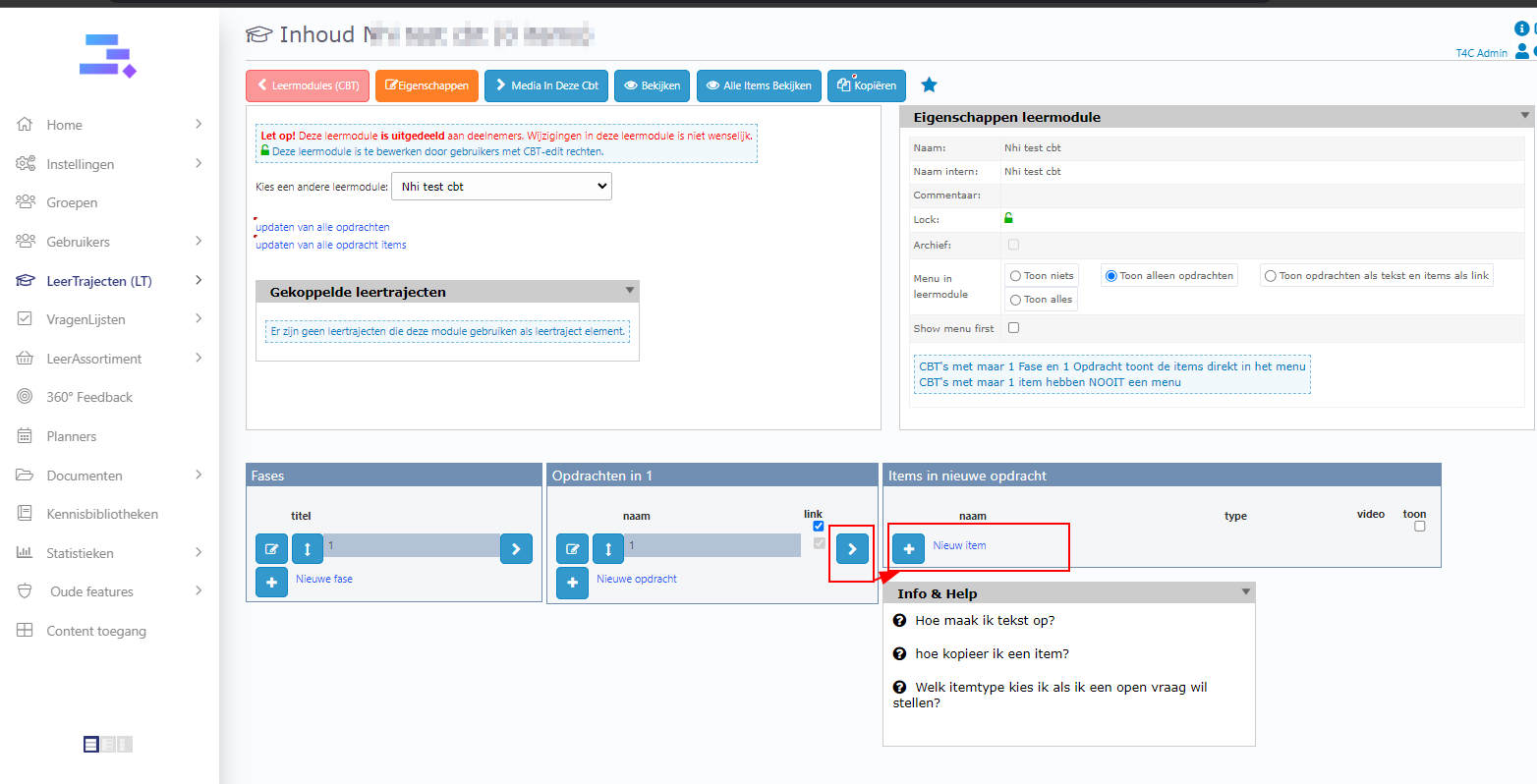
Continue, click icon > in Opdrachten block. Then, you can see the Item block appear. Click Nieuw Item to create the items for your students. It is not required to fill in all. You only need to fill in the rows of Naam onderhoud, Titel, Tekst. Fill in the information and one more time click Opslaan to save all.
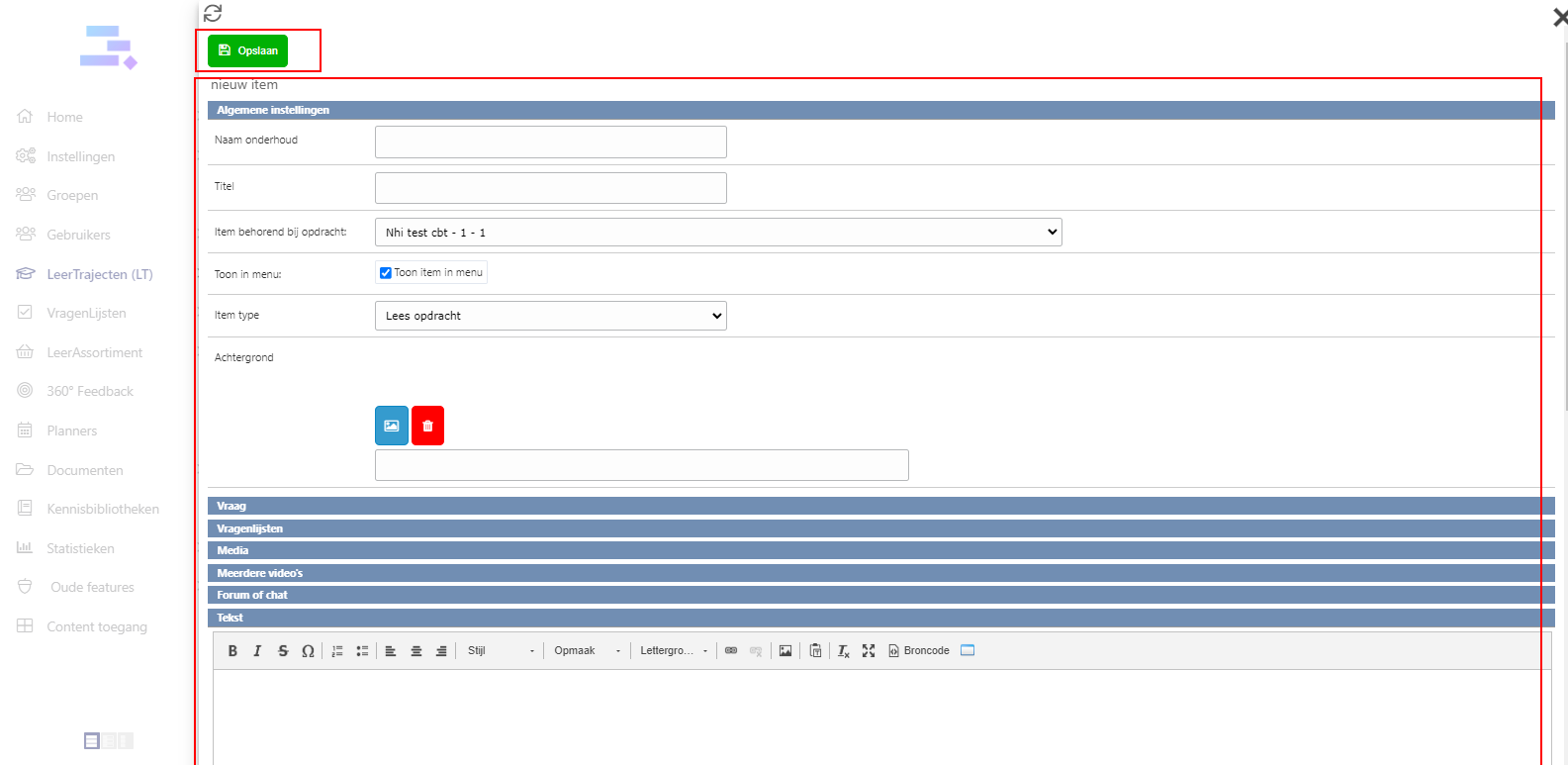
Now your new Module is ready with the first item. You can add more and more items for it by the same way.
How to enable/disable the menu in Leermodules – CBT
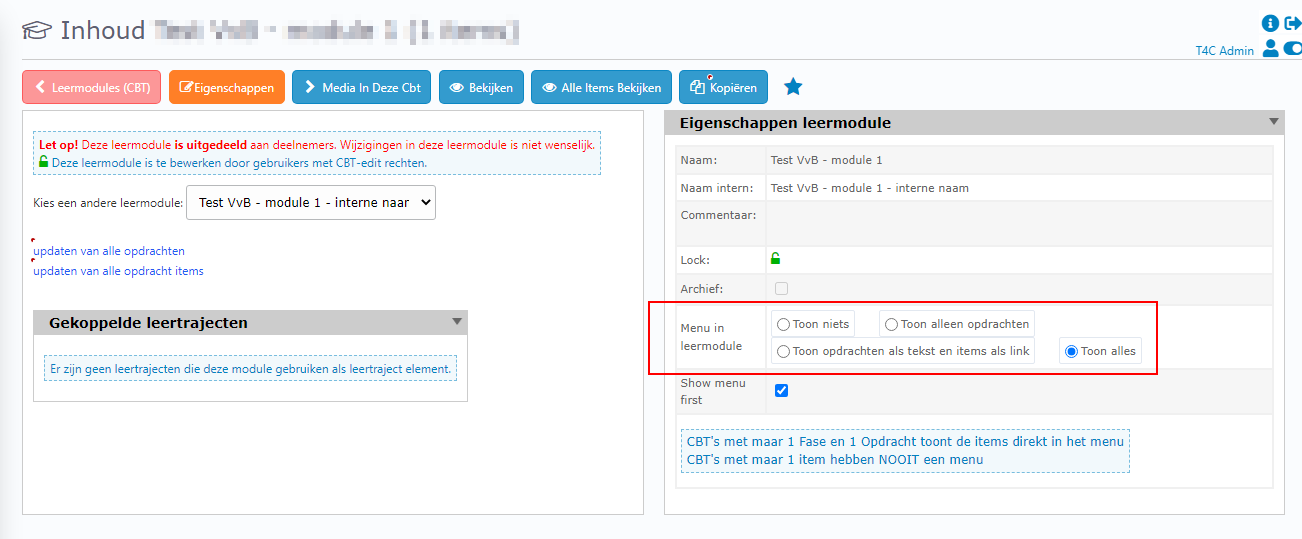
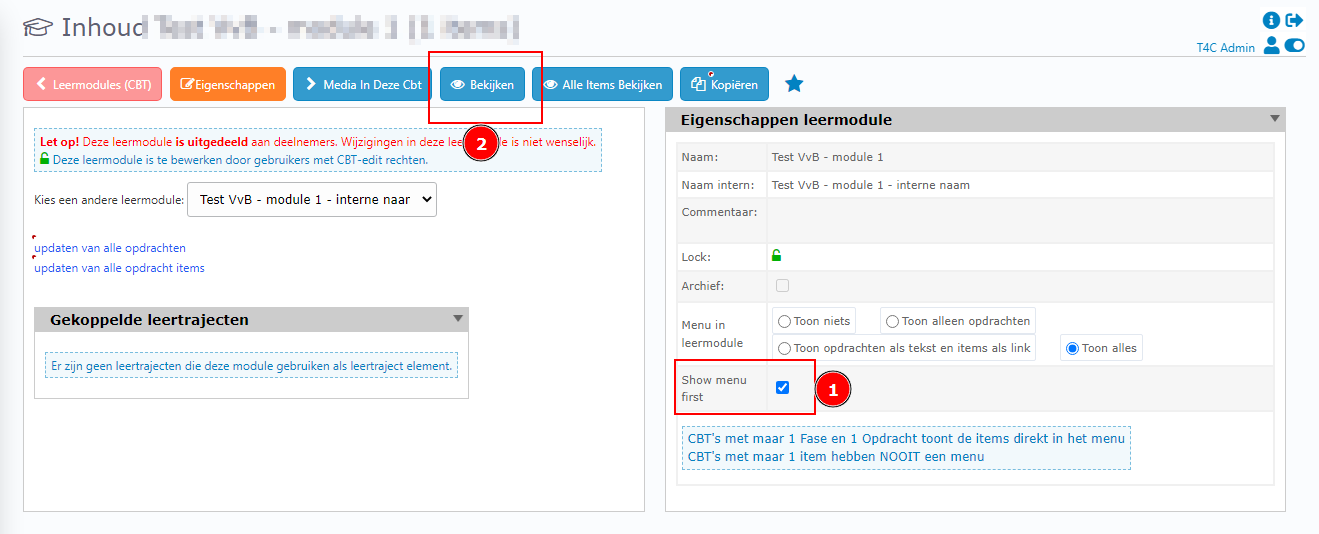
In the Inhoud page, at Eigenschappen leermodule table. You can see the section Menu in leermodule. In here you have 4 options to choose.
- Toon niets (Show nothing)
- Toon alleen opdrachten(Only show assignments)
- Toon opdrachten als tekst en items als link (Show commands as text and items as a link)
- Toon alles (Show all)
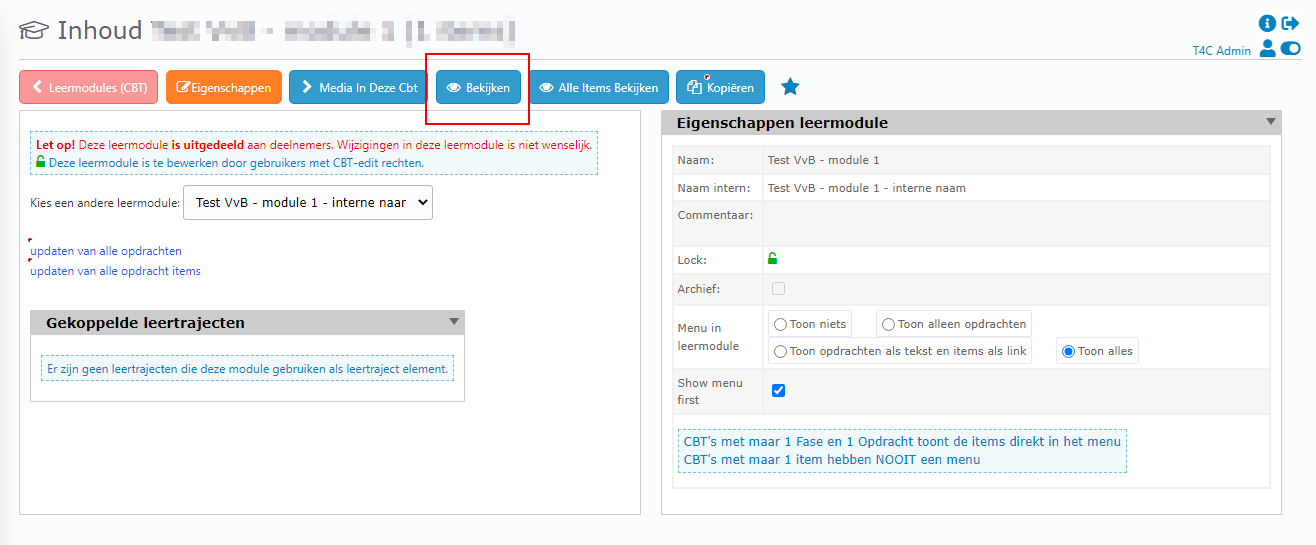
After you chose one of the option, you can click button Bekijken to see how the menu changed.
How to set up “show menu first” for a Leermodule – CBT
In the Inhoud page, at Eigenschappen leermodule table. Checked the checkbox Show menu first. It is done! You can click on Bekijken to preview the change.
How to translate slide text media in Leermodule (CBT)
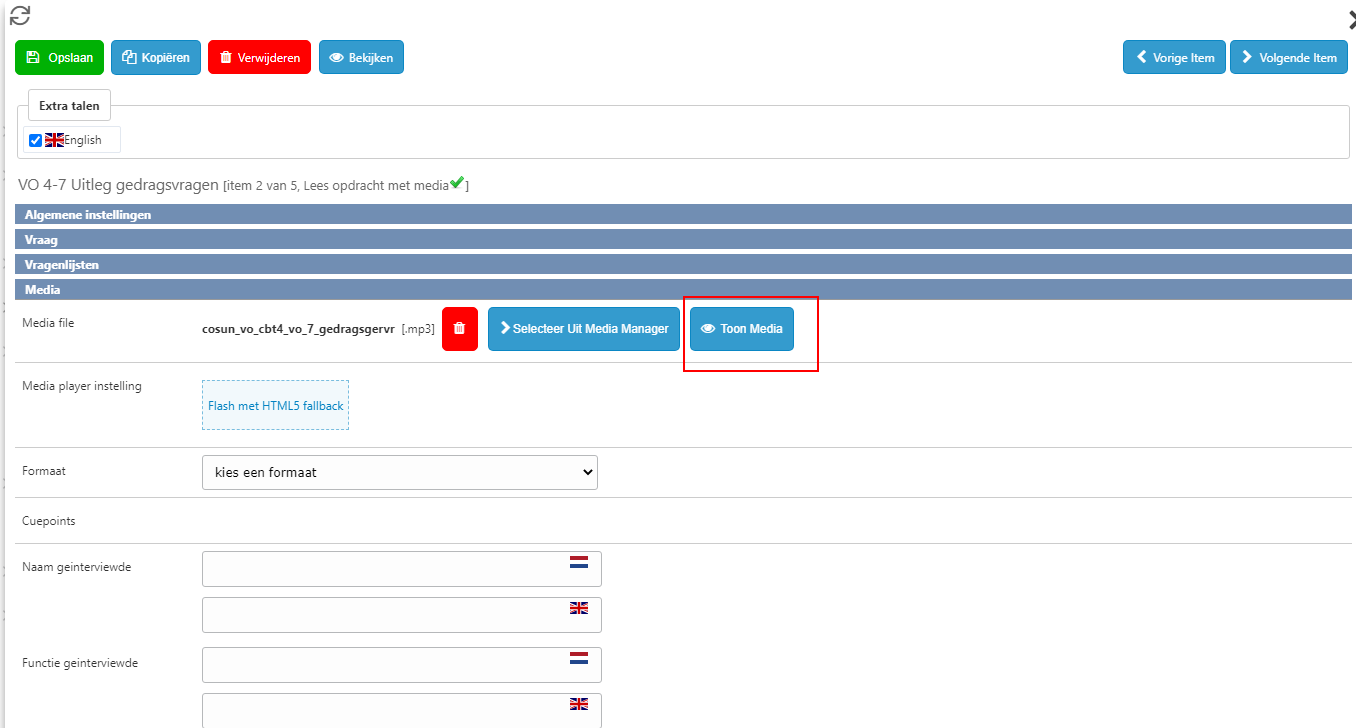
Go to item of Leermodule which contain the media. At media section, click on Toon Media button.
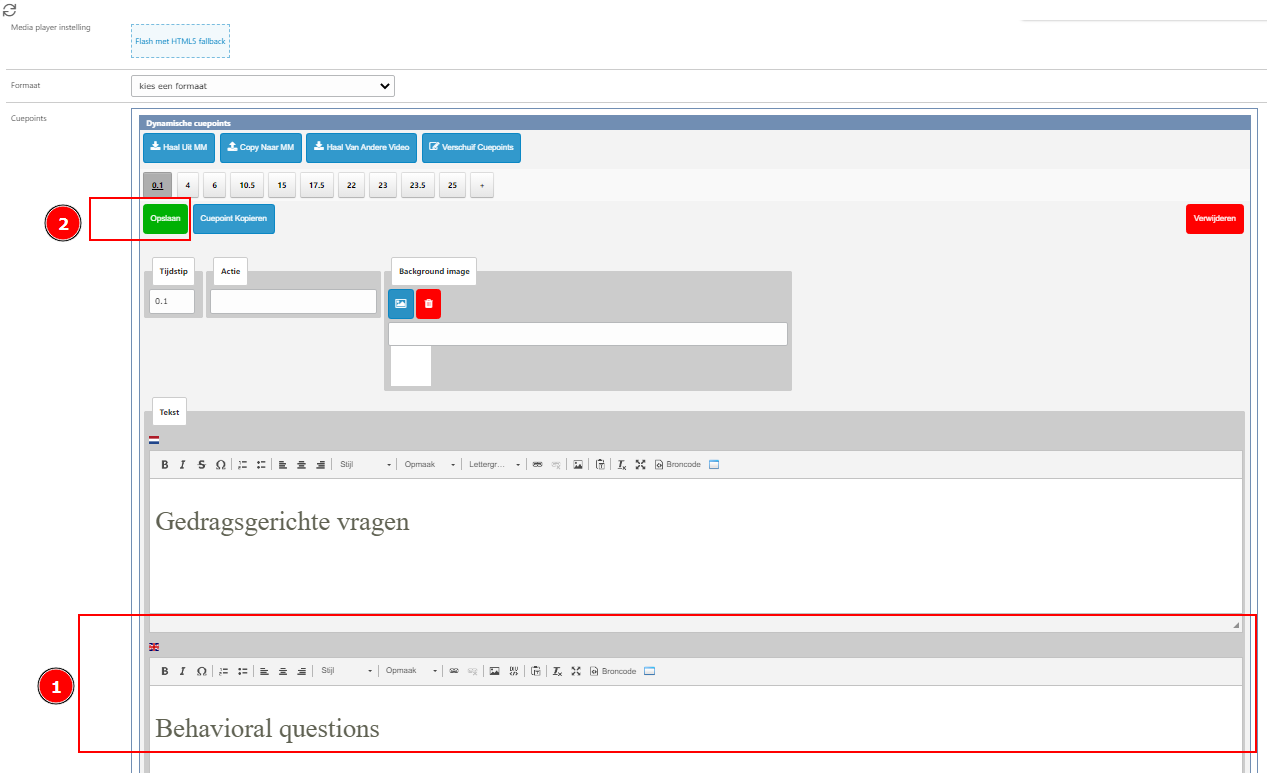
You’ll see the row of number. That’s time when the text appear. Click them by turn. You will see the translate block appear.
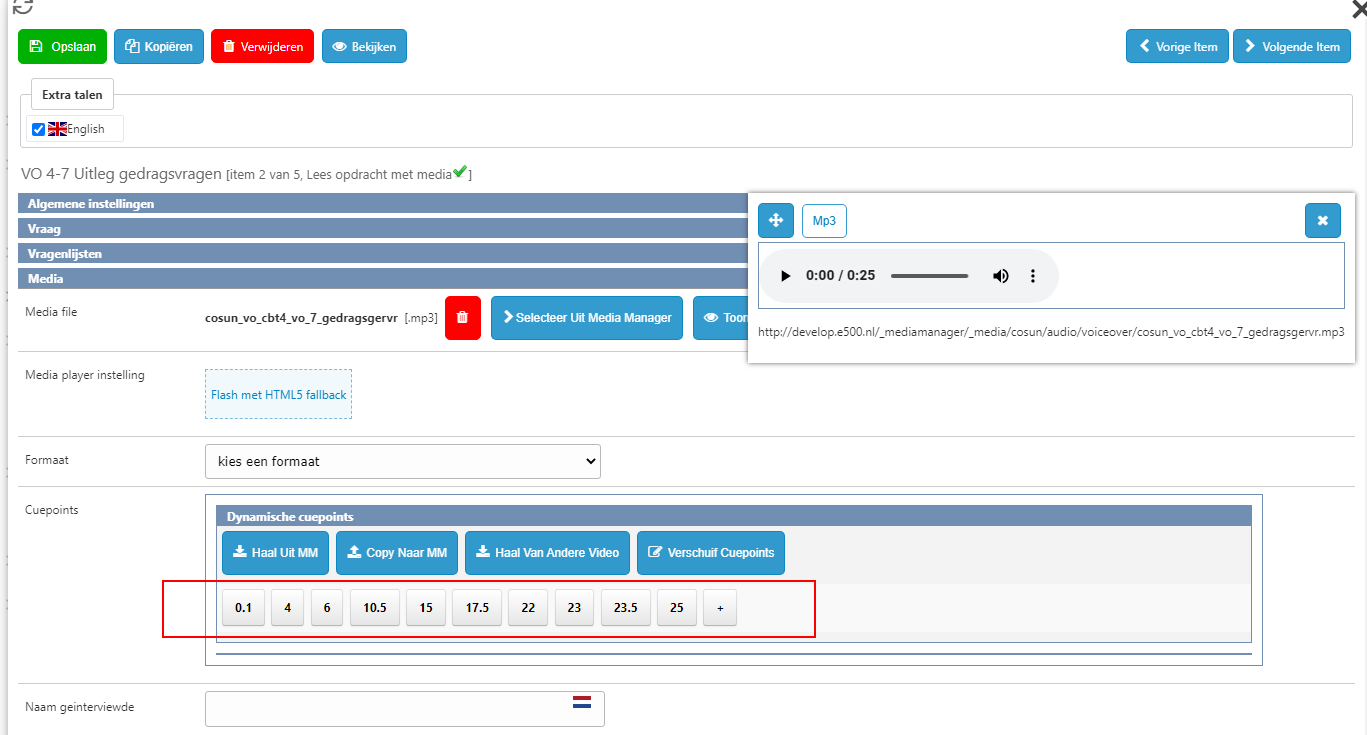
Enter the translation and click Opslaan to save. Keep doing the same way with the rest untill finish.