Toet is basically a questionaire. After the student did it, they will be recived the scores, comment and the right answer(set up before).
How to create a new Test(Toetsen)
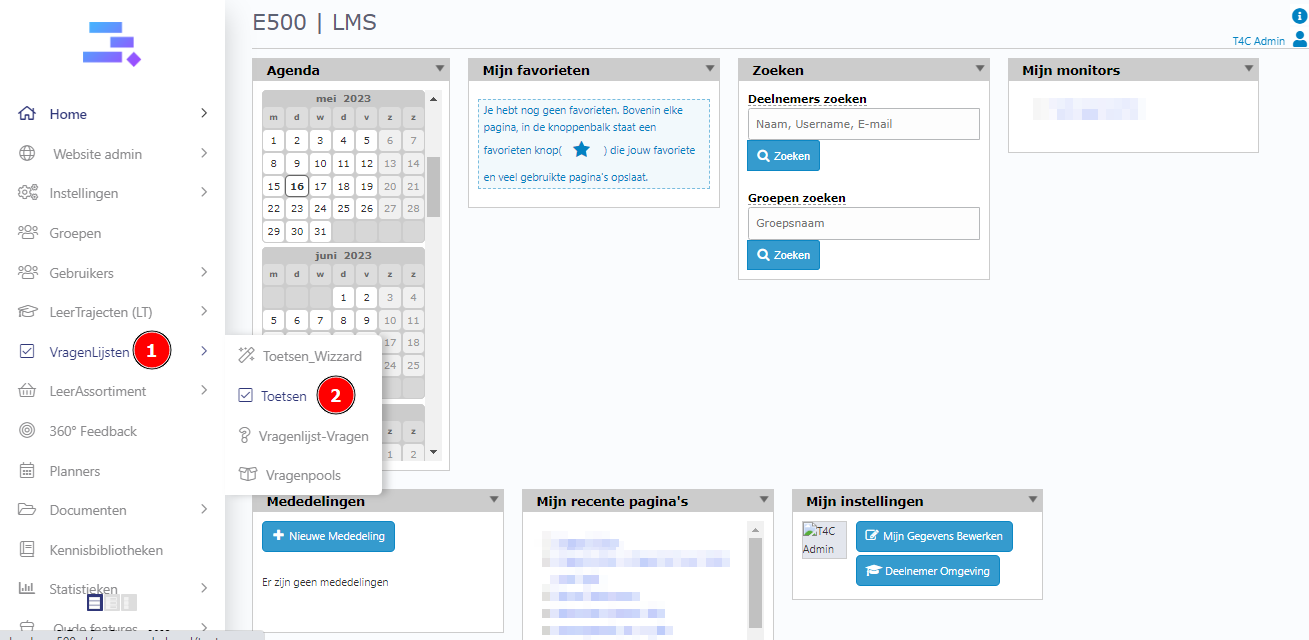
Login with your administration account. Hover into VragenListen and click on Toetsen.
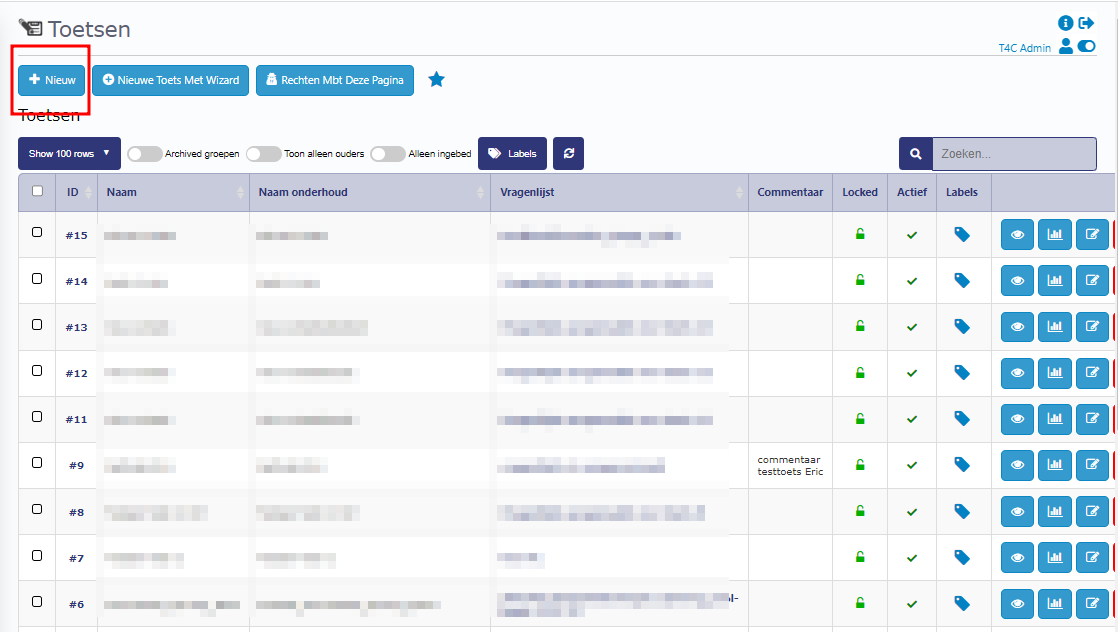
In the list of Test page, Click on Nieuw to create a new Test.
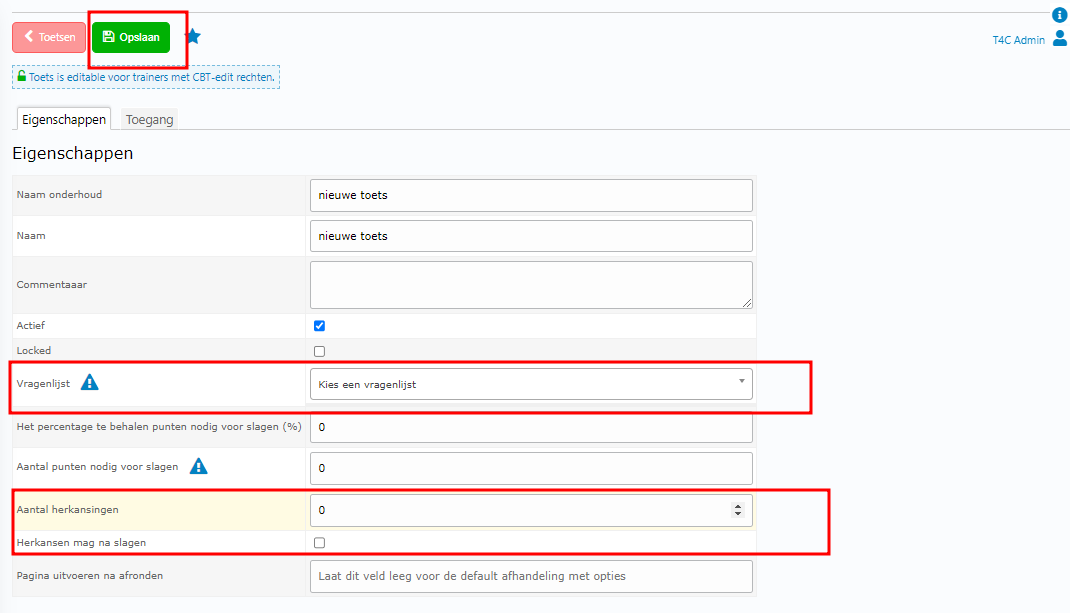
At Eigenschappen tab, fill in the information and select a vragenlist(questionaire) for this Test. After that, click on Opslaan to create it.
To allow user retake the exam: Check the checkbox Herkansen mag na slagen.
To set number of turns to retake the exam: Enter the number into Aantal herkansingen input.
How to set passing scores for a Test(Toetsen)
In the detail page of the Test, you see 2 options to set passing scores: By percent and by scores.
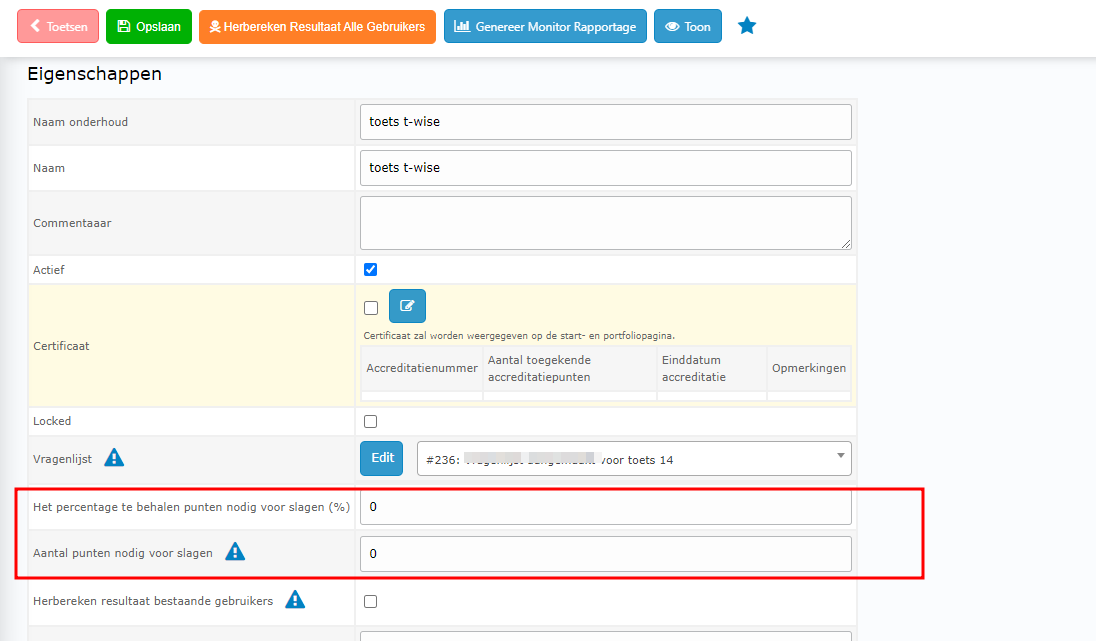
To set percentage to pass (%):
First, you have to set 0 for Aantal punten nodig voor slagen input. Then, enter the percentage value needed to pass. And click Opslaan to save.
Example:

To set scores value to pass:
First, you have to set 0 for Het percentage te behalen punten nodig voor slagen (%) input. Then, enter the scores value needed to pass. And click Opslaan to save.
Example:

How to select the options for result page
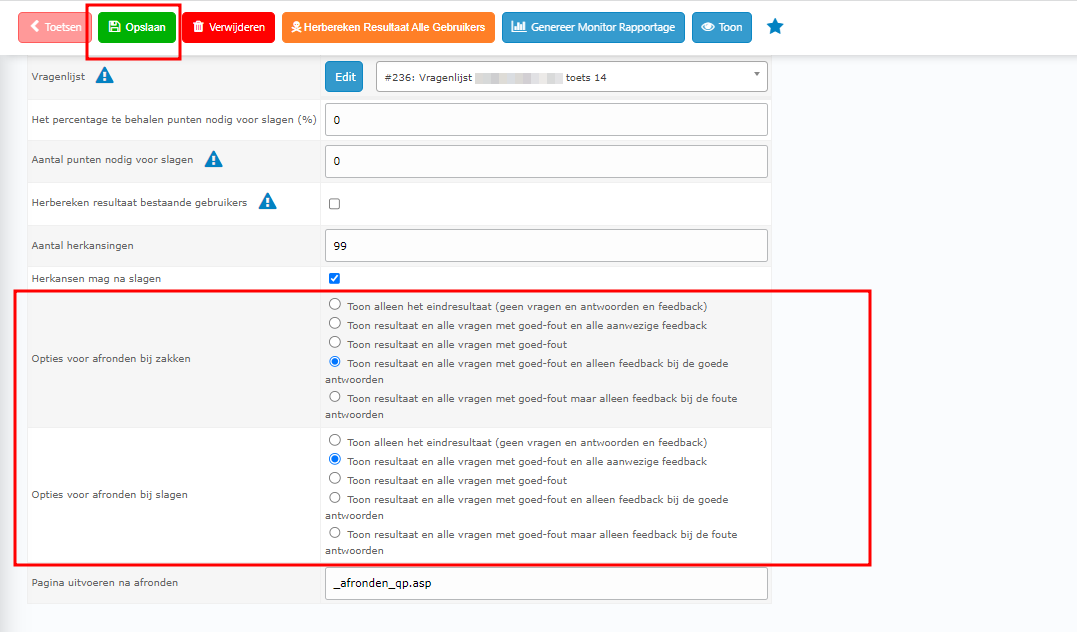
When users did a test, they will be took to the result page. Here will show the scores, comment and the right answer(set up before by options). So here we have the options for users are pass the exam (Opties voor afronden bij slagen) and the options for users are fail the exam (Opties voor afronden bij zakken). After select options, click Opslaan button to save.