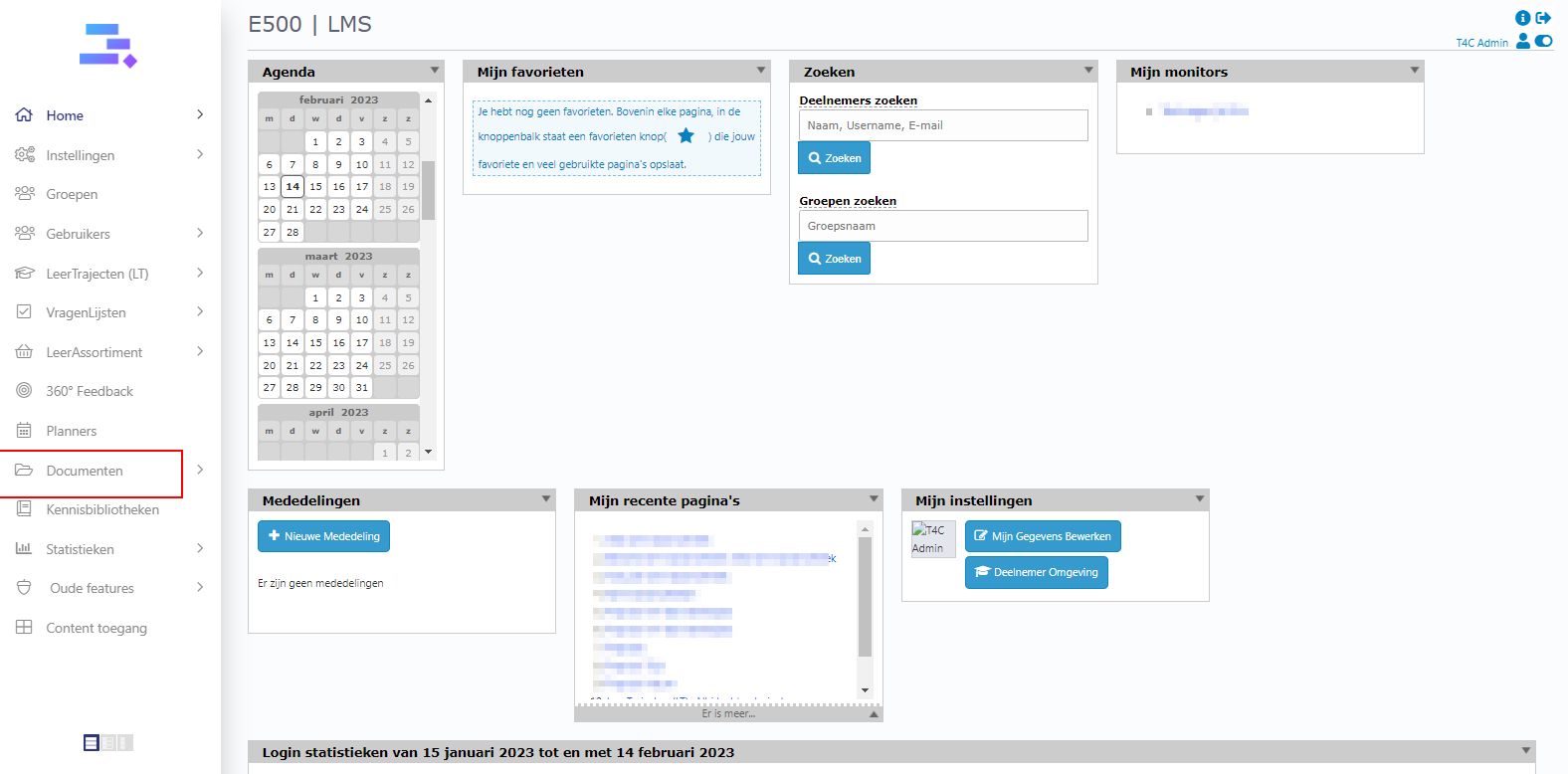
How to add new Documenten:
Login with your admistration account. Click on Documenten
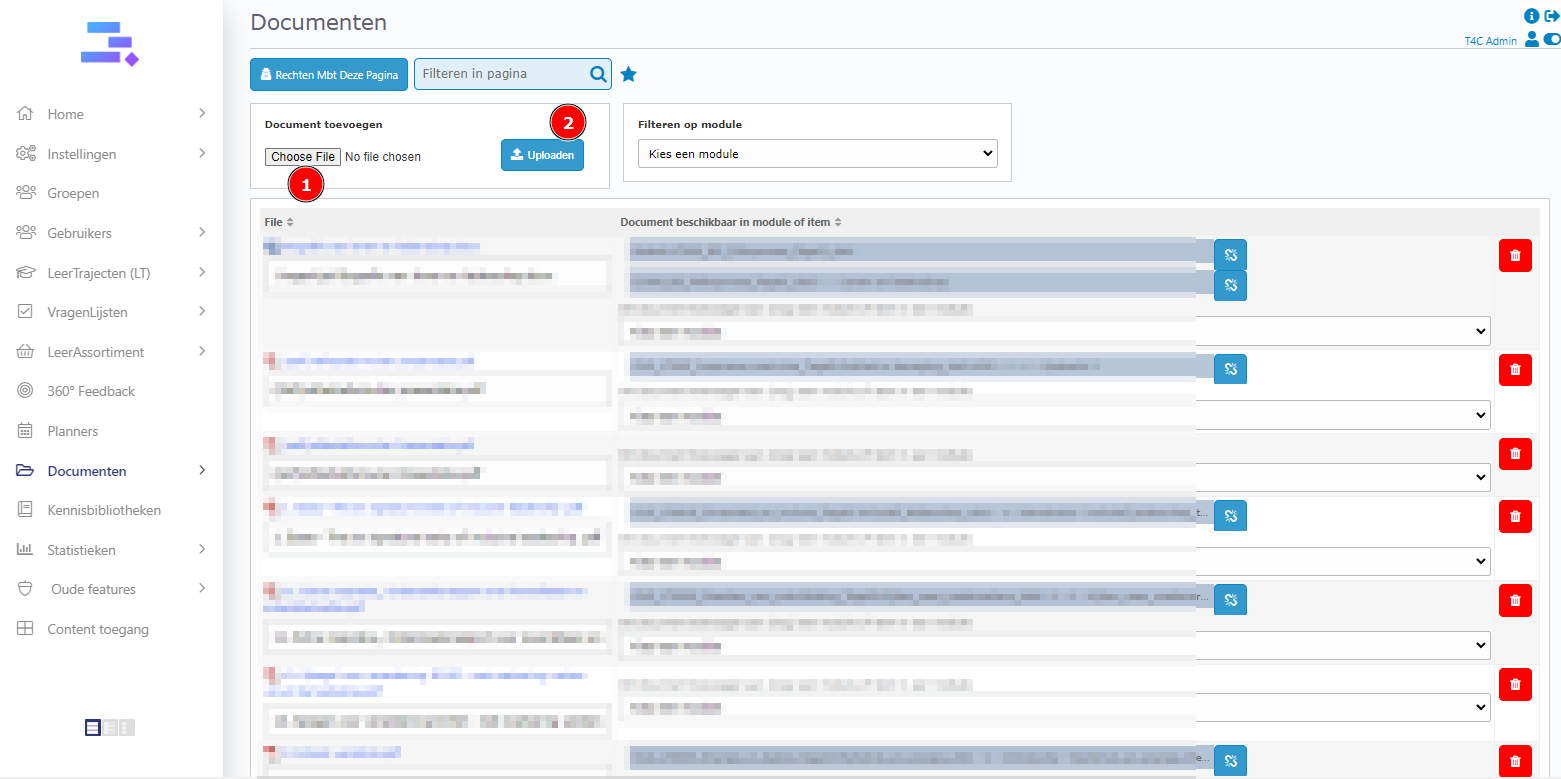
Click Choose file to choose a document from your computer and then click Uploaden to upload your file of choice.
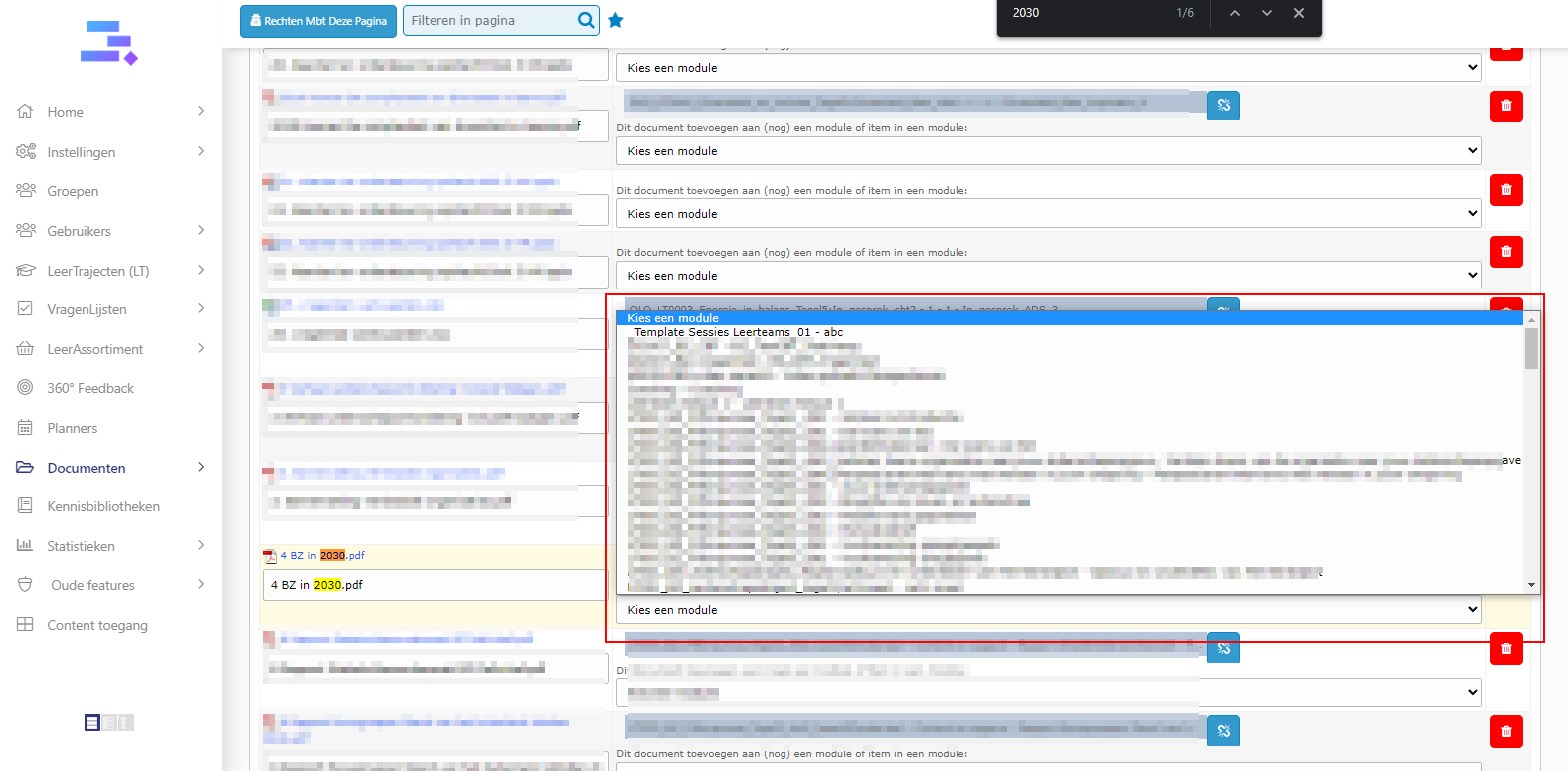
How to share document to a Leermodules – CBT:
The first way – Select module for document:
Ctrl + F is a key shortcut to search for words on a page. You can use this to find your file(s). Then click the icon V on the right to fill in a CBT, Opdracht and Item for the
new Document.
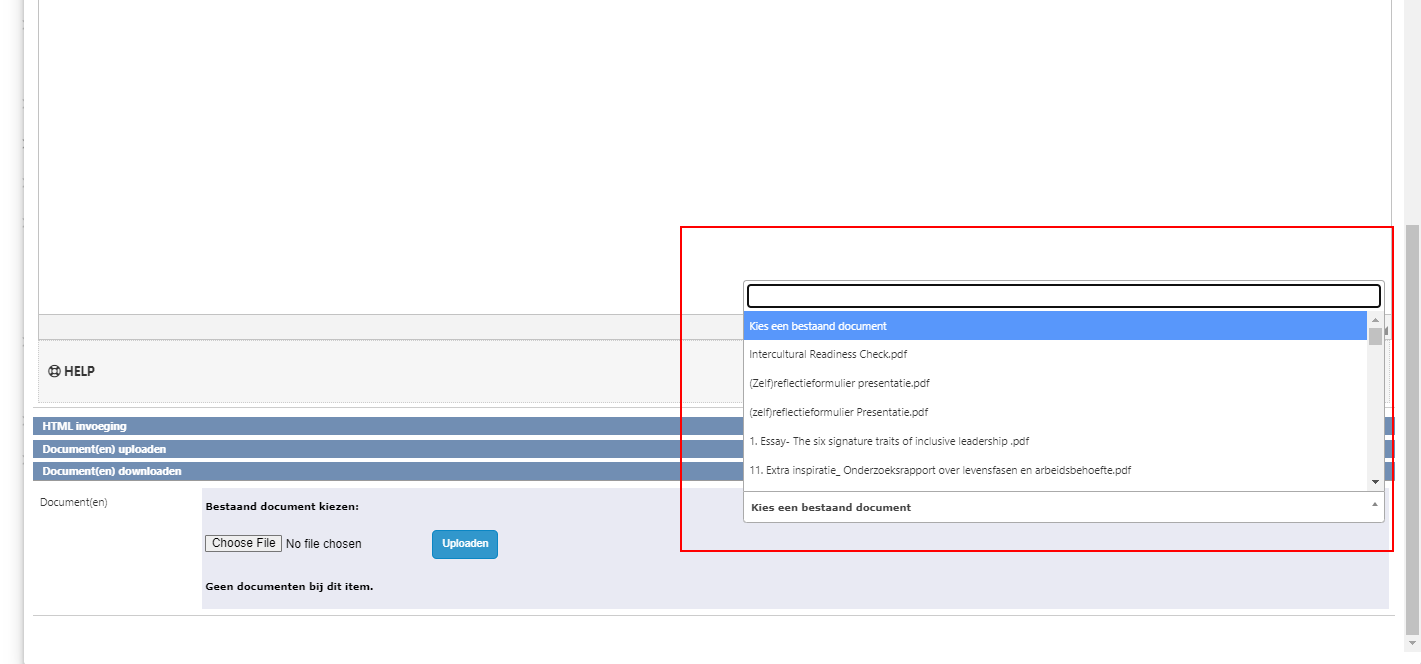
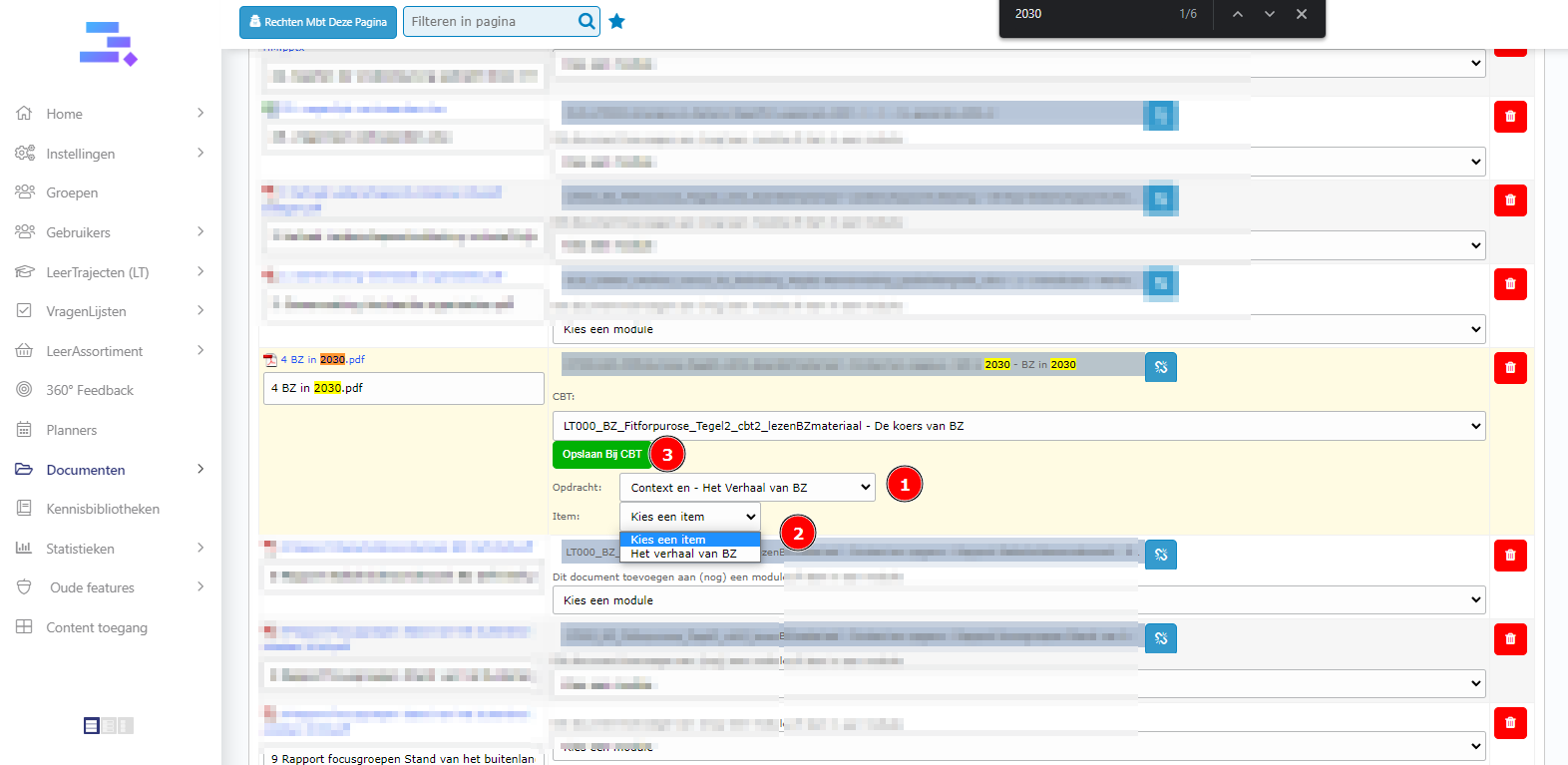 The second way – Select document in a item of module
Go to inhound of a leermofulde. And click on a item which you want to add the document to.
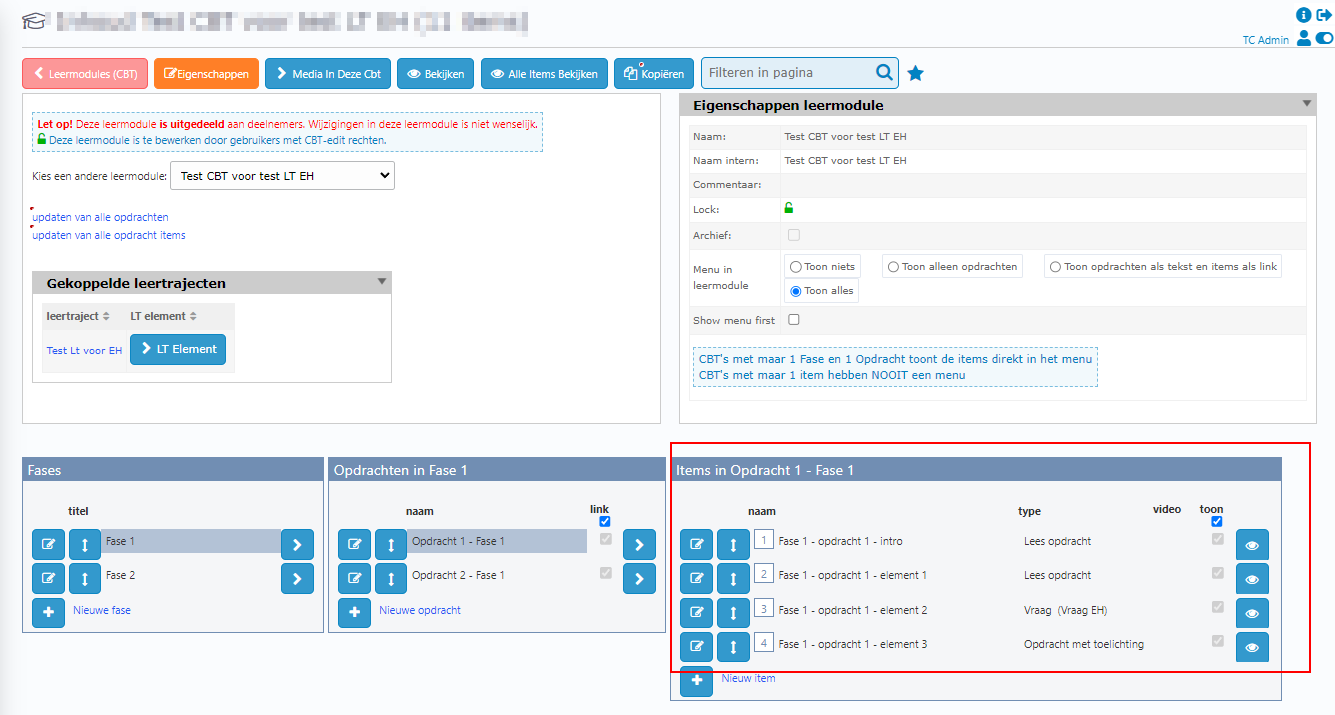
Scroll down to to bottom of the popup. At Document(en) downloaden section, click the selectbox Kies een bestaand document and select a document. Then, it’s added. Good luck!