How to add content to a group and share it for all users in that group
Go to content tab in the detail page of a group. Here you can see the content blocks, each block all has the selectbox to select content for group.
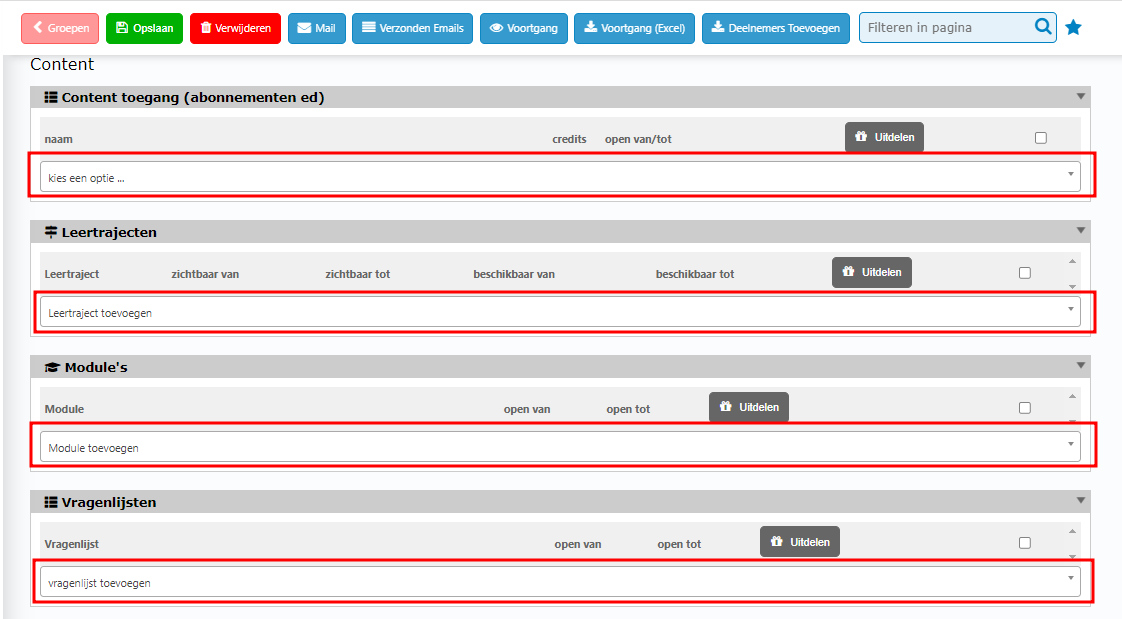
After selected, you can add date for it. If not it won’t be overdue.

Then the content is shared for this group but still not reach the users. Click on Uitdelen button to handout it for all users in this group.
How to share content in a group to a user
Go to the detail page of the user whom you want to share content for him/her. In Content tab, you can see the content selection blocks on the right column. Click on the selectbox of a type of content.
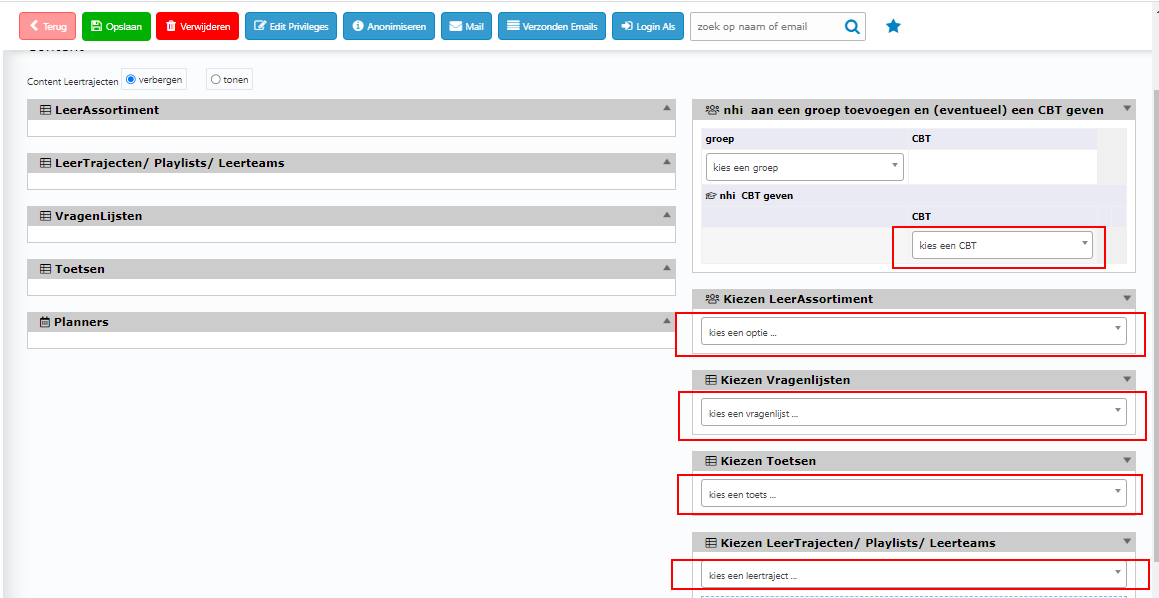
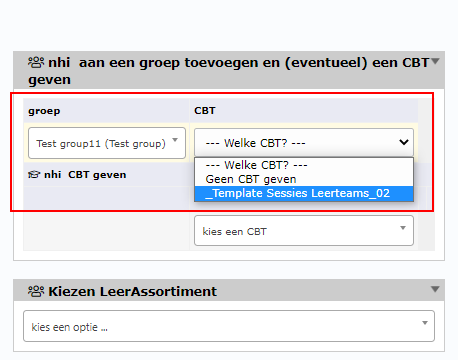
*Note: At the first row of Group content selection block, you can add a user to a group and also get the module of that group.
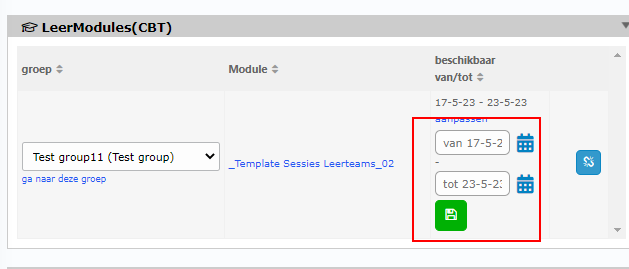
The content after being selected, will be on the content selected block (left column). Now you can add date for it to display.
It’s done! Gook luck!