A. Adding a label to a group
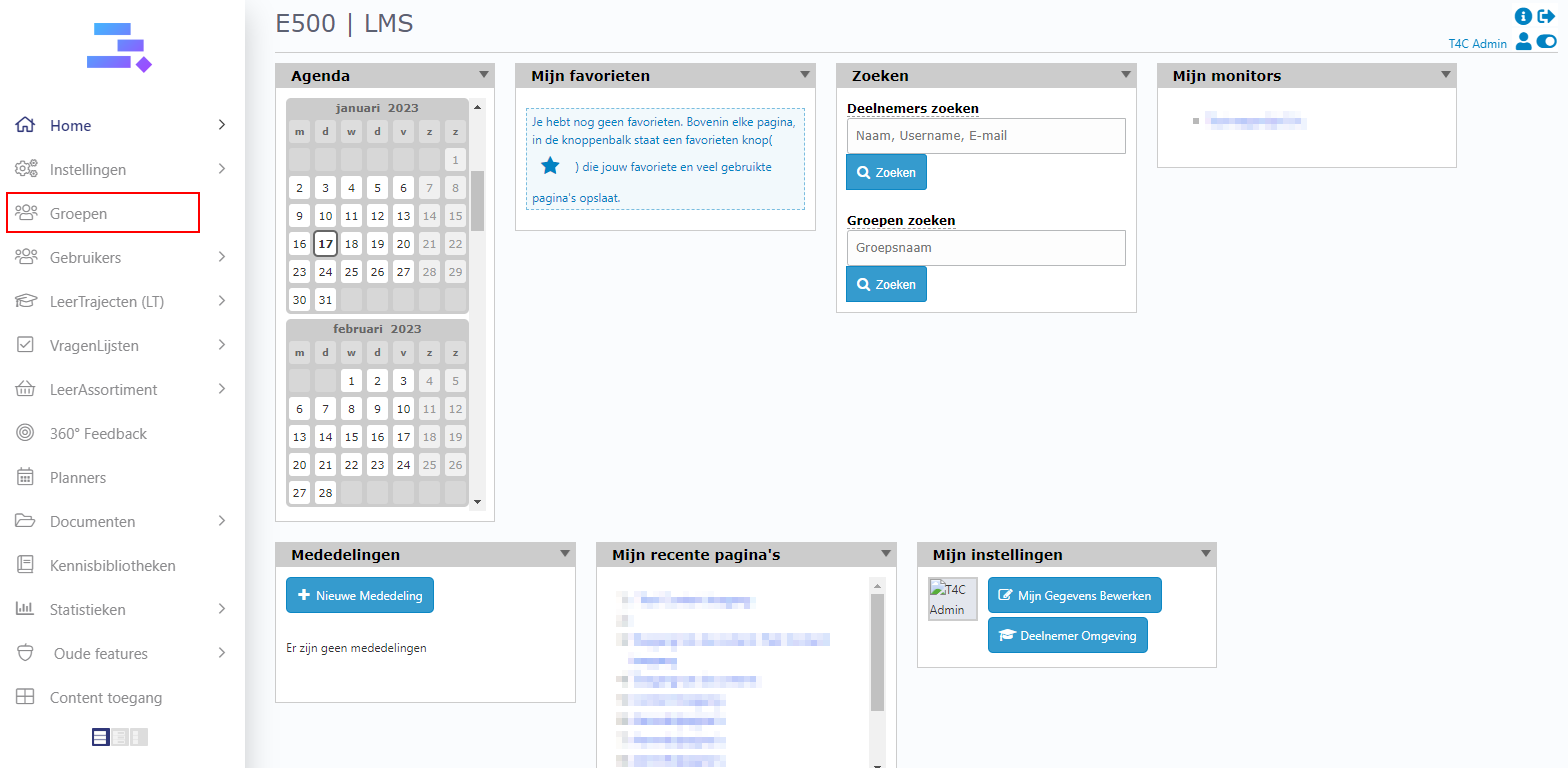
1. Login with your administration account and click on Groepen.
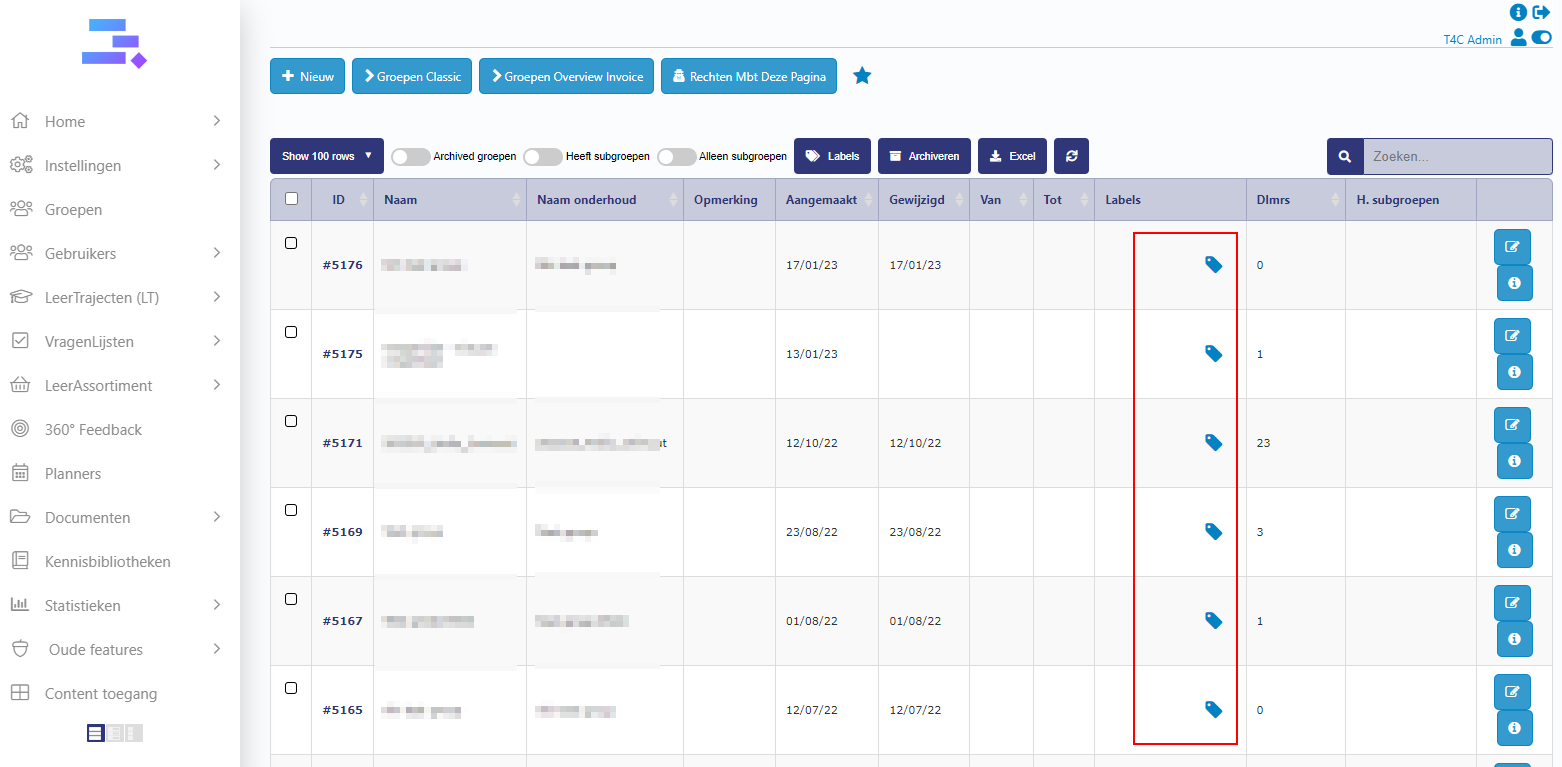
2. On the right of any group, there is a blue tag icon. Click it to add a label to the group.
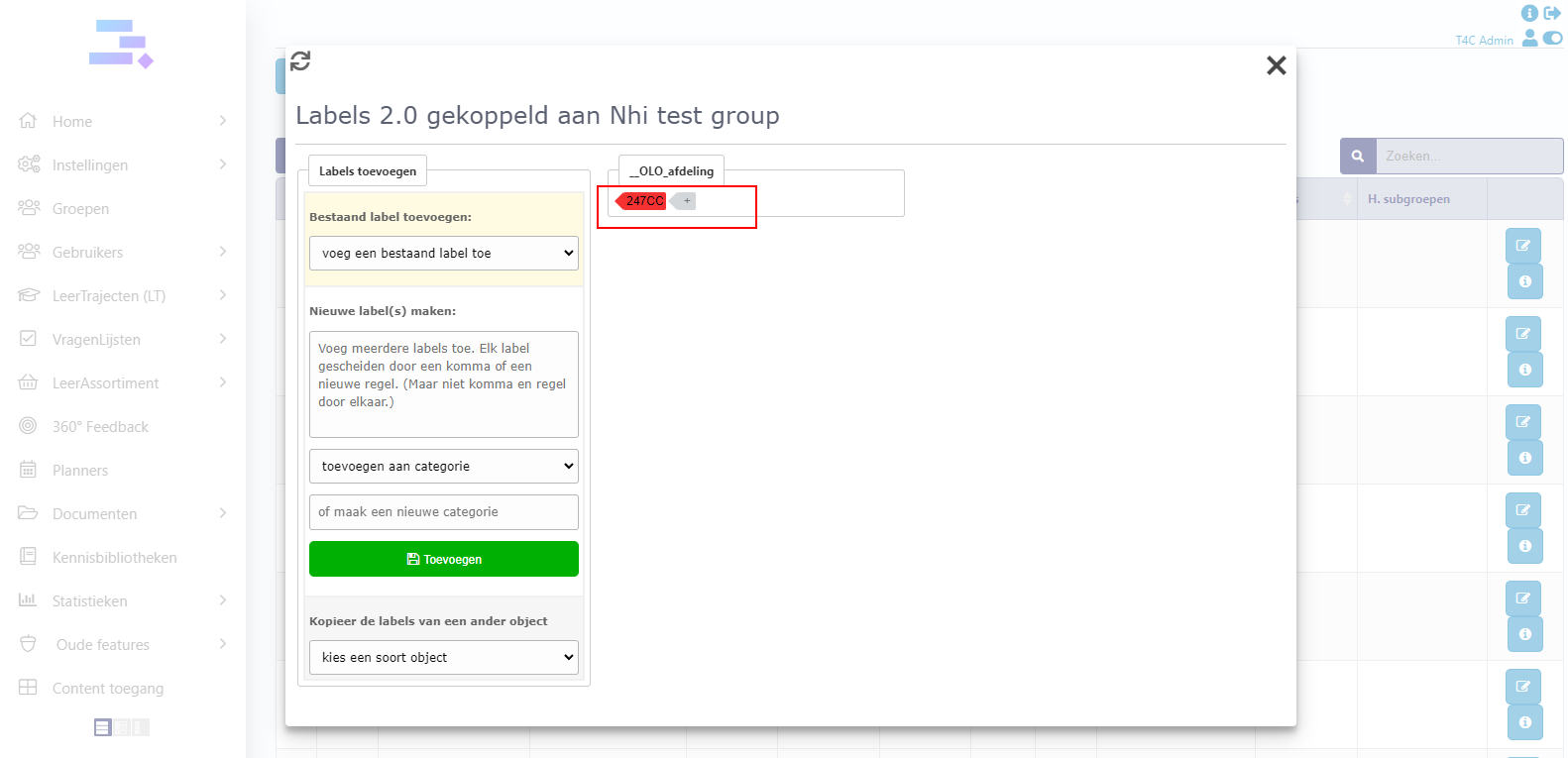
3. Click voeg een bestaand label toe and choose the label you want for the group.

4. Now you can see the label is added to the group!

B. Change the label for the group
1. Click the blue tag icon on the right of the group where you want to change the current label.
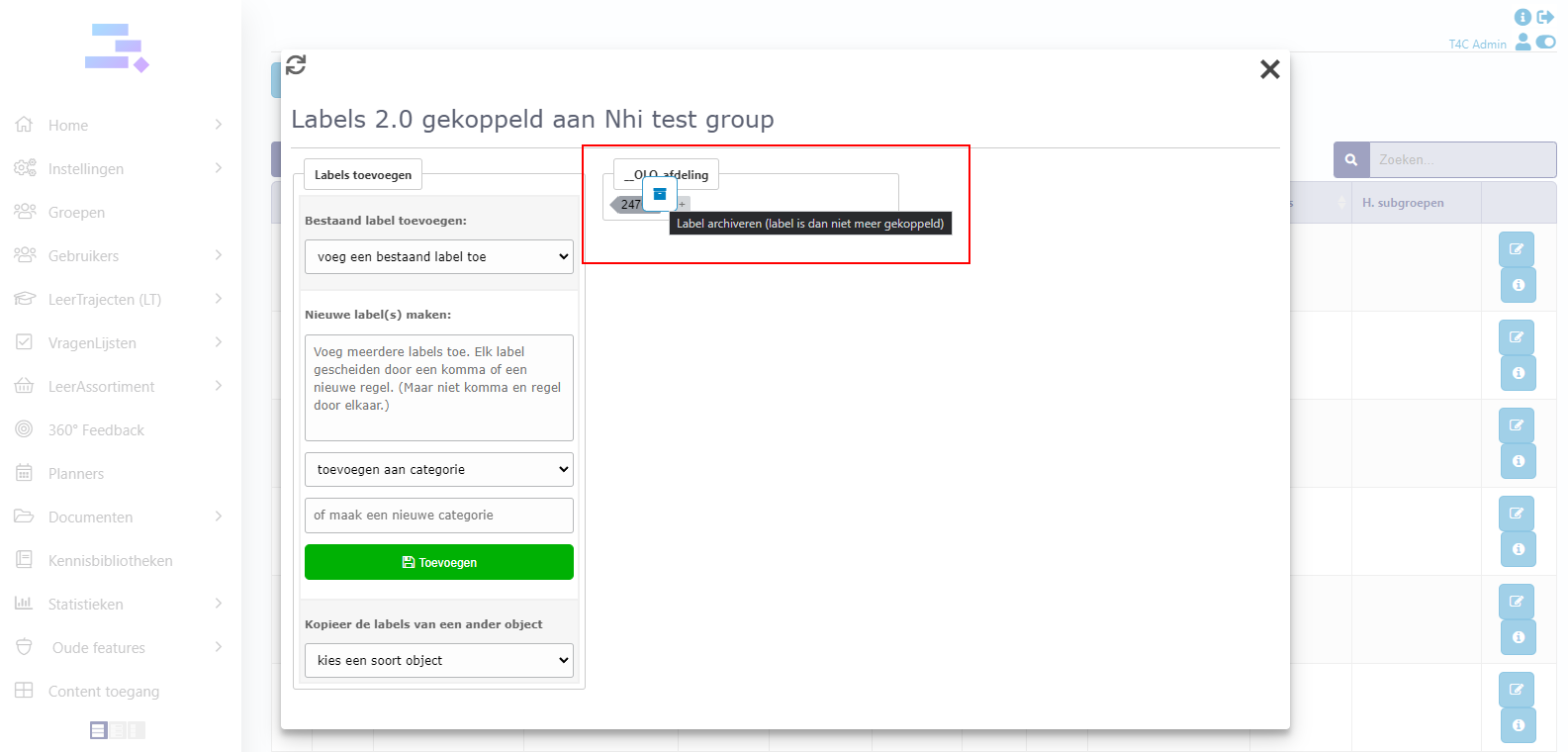
2. Hover into the label. The recycle bin icon will appear. Click it to delete the current label.
3. After you deleted the current label, add a new label to the group with the steps that were done in section A!
Good luck !!