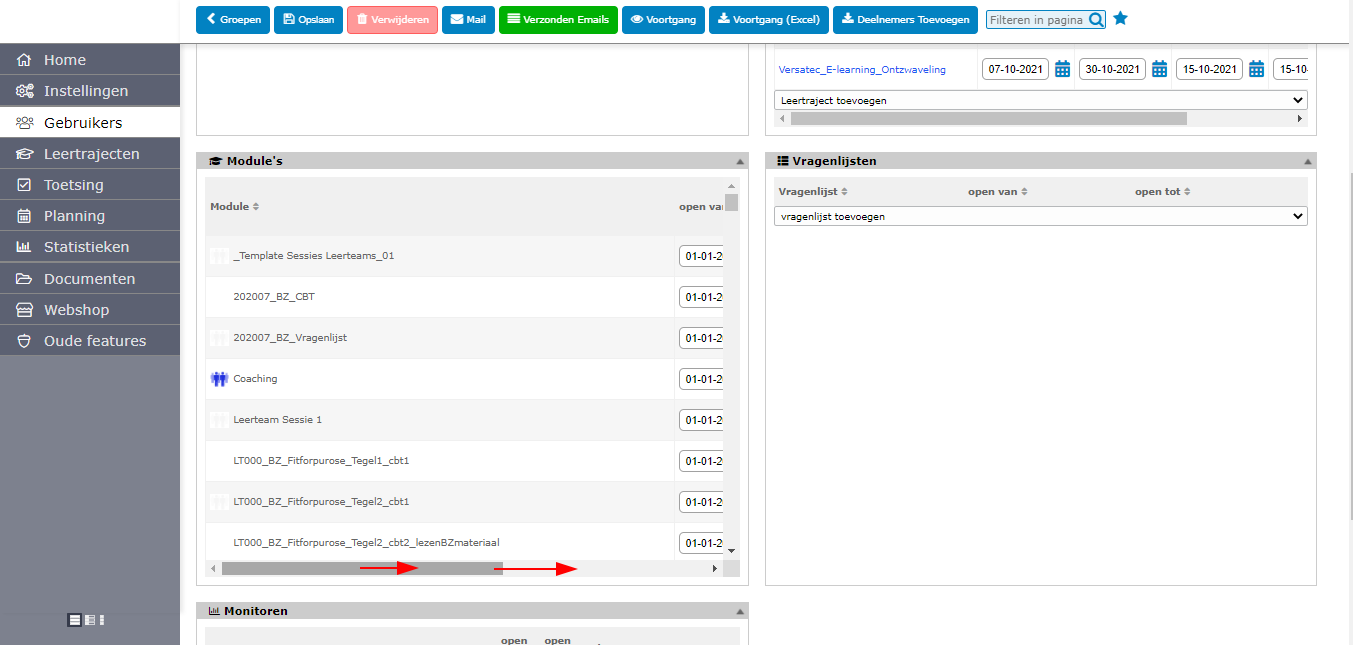
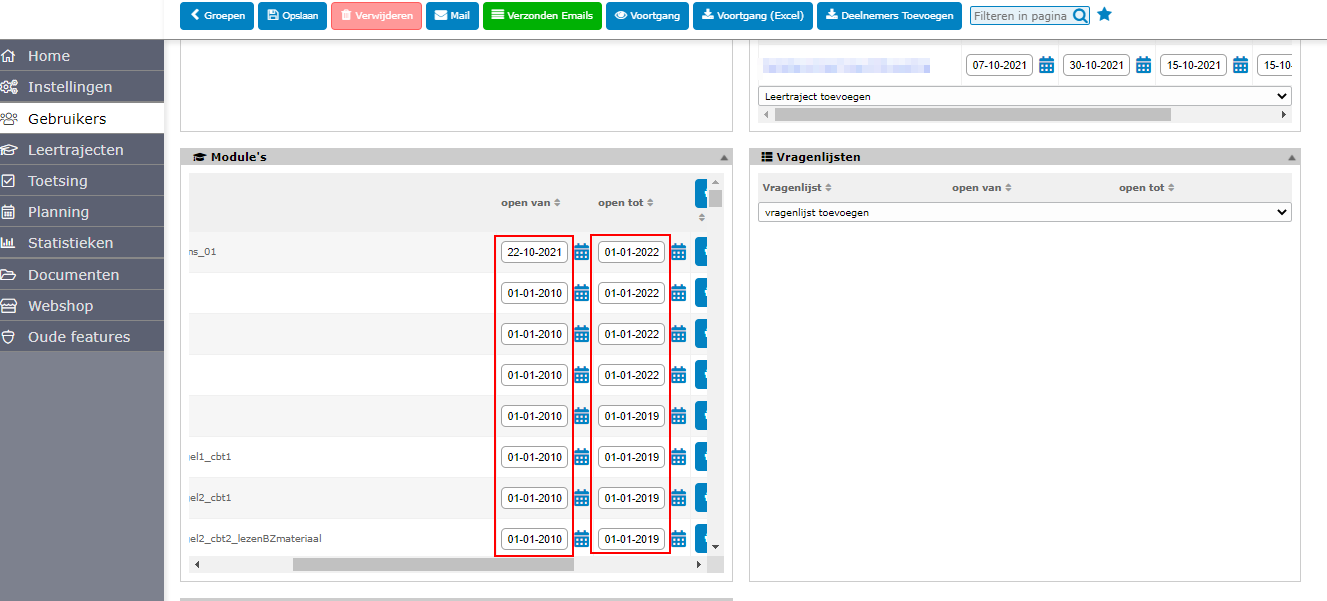
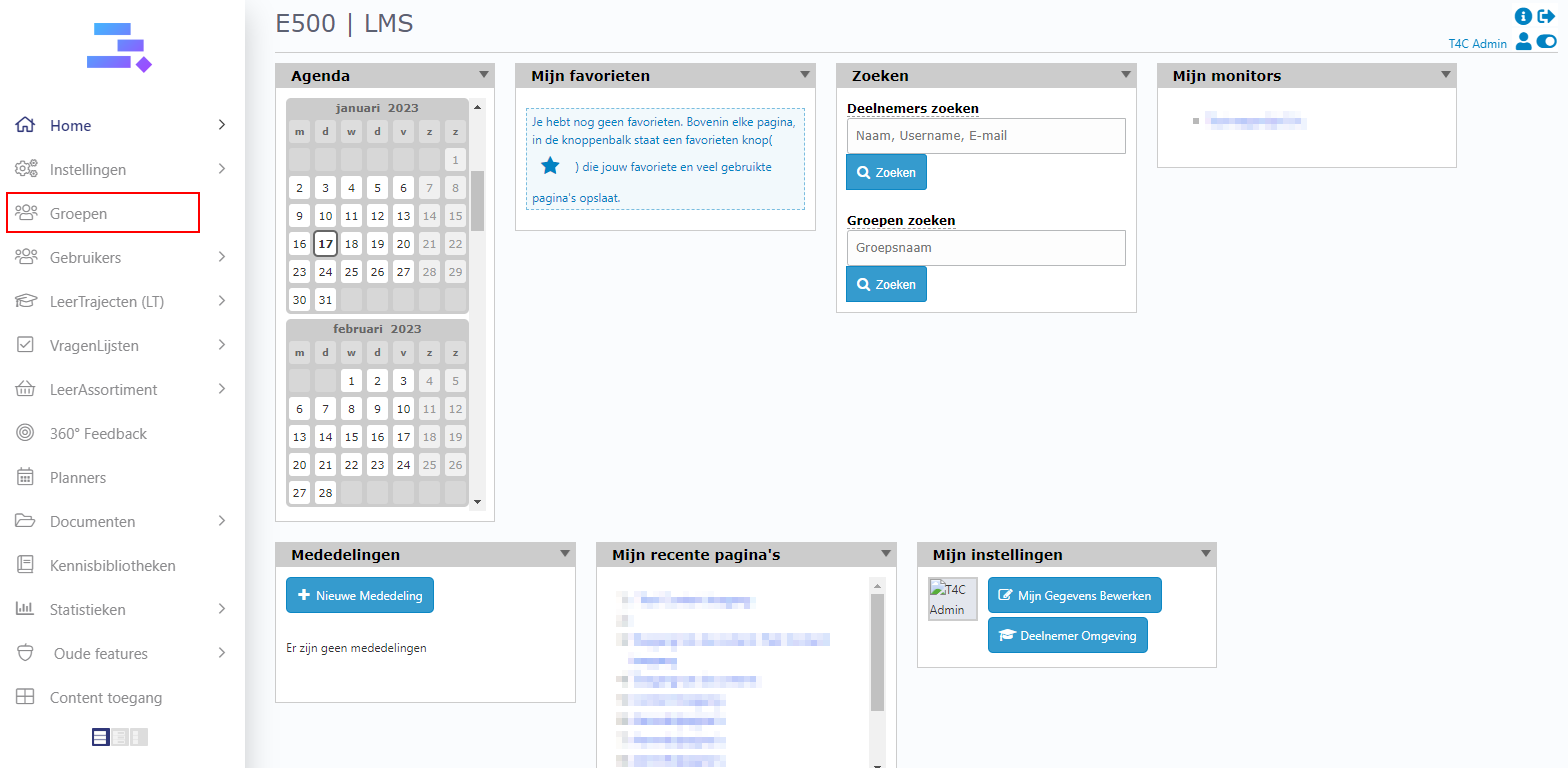
1. Login with your administration account and click on Groepen.
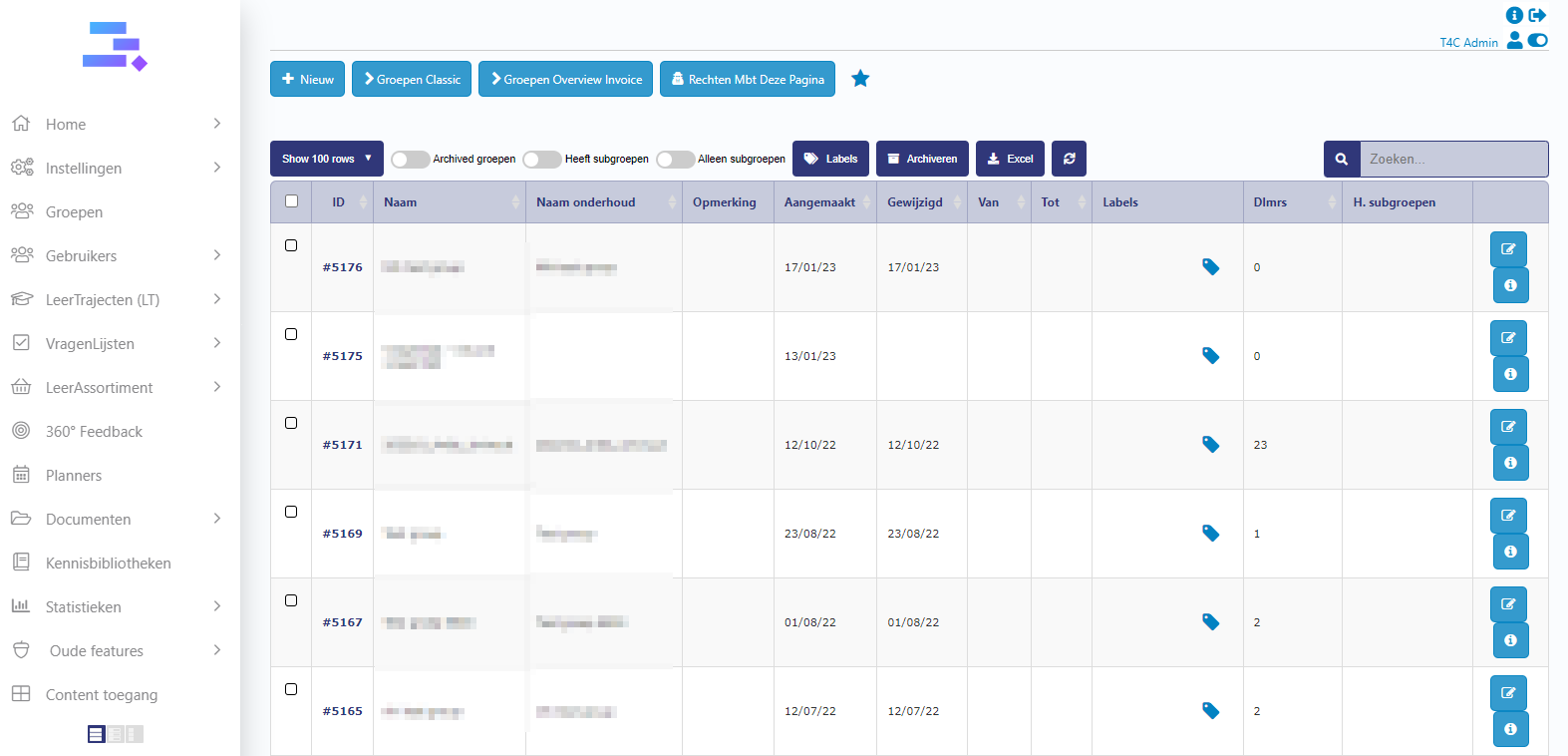
2. On the page Groepen, choose a group where you want to change start and end date for the modules in it.
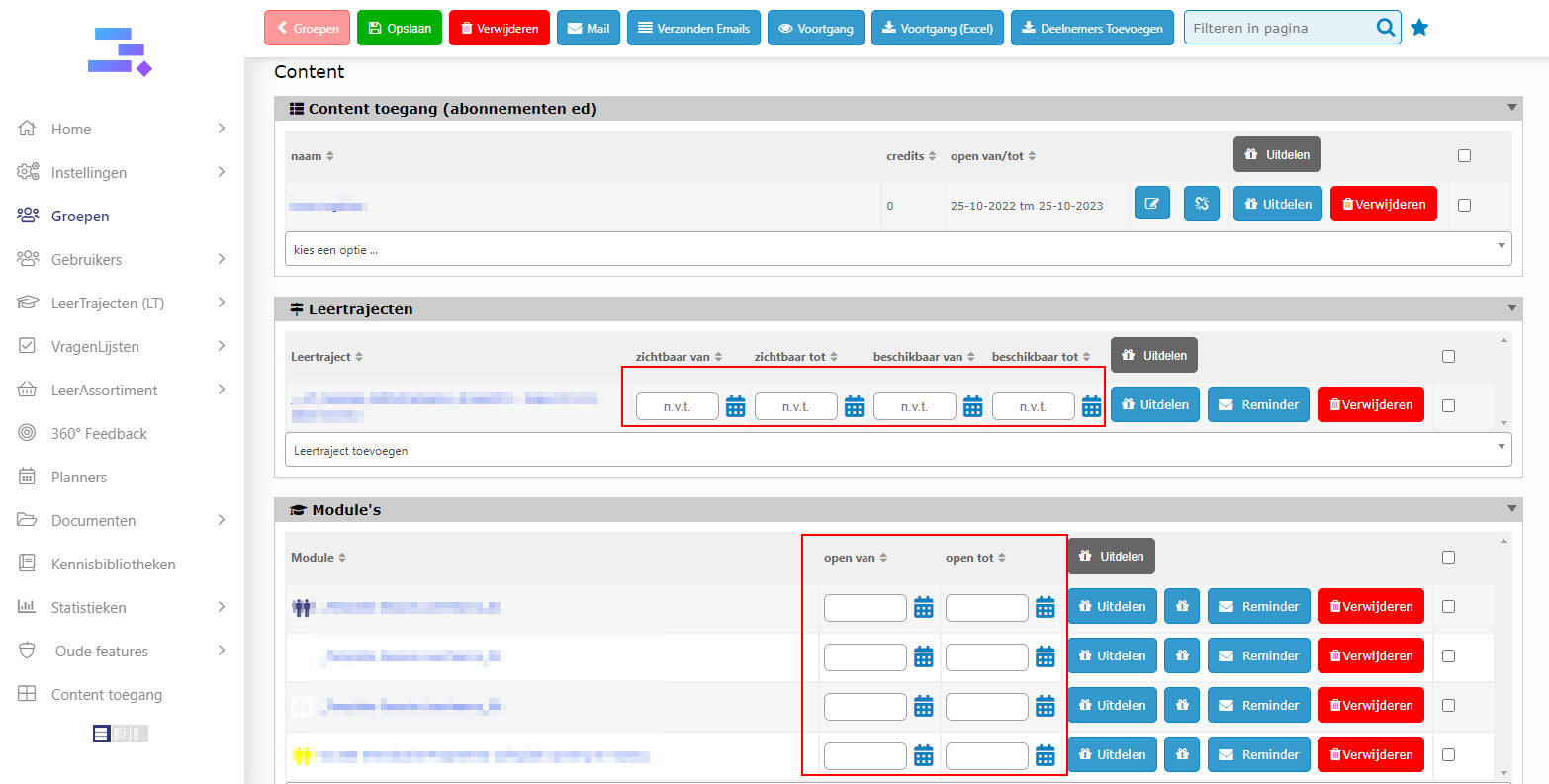
3. Go to the Content tab. You can see every content’s block all have the inputs to change date.
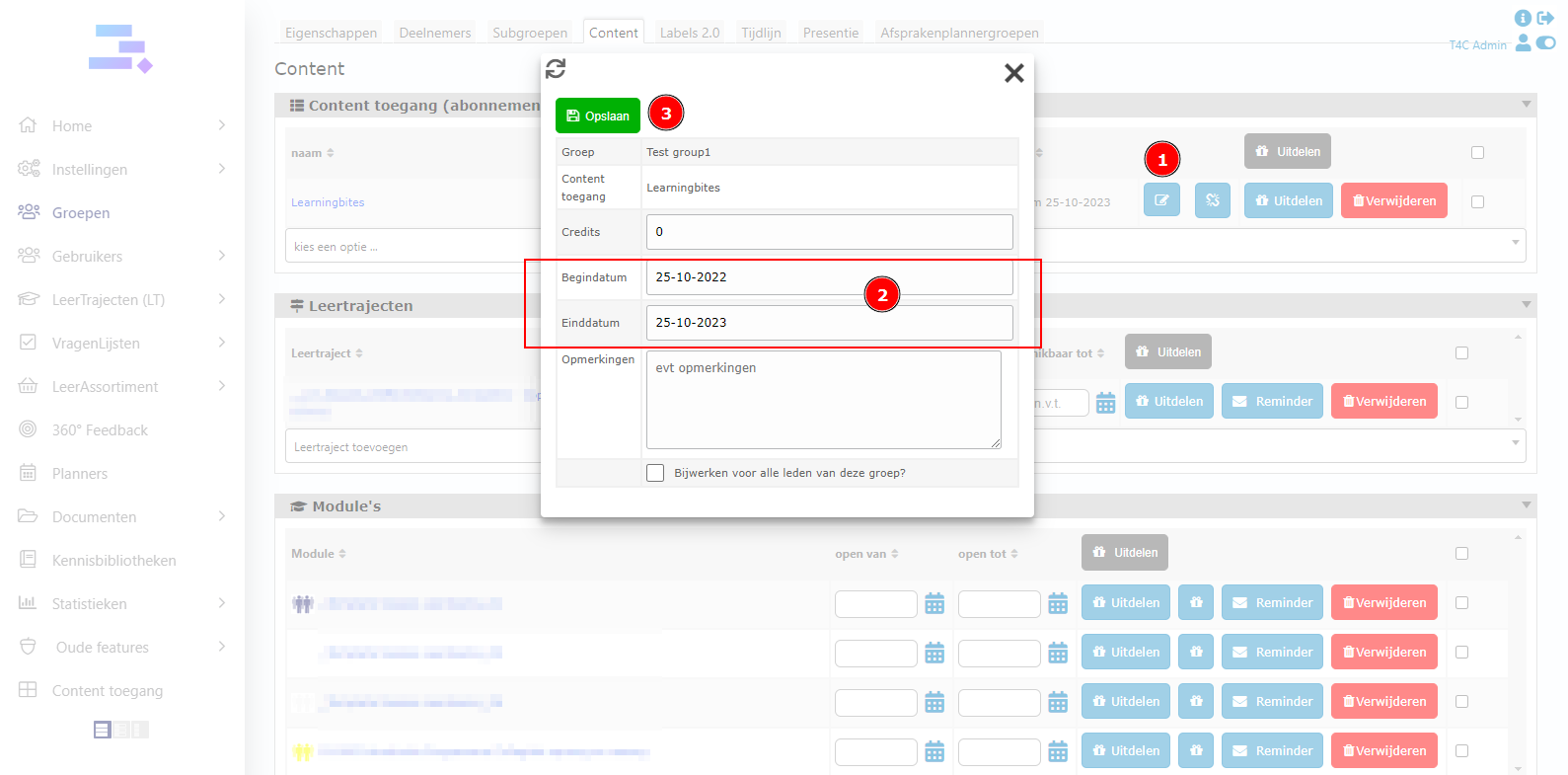
For Content toegang, click on edit button. Then you can see the inputs to change date. After change it, don’t forget to click Opslaan to save
That’s all. Good luck!