You can delete a group in E500 with these easy steps below:
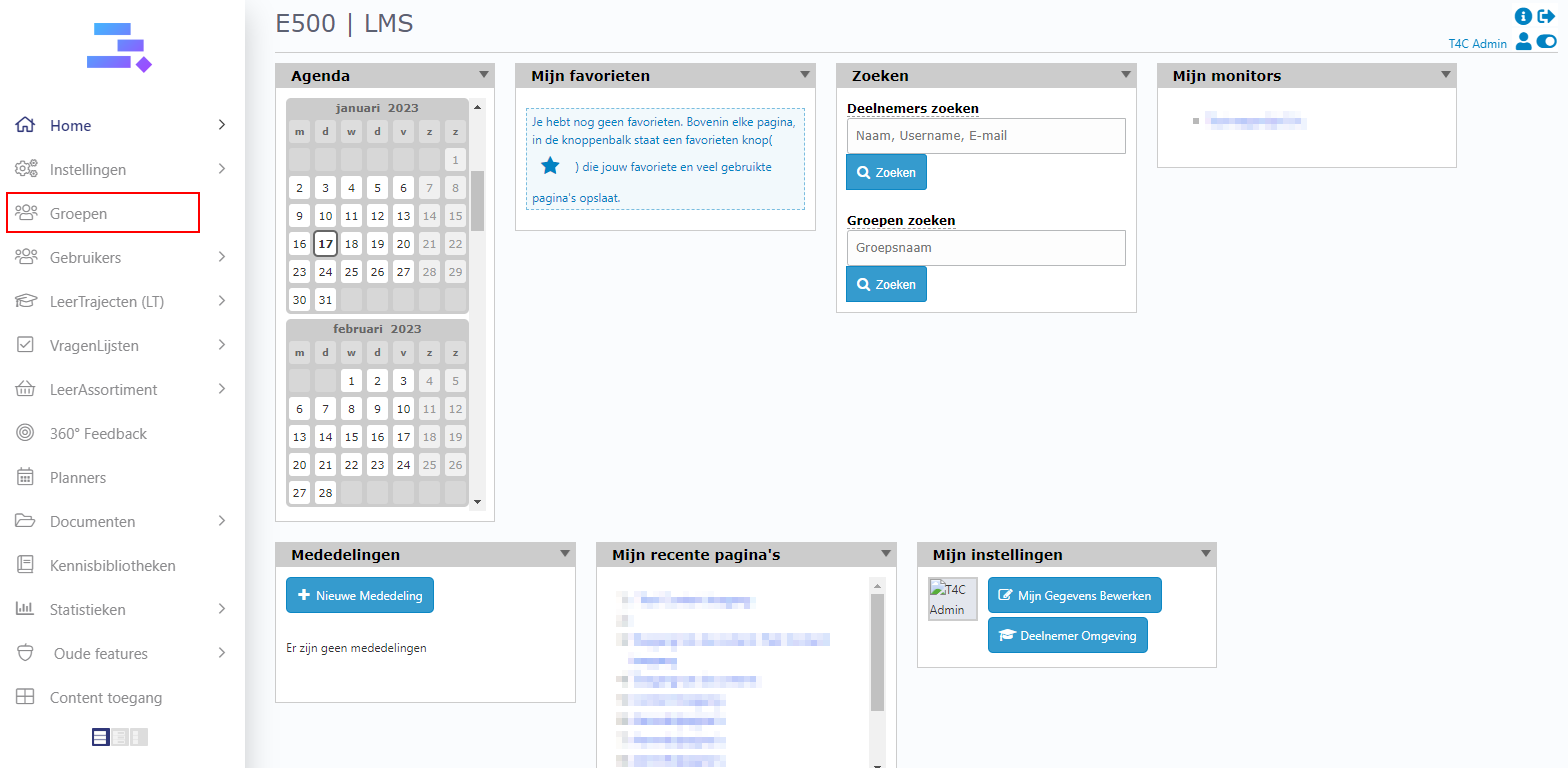
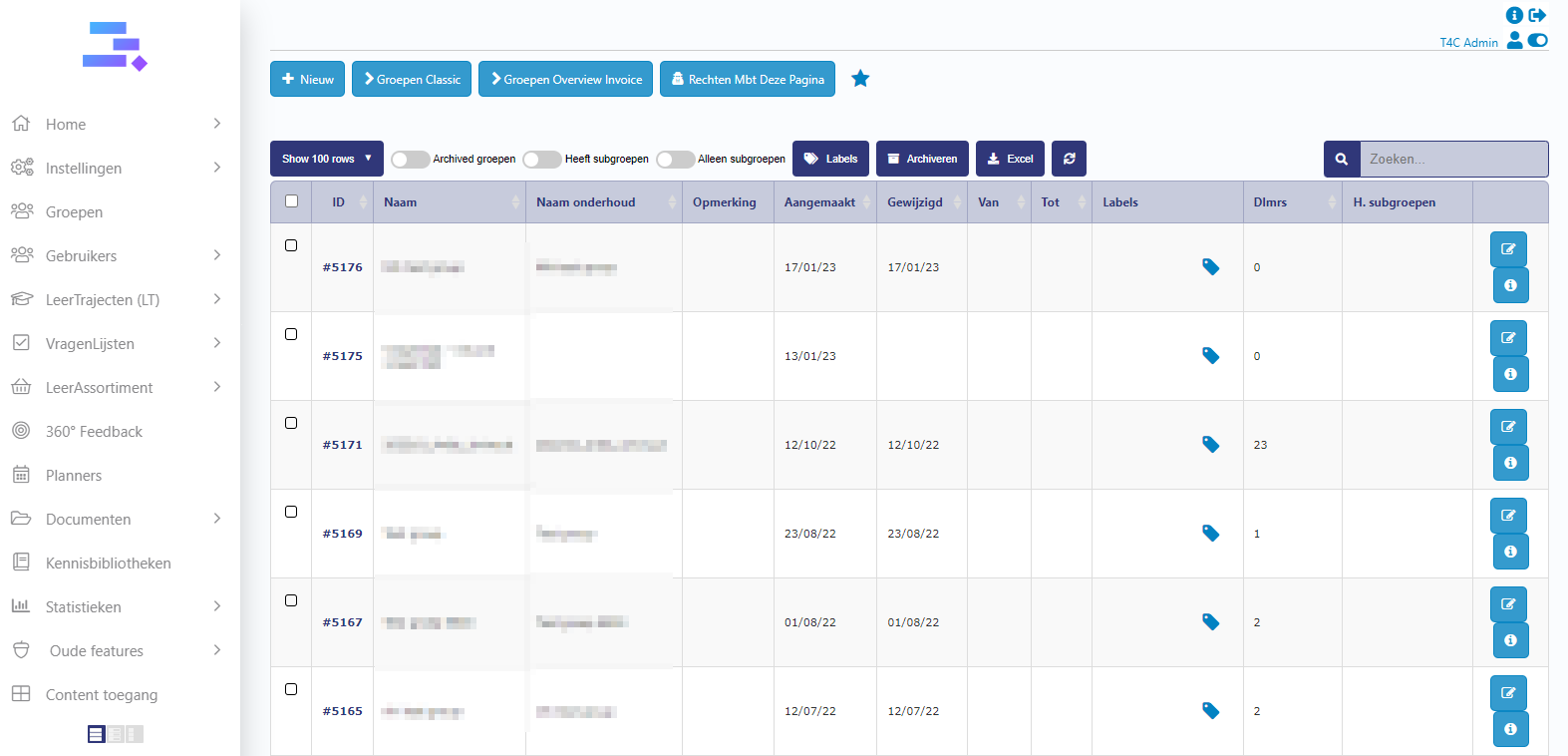
1. Login with your administration account. Click Groepen and click to choose the group which you want to delete.
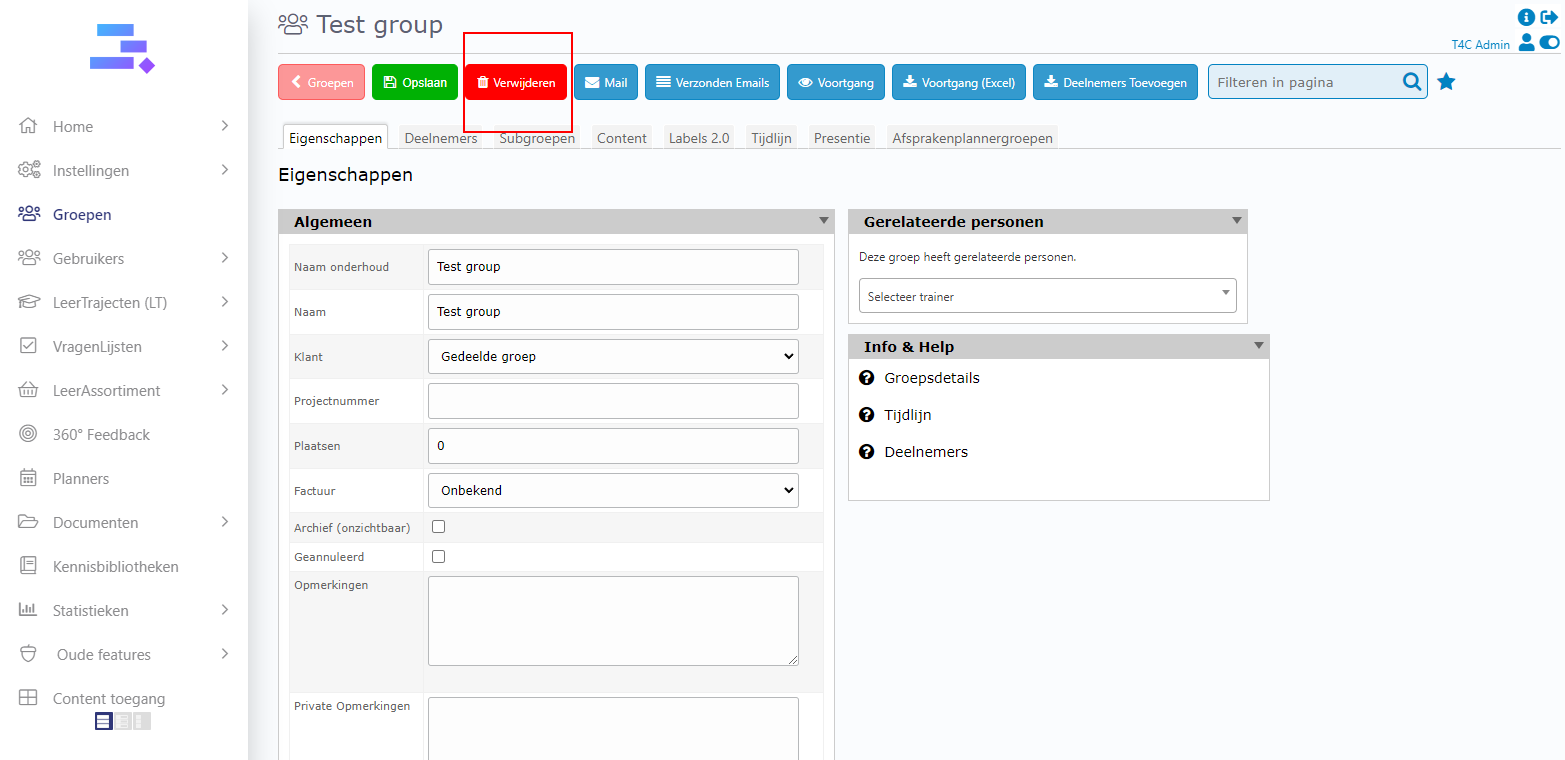
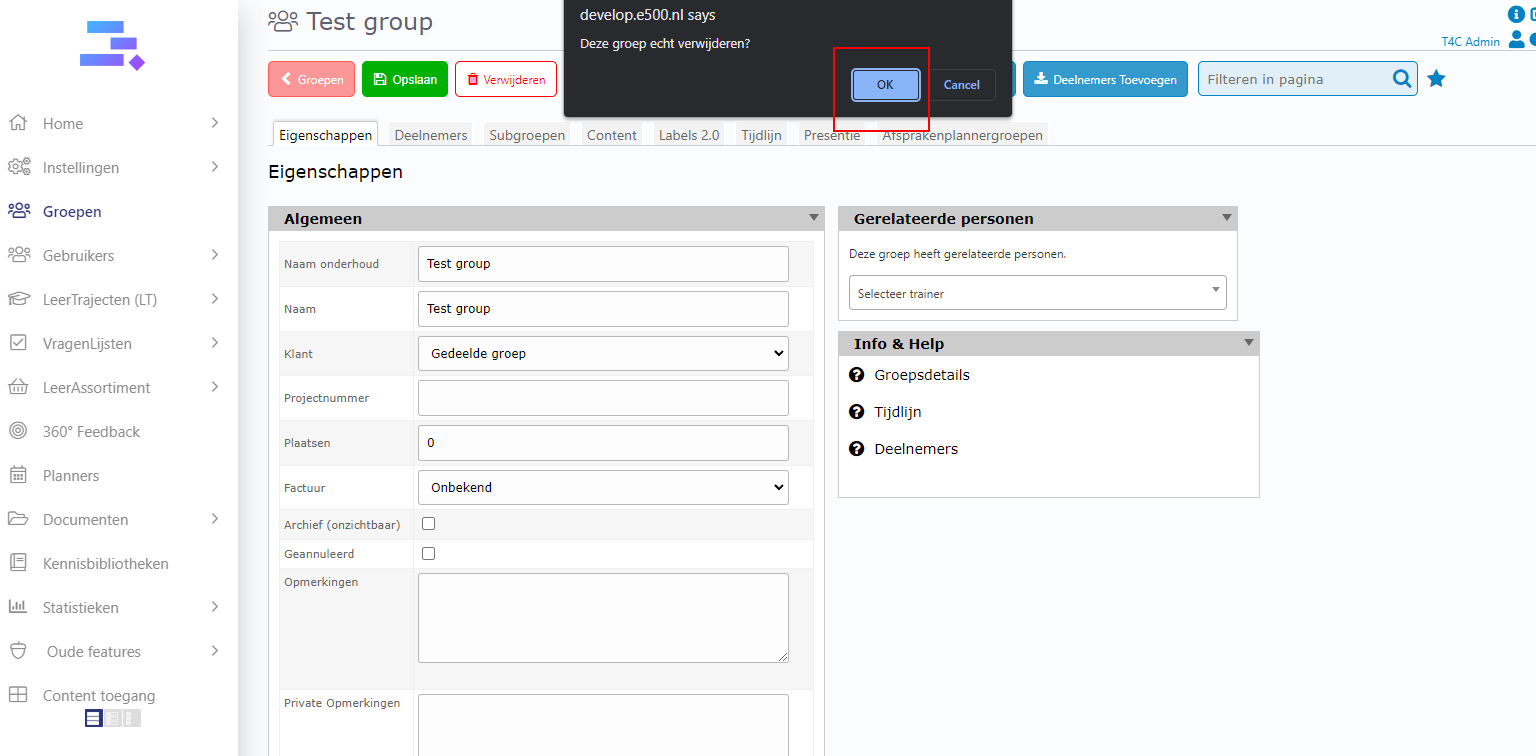
2. On group detail, click verwijderen and next click Ok to delete this group.
Delete group is so easy with just two steps! Good luck!