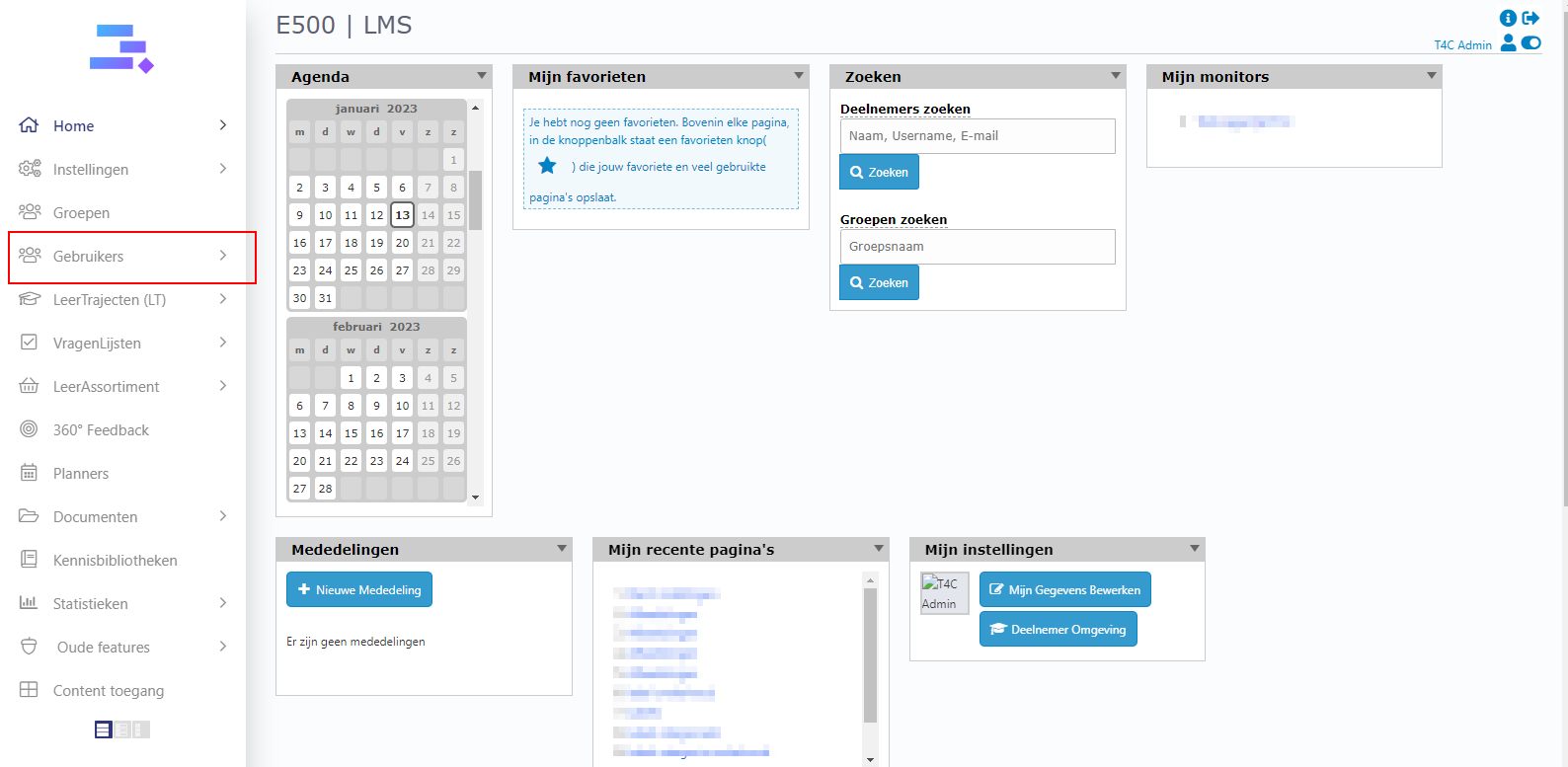
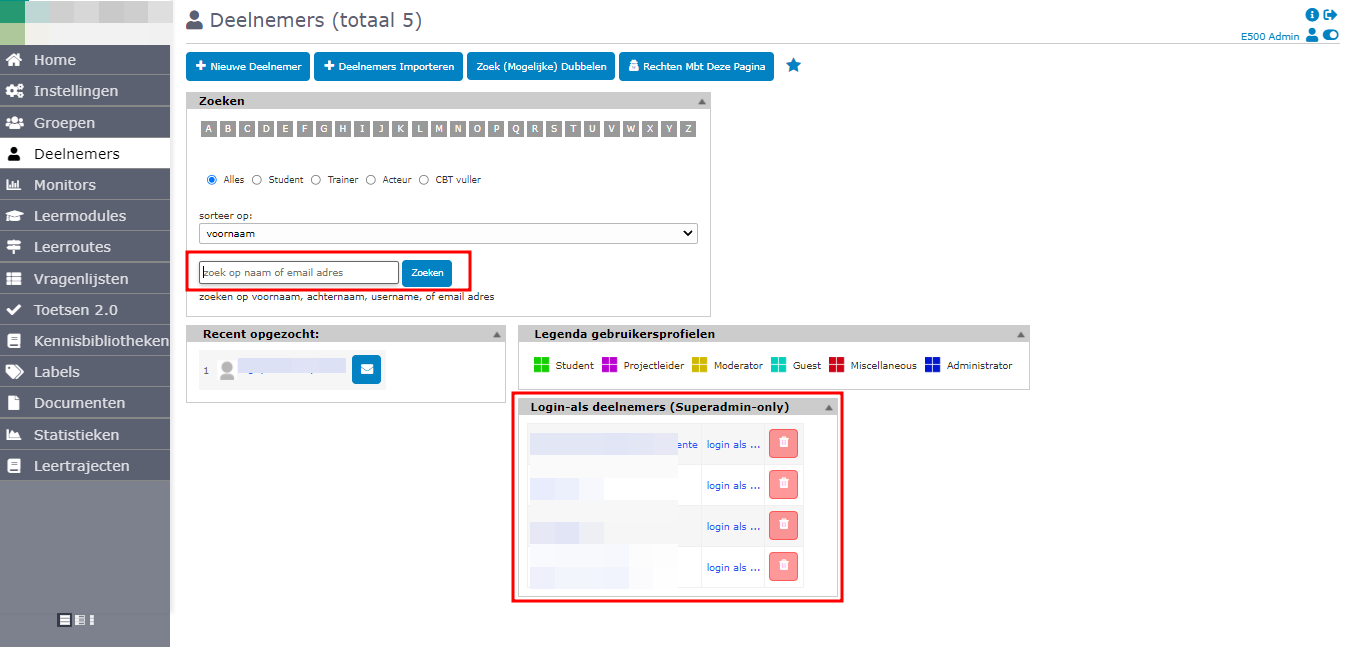
1. To change a user’s status. First, let’s log in with your administrator account. Click on Gebruikers.
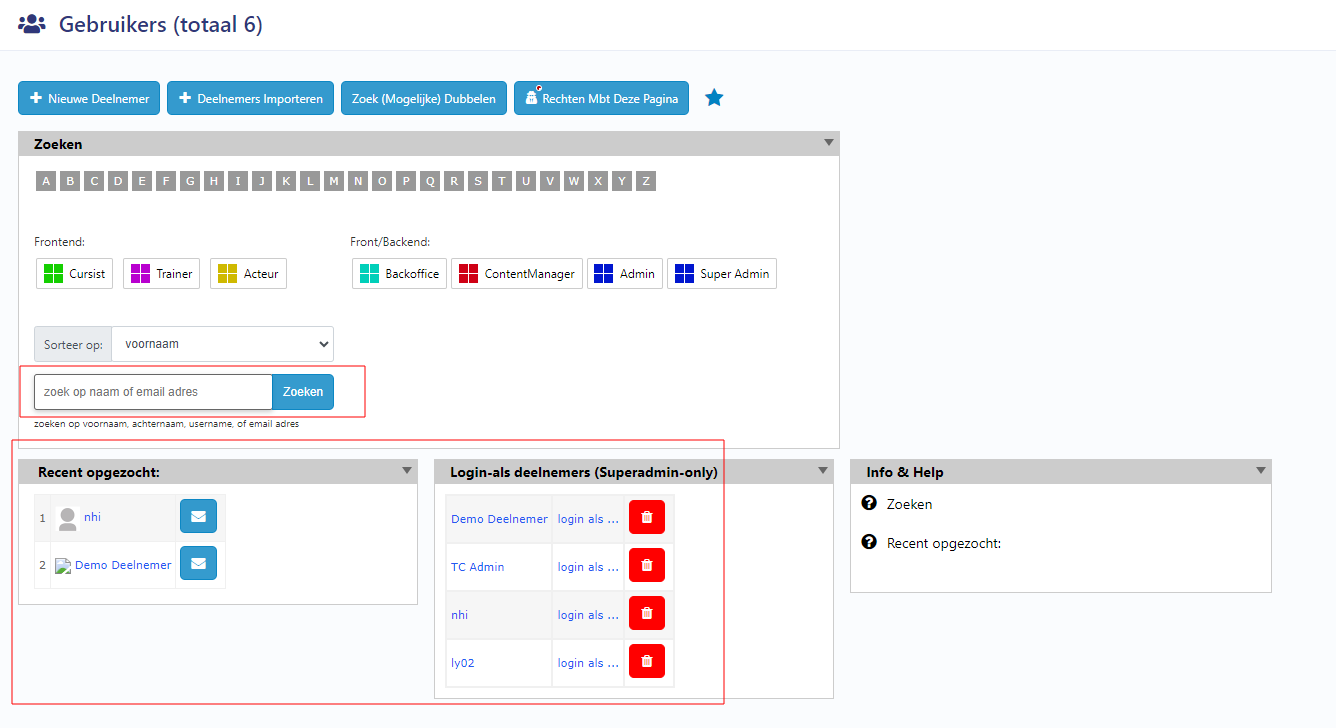
2. Choose a user who you want to change their course completion status.
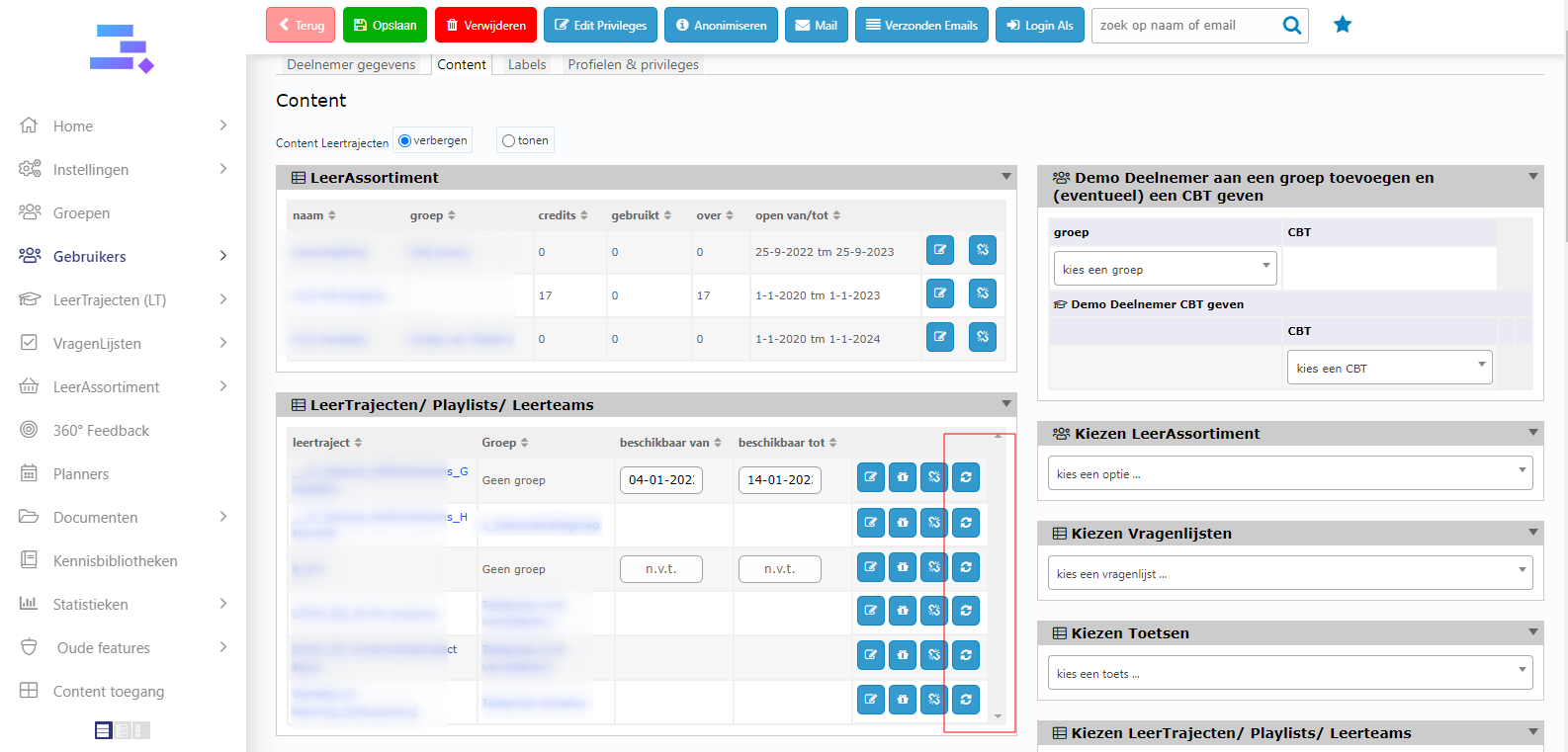
3. Then, go to tab Content
3.1 To change user’s vragenlijsten completion status
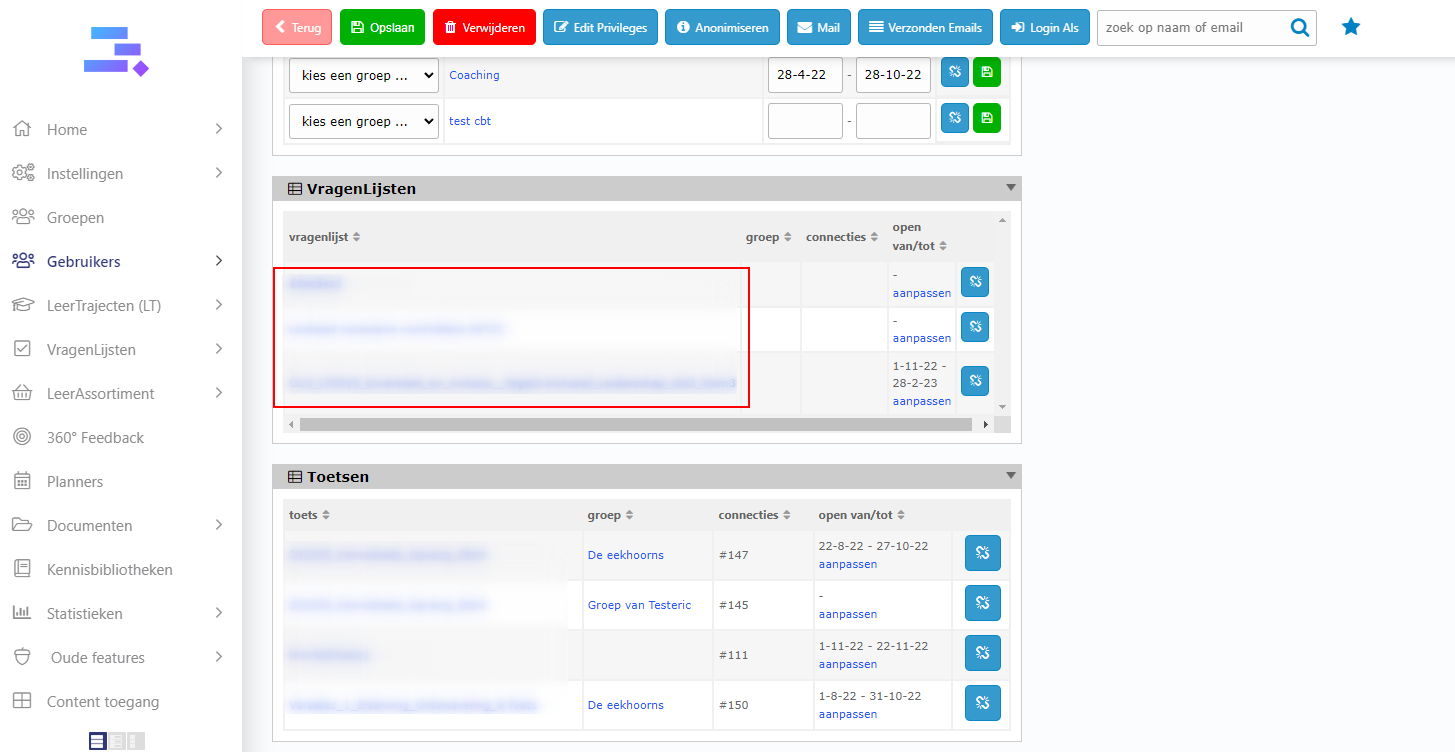
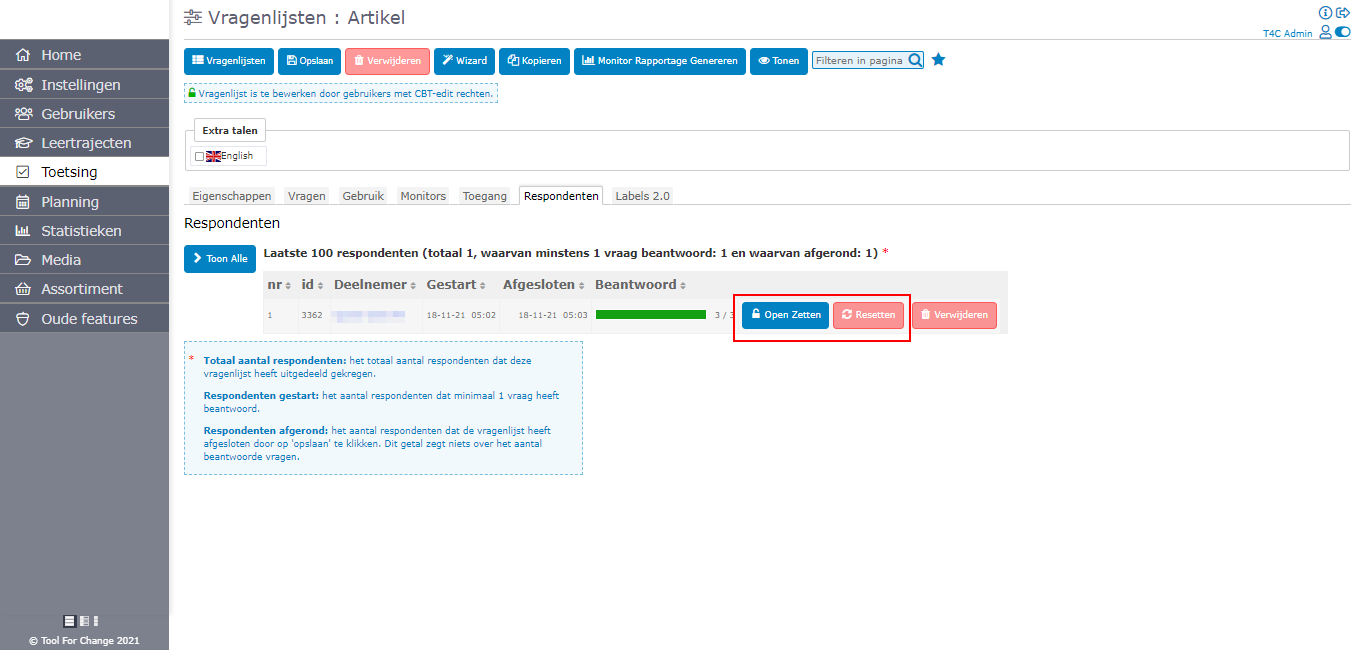
1. Go to block vragenlijsten, click on the one which you want to change its progress
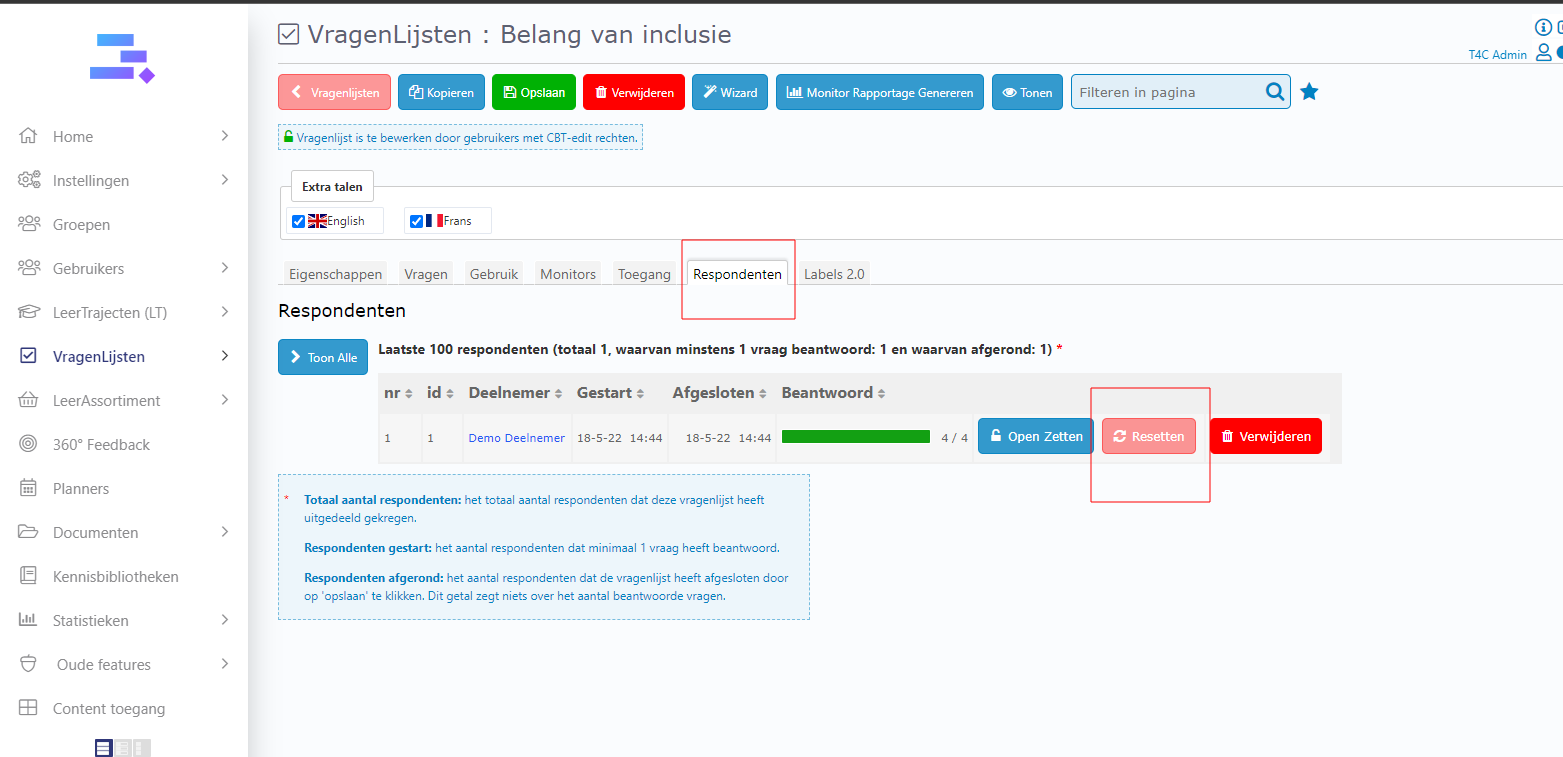
2. Go to tab Respondenten and click Resetten button to reset the progress
3.2 To change user’s Leertrajecten/ Playlists/ Leerteams completion status
Go to block Leertrajecten/ Playlists/ Leerteams. And you can see the right side of each course all has a reset button. Click it and then the progress of the course will be reseted.
You can now change your users’ course completion status whenever you need to.