A label helps us to easily classify the subjects of the courses. So, let’s create a new label with the following steps below:
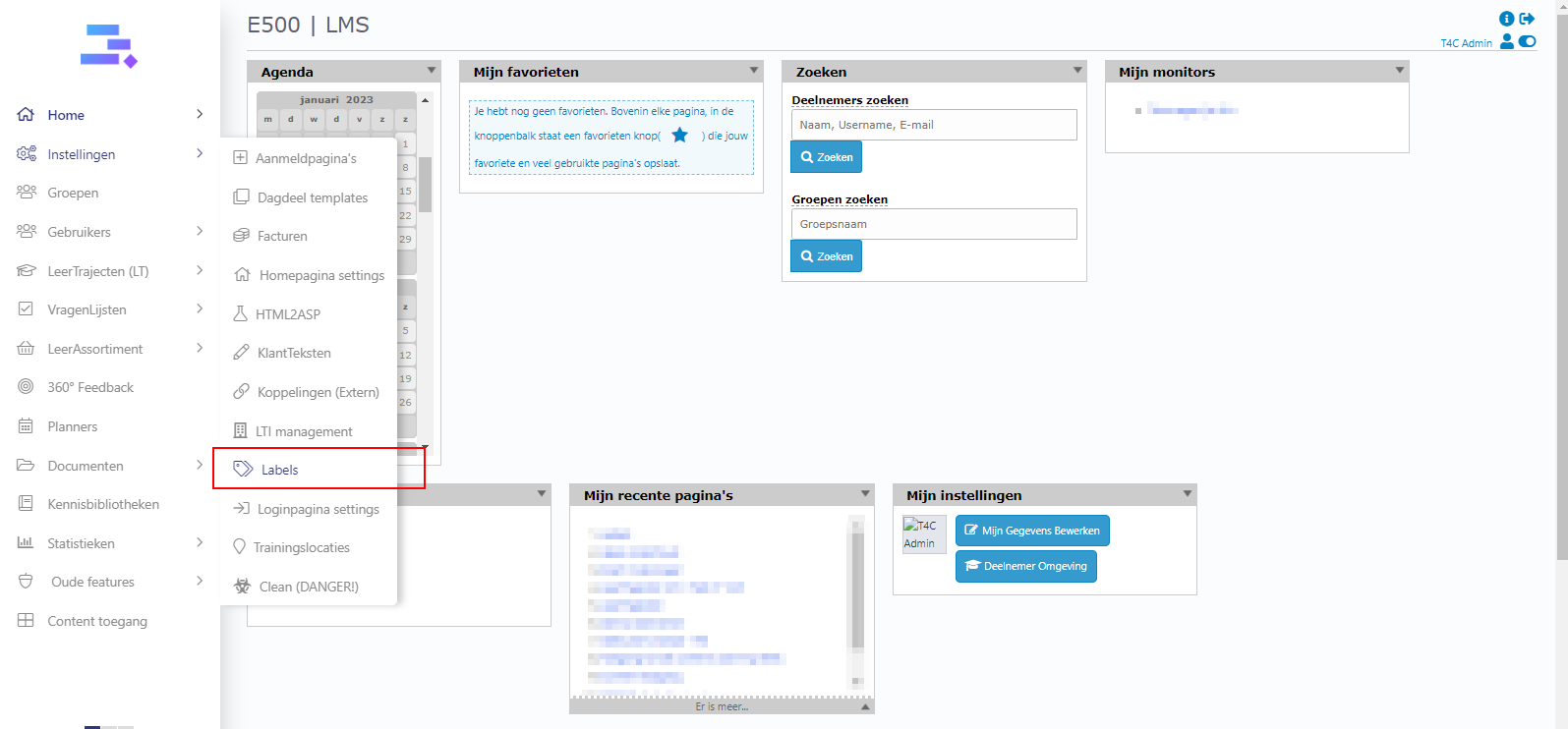
1. Login with your administration account. Hover into Instellingen and click on Labels.
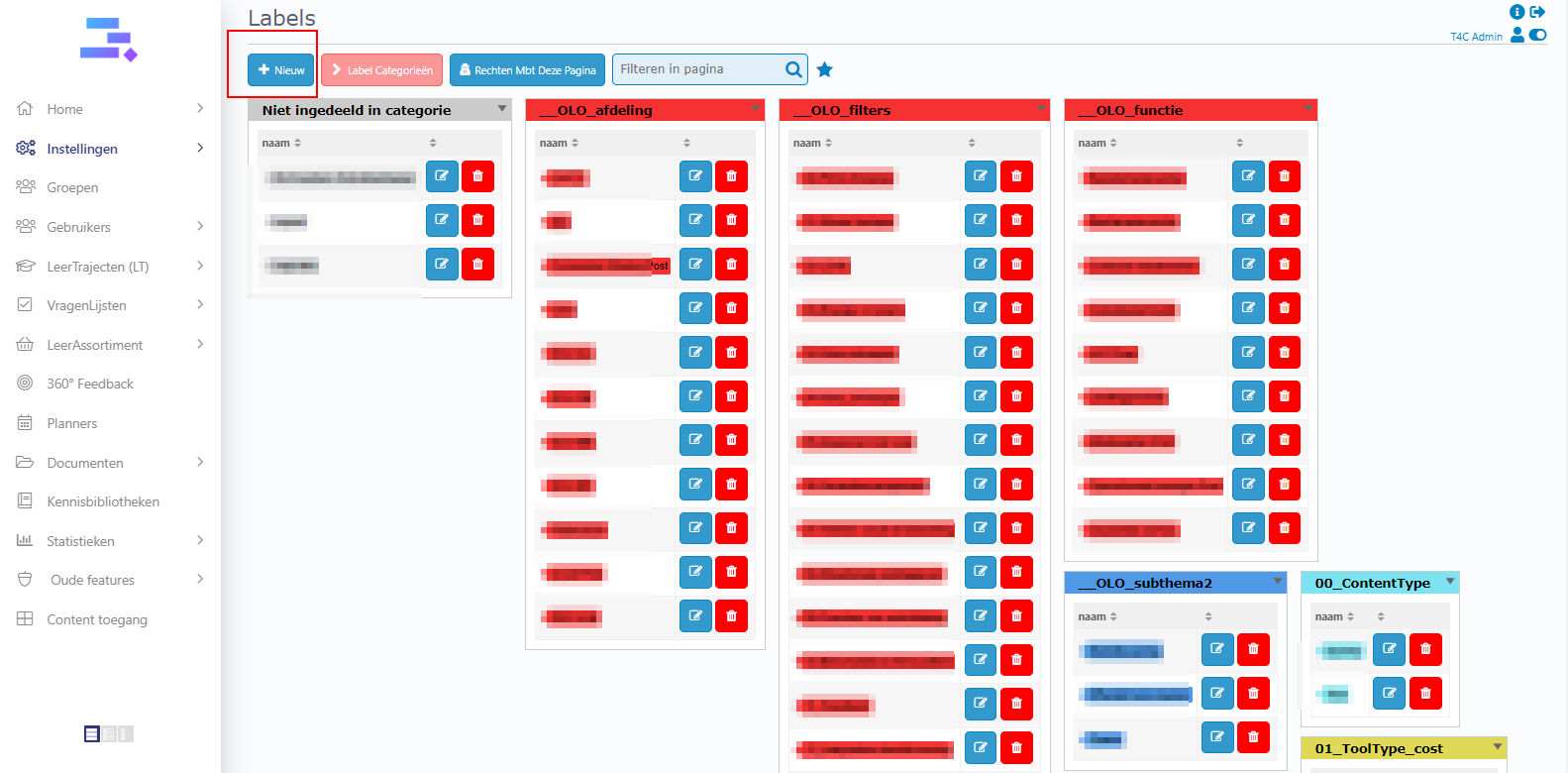
2. Next, click Nieuw to create a new label.
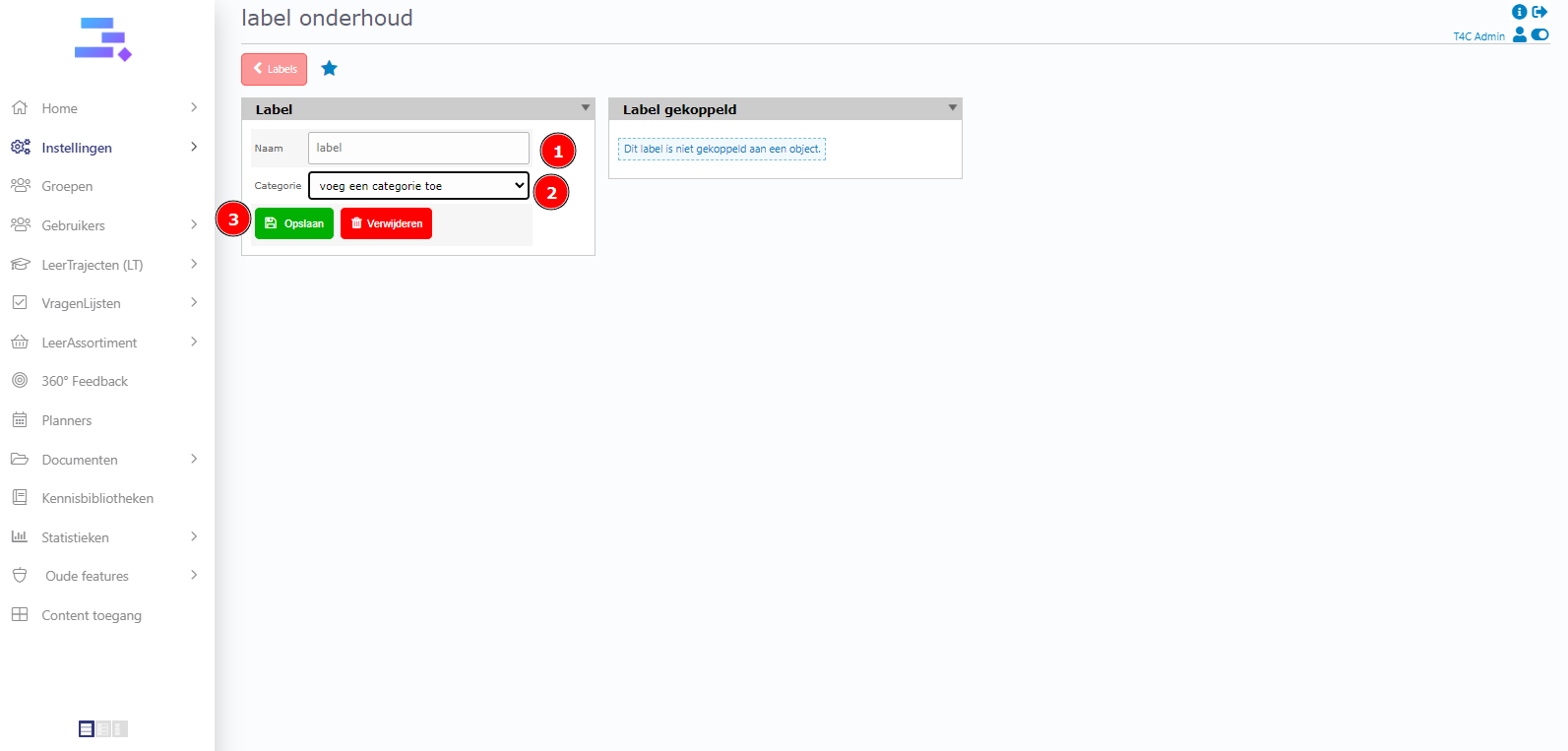
3. Fill in the name of the label, and choose a category for it. After that click Opslaan to save.
Now you know how to create a new label. Good luck!