- To create a new organization
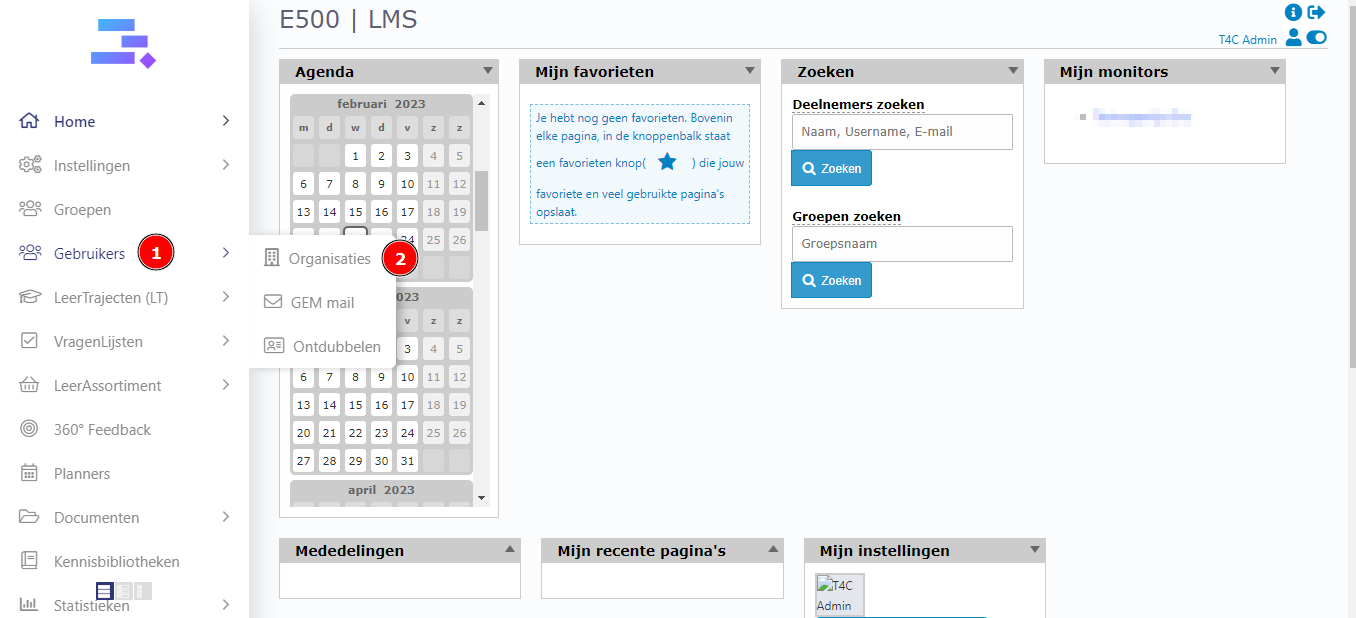
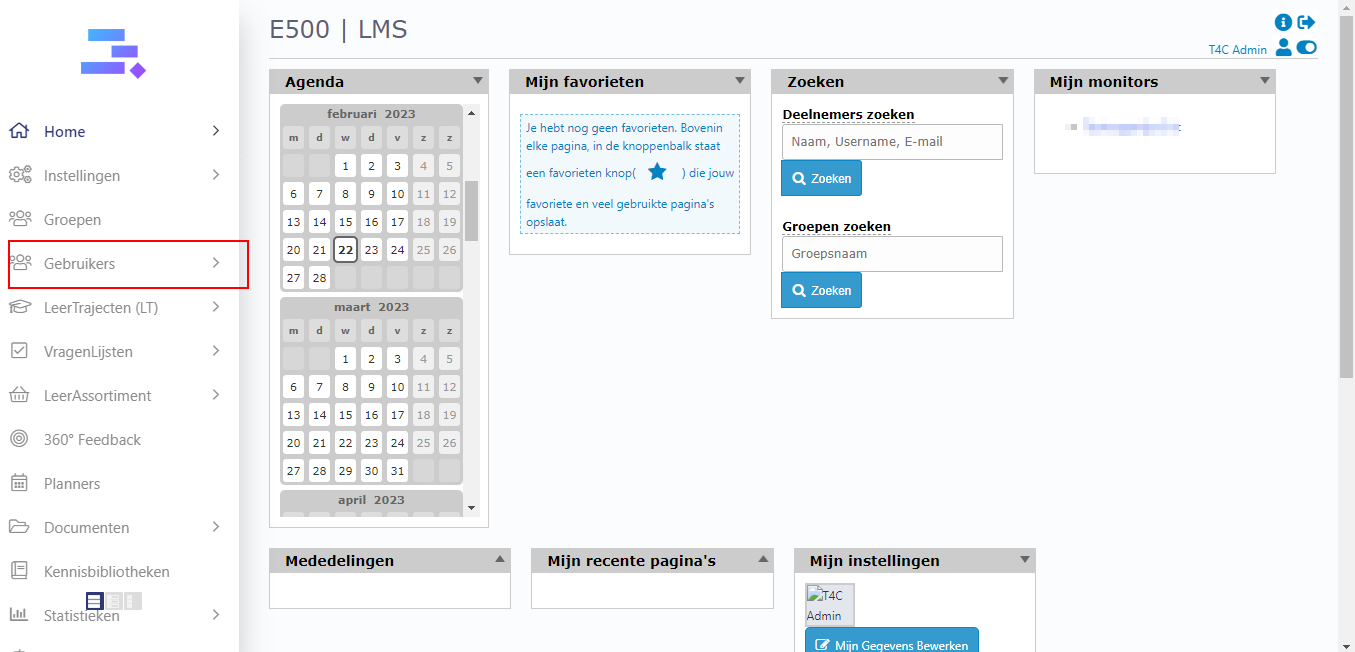
Firstly, login with your administration account. Hover into Gebruikers and click on Organisaties
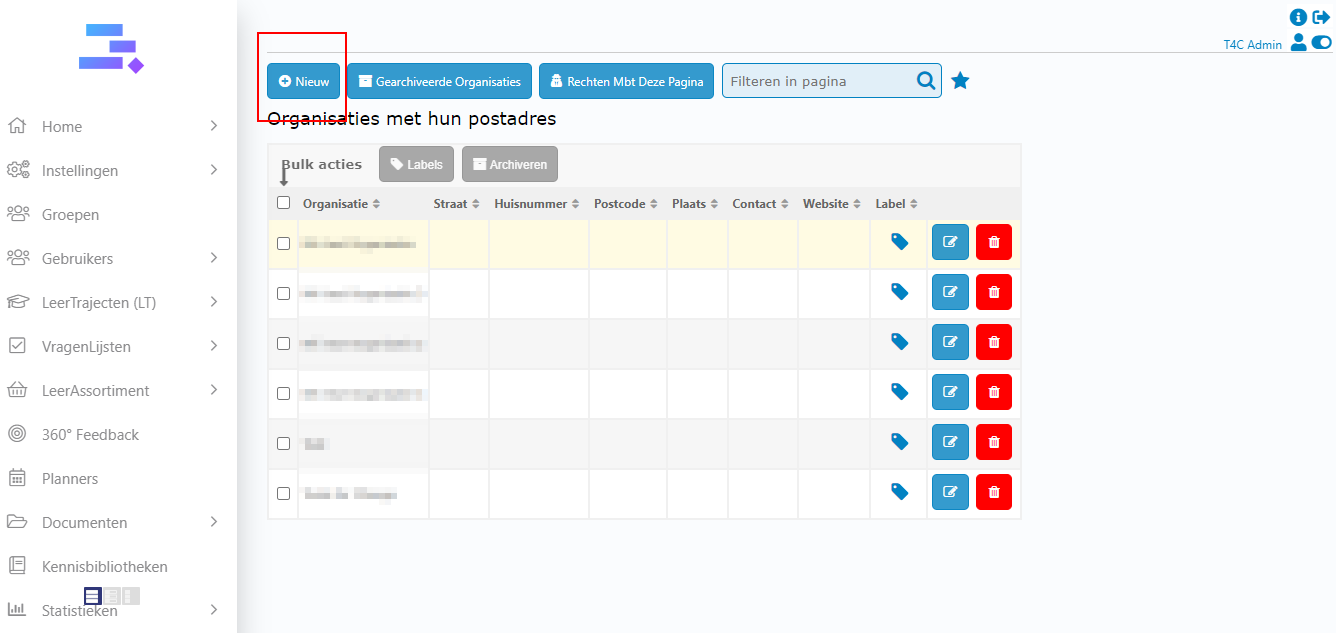
Click on +Nieuw to create a new organization
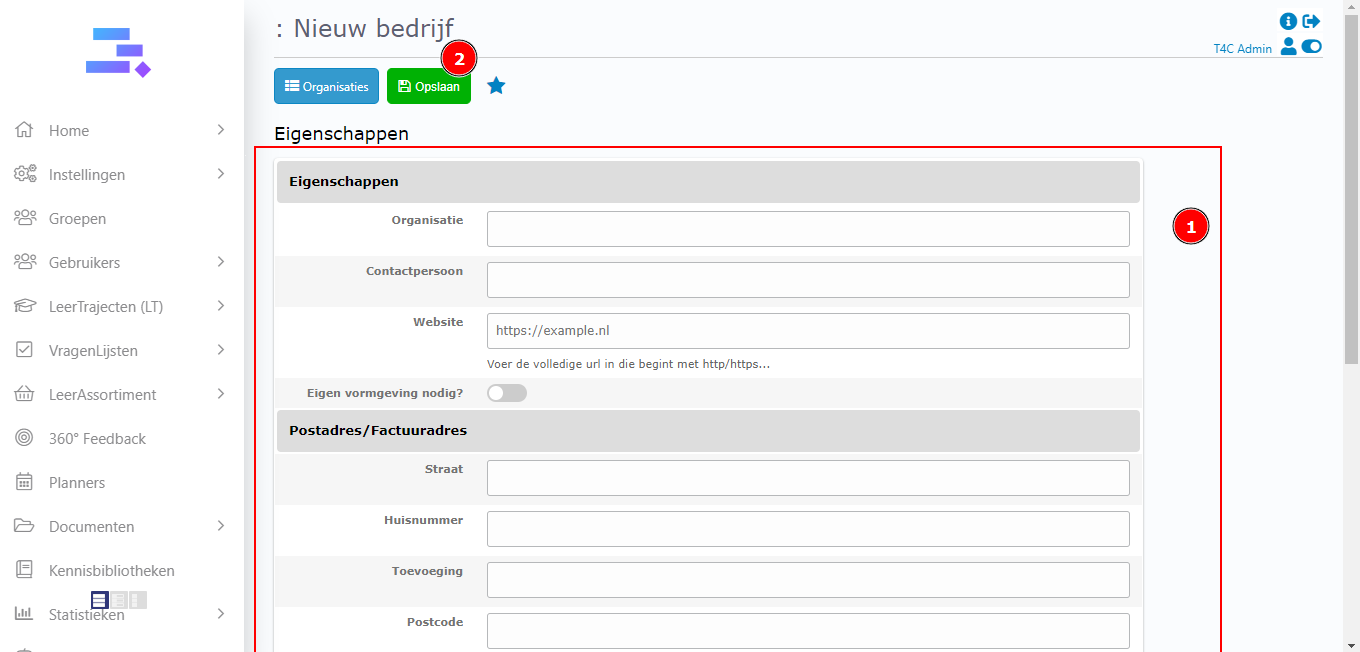
Fill whole the necessary information in this form. Then click Opslaan to save
*Notice: If you active the toggle Eigen vormgeving nodig?, it will expand this detail page with two tabs Vormgeving (design) and Homepagina blokken (Homepage block)
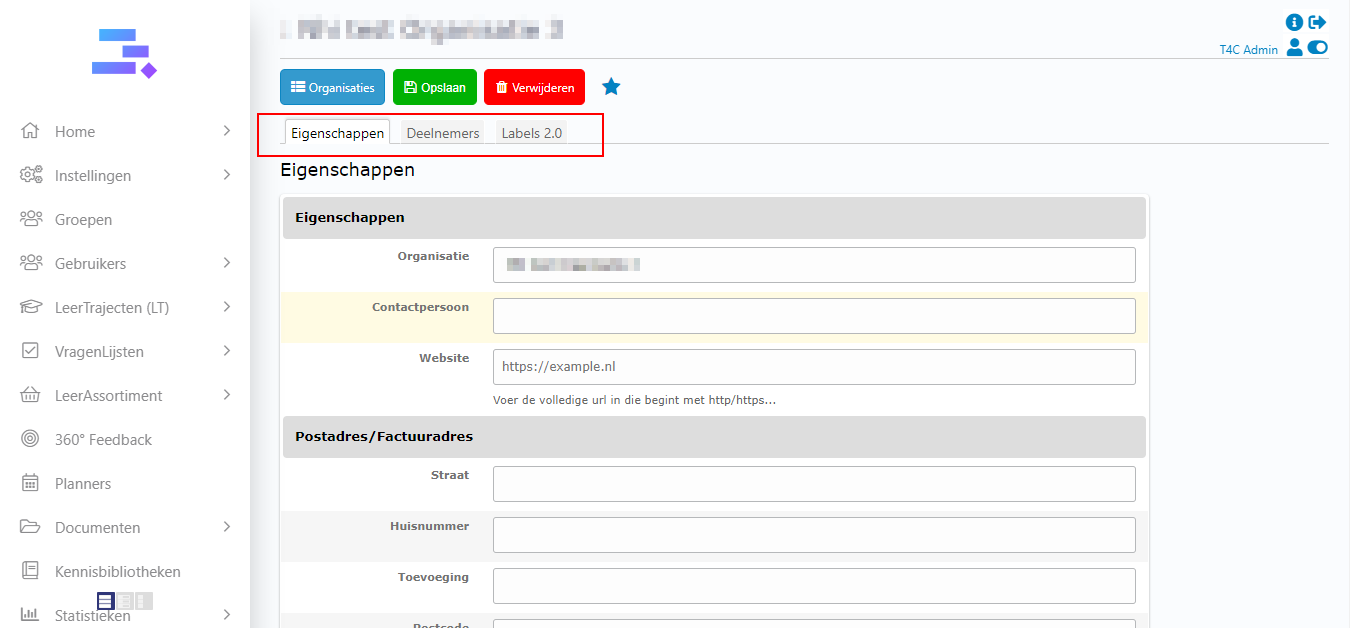
**If you didn’t active the toggle Eigen vormgeving nodig?, the detail page will have 3 tab like the image below
**If you active the toggle Eigen vormgeving nodig?, it will expand this detail page with two more tabs like the image below
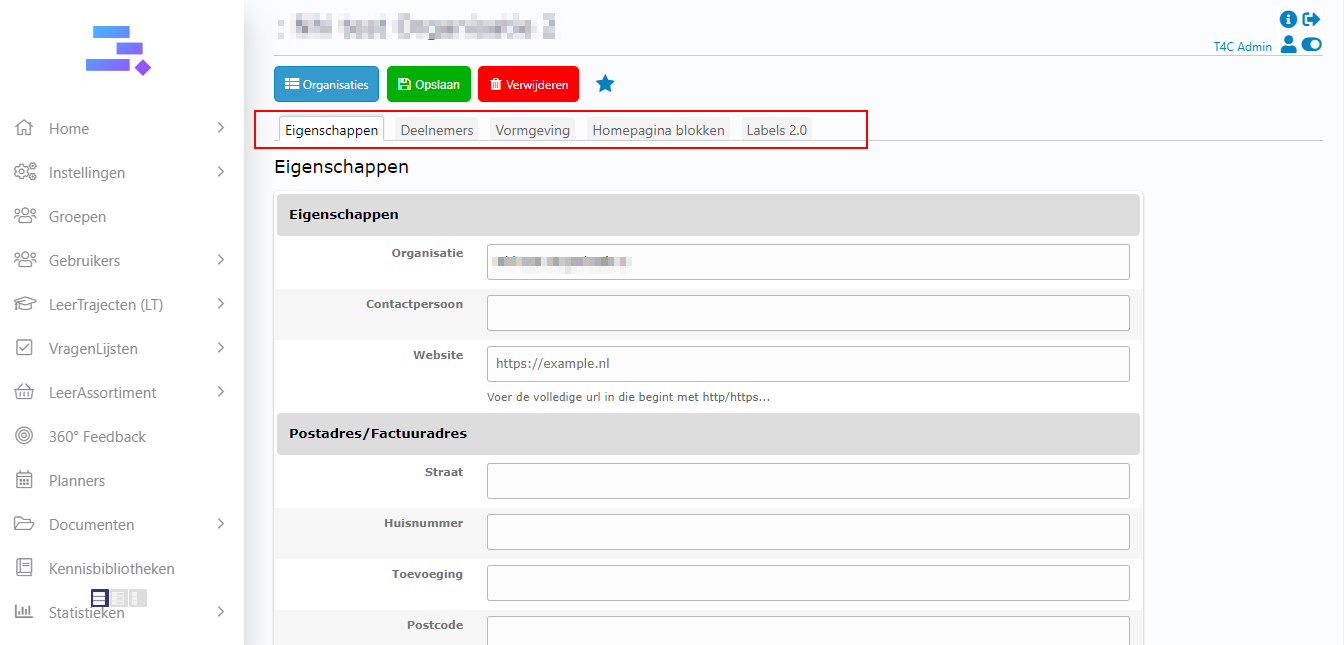
Then set up the organization with the available options. And don’t forget Opslaan to save the changes.
2. To add a user to the organization and vice versa
A. To add a user to the organization
Open a organization and go to tab Deelnemers. Then you can see the input to add user to this organization.
Enter the user name into it and click adding button to search user
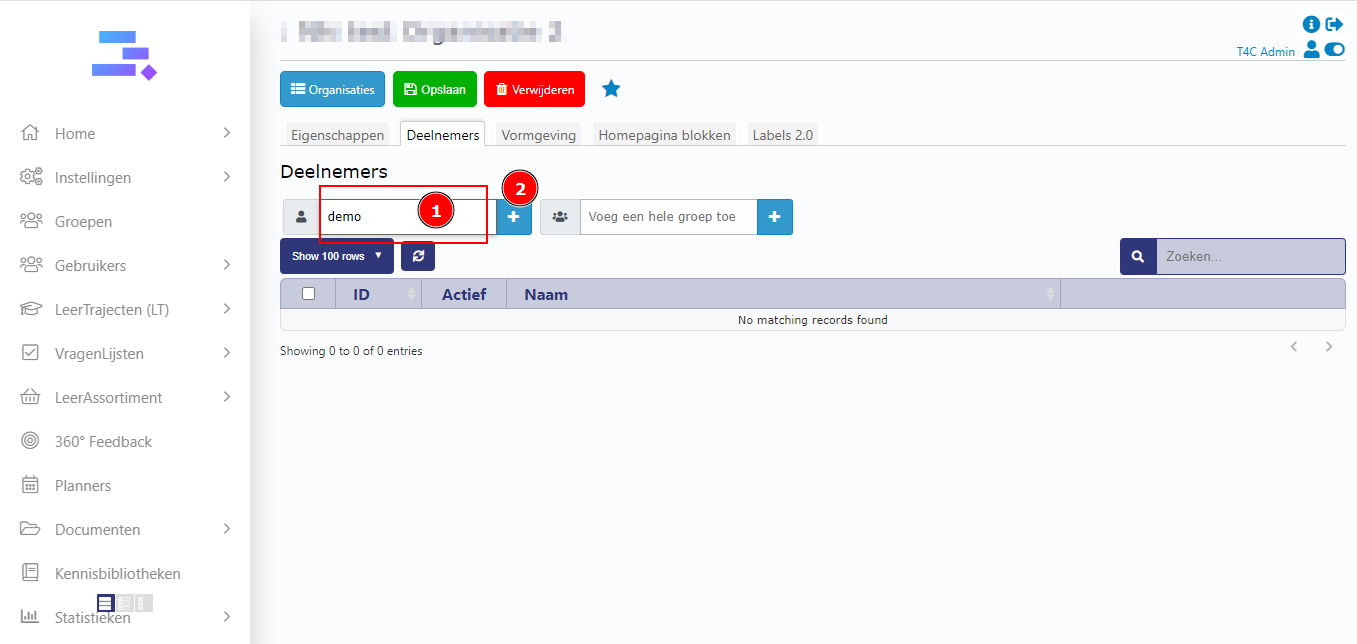
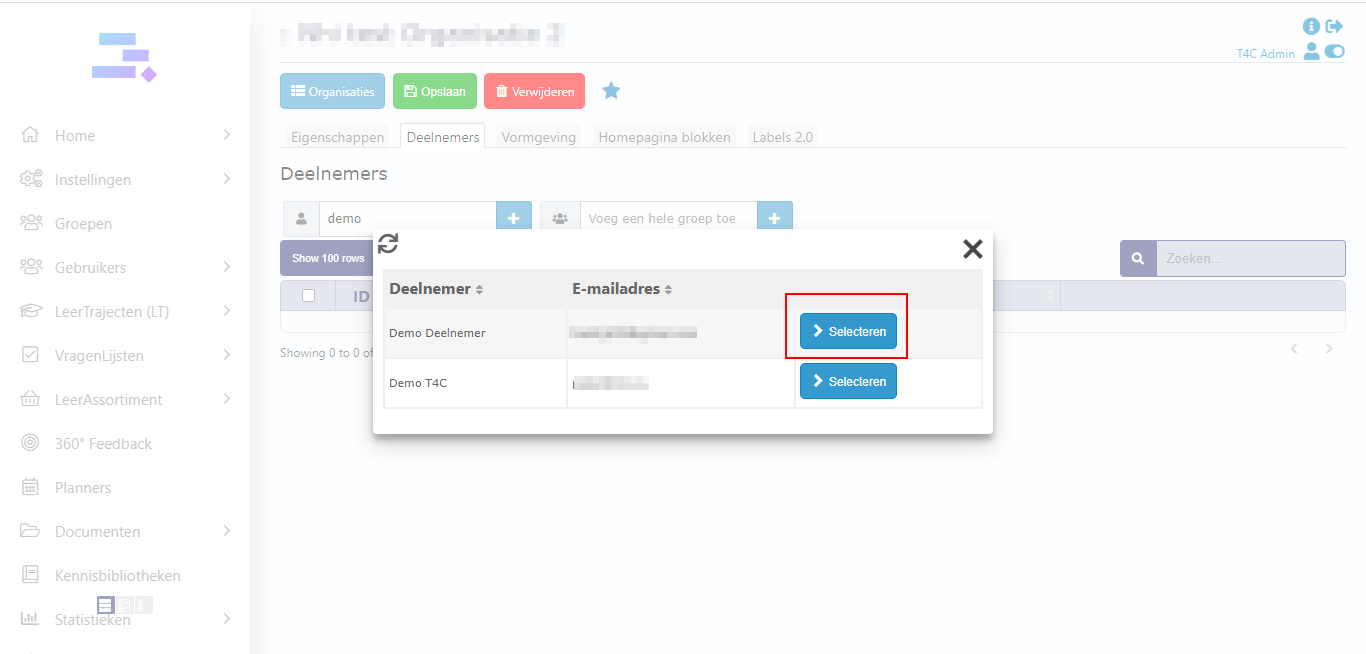
Then a popup appear, click on Selecteren to add user to this organization
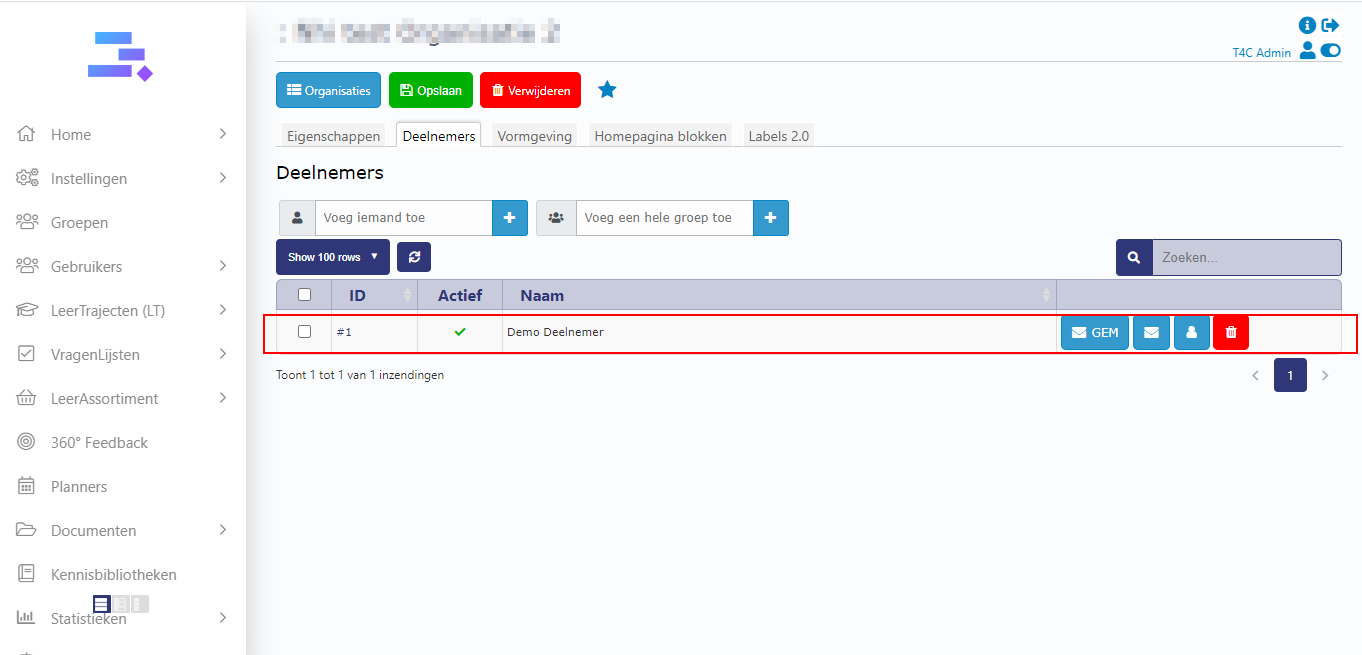
Yeah user has been added!
B. To add all user in a group to the organization
In tab deelnemers of organization detail page. On the right, you can see the input to add all user in a group to this organization.
Enter the user name into it and click adding button to search group
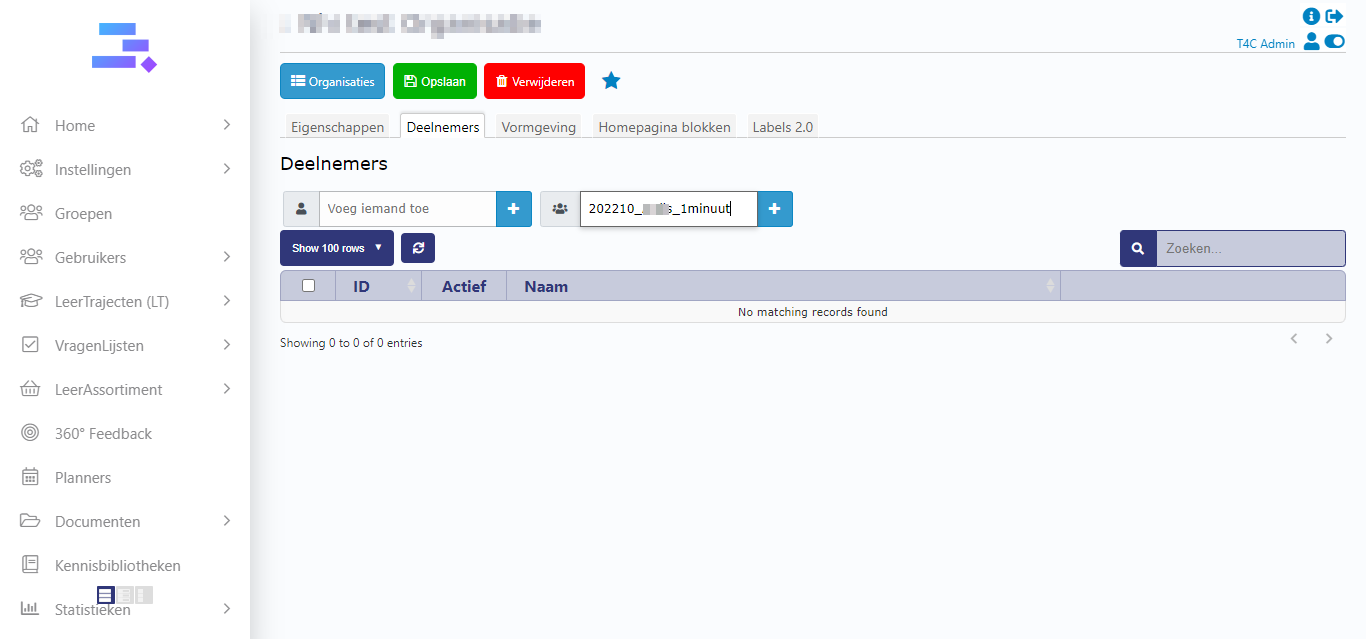
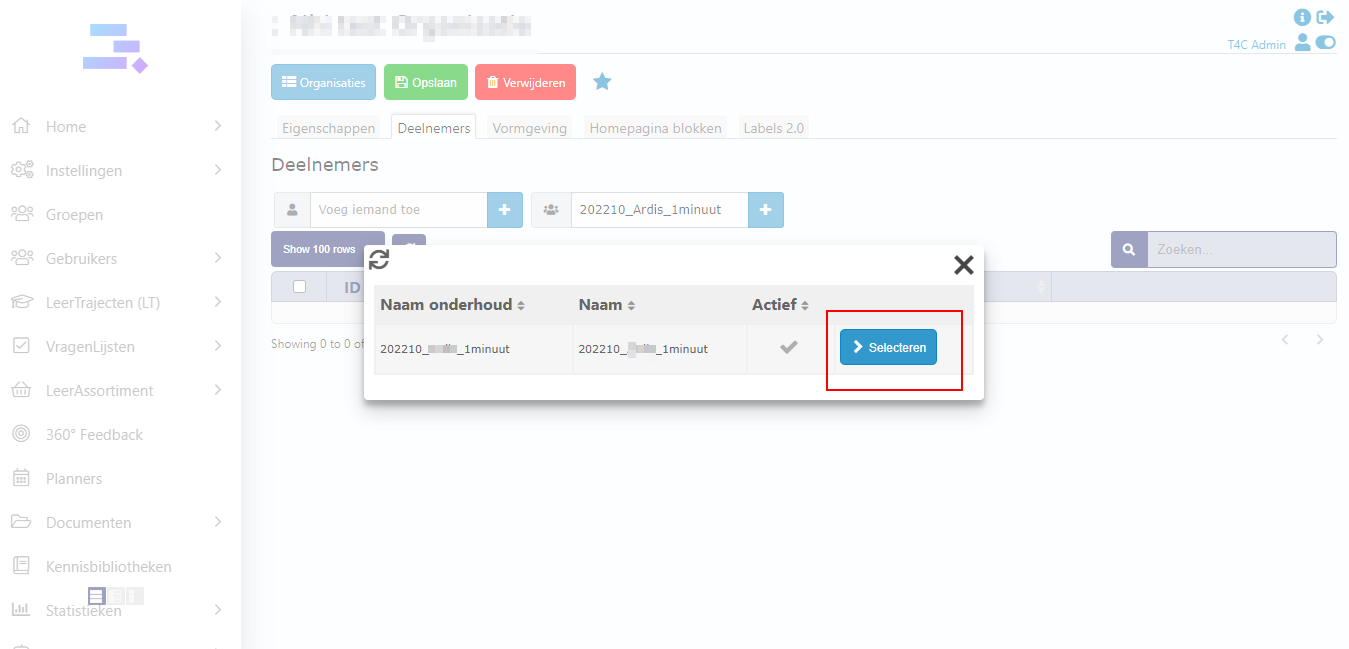
Then a popup appear, click on Selecteren to add all user in selected group to this organization
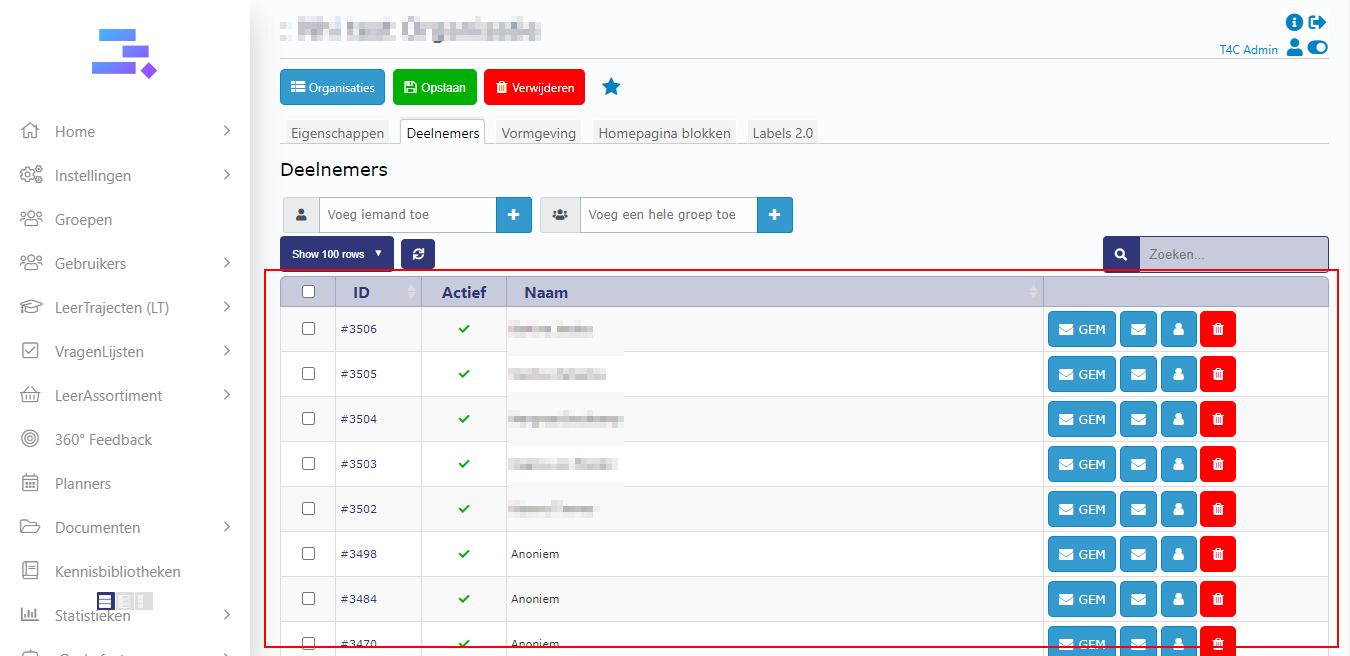
Then you see all user in the group have been added to this organization!
C. To add a organization to a user
Go to Deelnemer page and choose a user
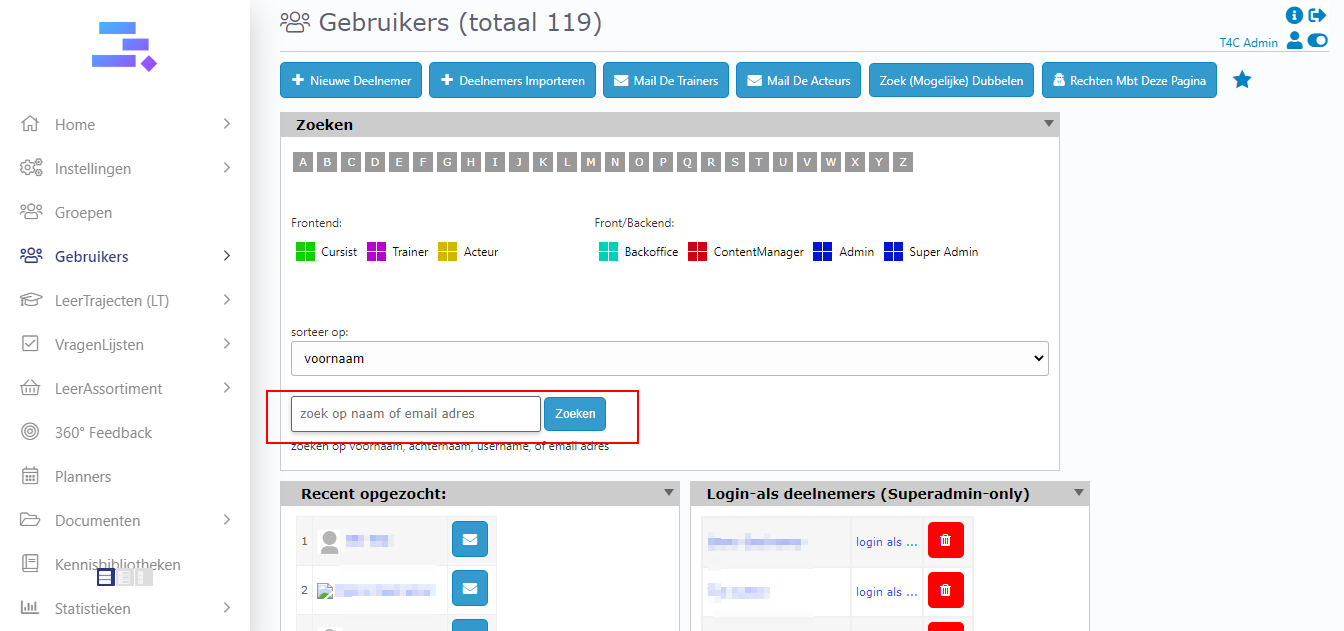
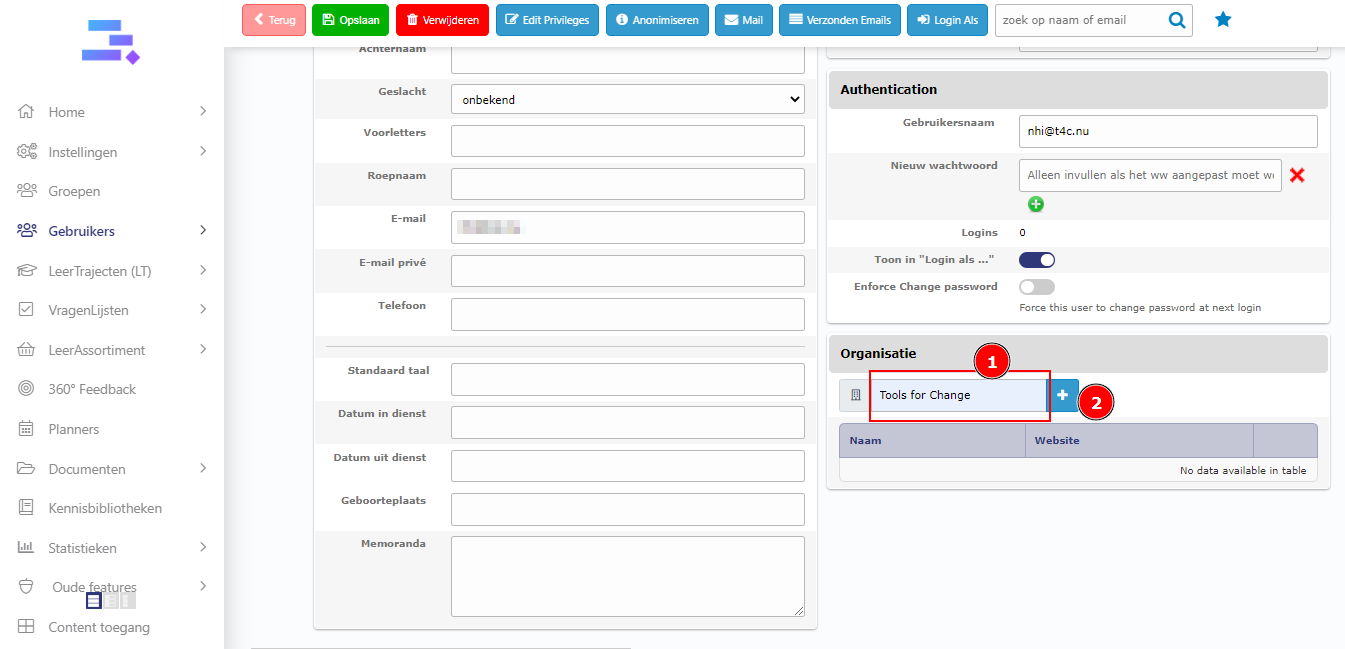
In the detail page of user, go to Deelnemer gegevens tab, scroll down to the right bottom. Here you see the Organisatie block
Enter the organization’s name to the input, then click adding button to find the organization
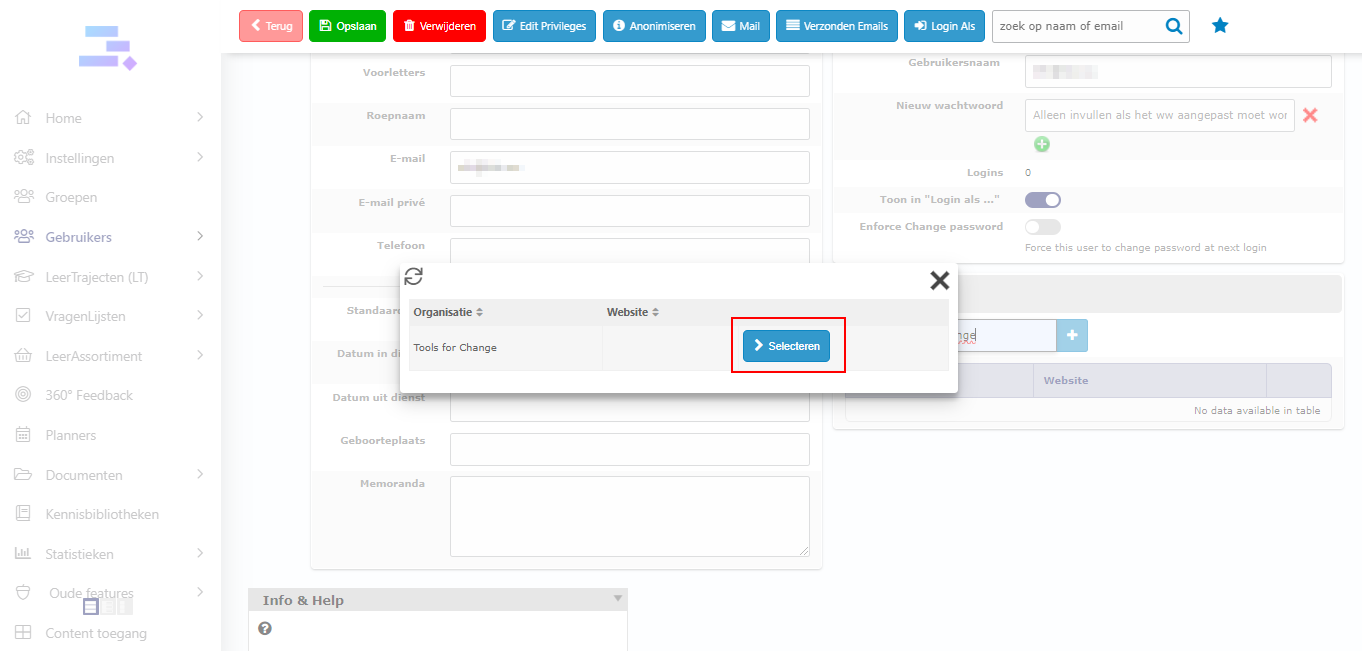
A popup appear, click on Selecten to add the organization to this user
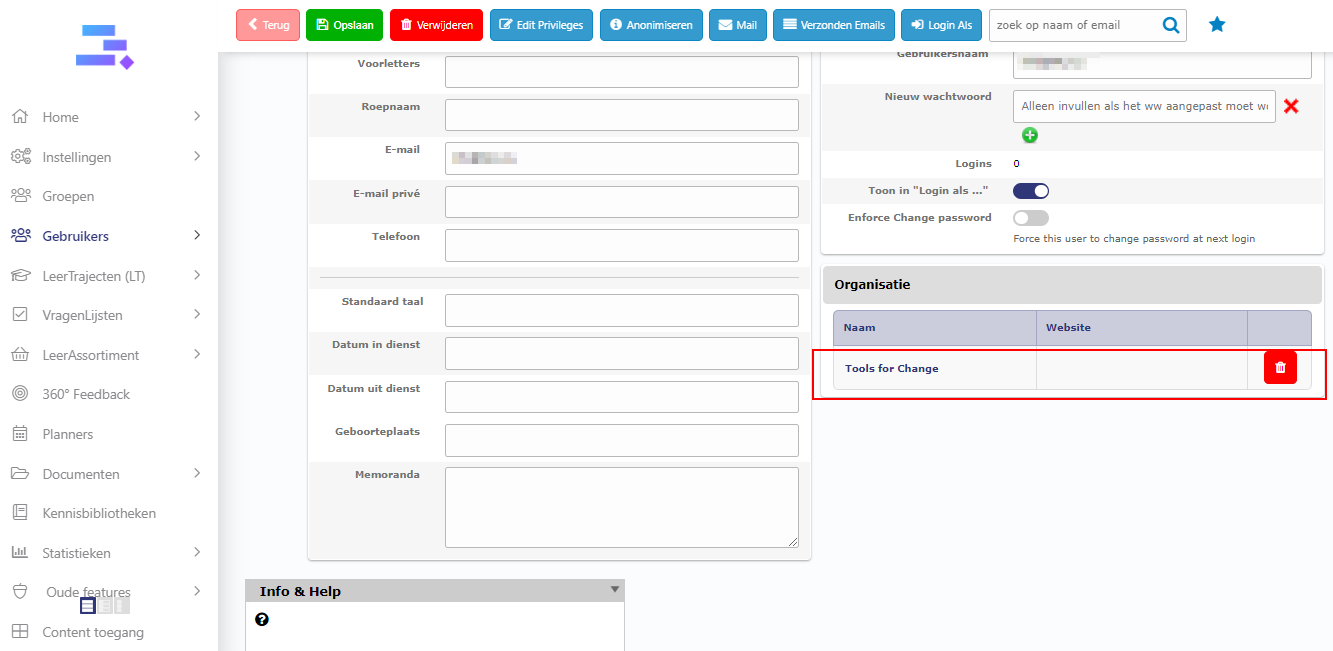
The organization has been added to user sucessfull!
That’s all! Good luck!