If you want to delete a user, let’s follow these steps:
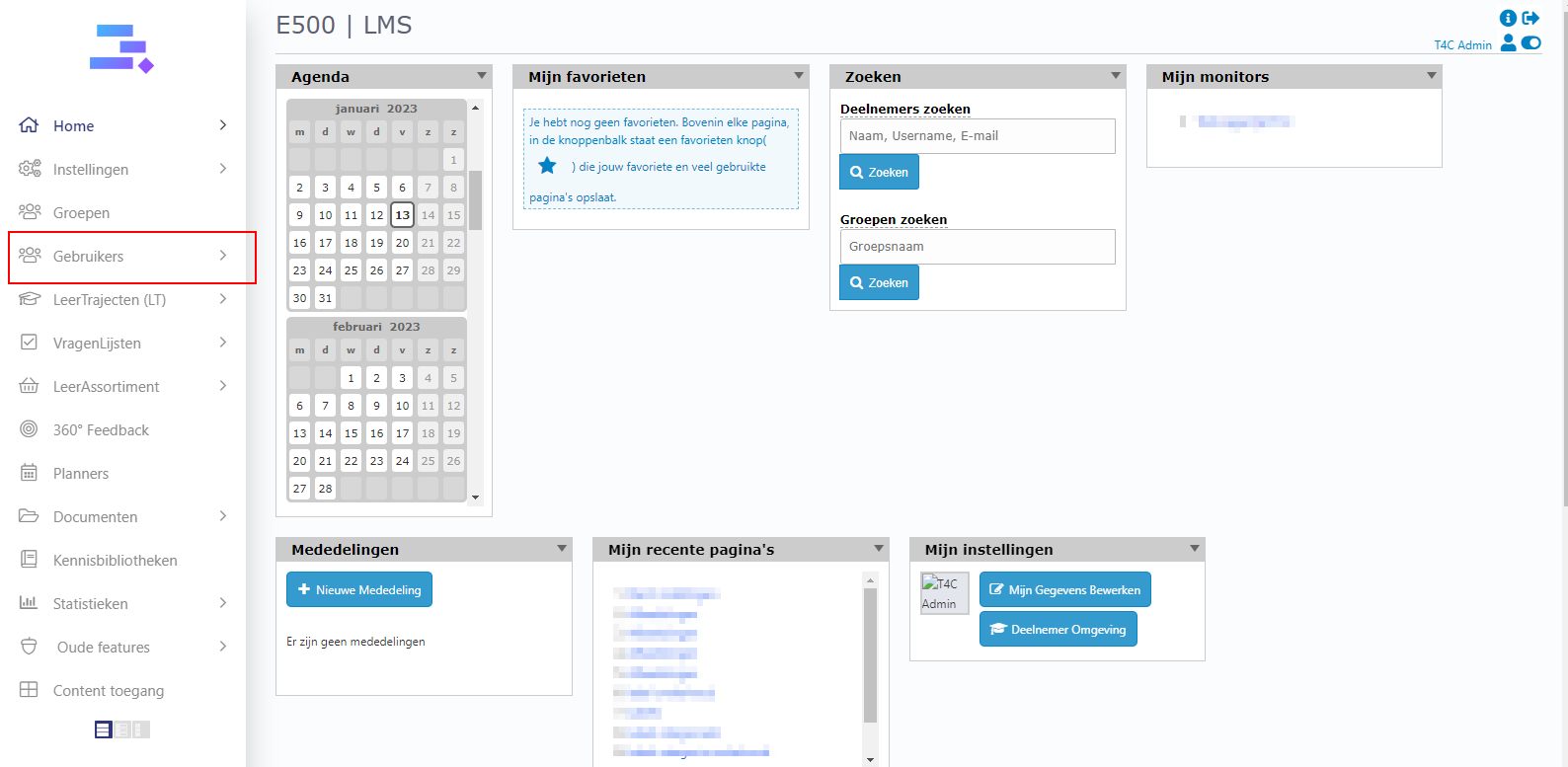
1. Login with your administration account. Click on Gebruikers.
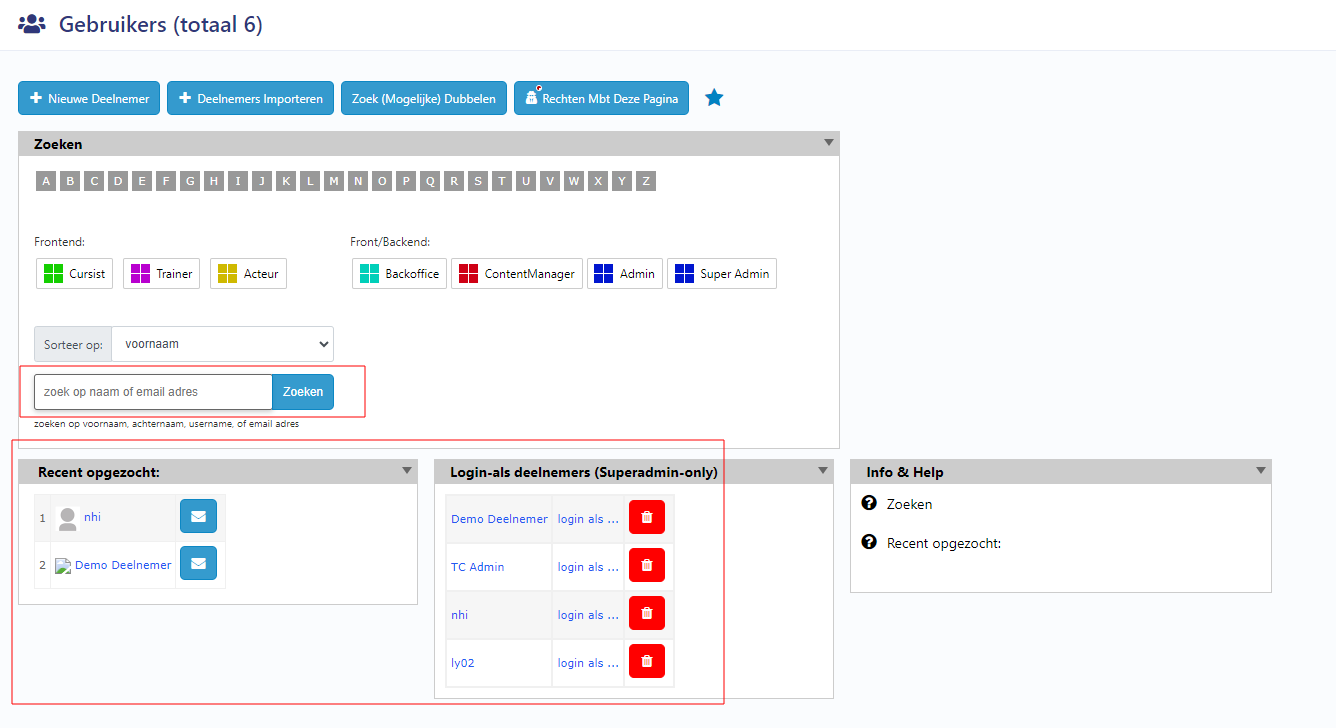
2. Choose a user from the block Login-als deelnemers or use the search bar to find a user by their name and click zoeken to access their user’s information page.
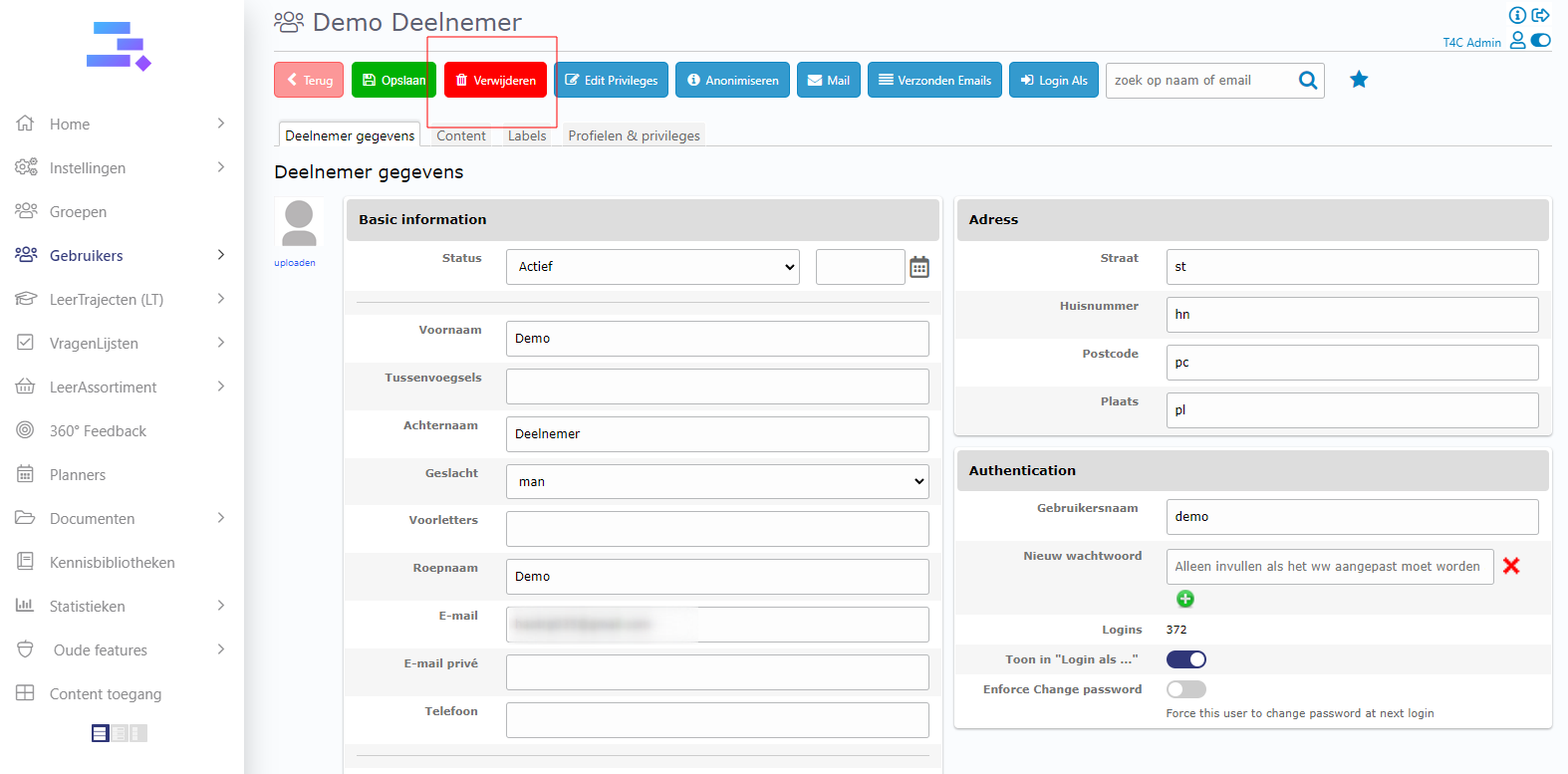
3. When you accessed the user’s page, click verwijderen and then click Ok to delete this user.
Deleting users is very easy with these 3 steps. Good luck!