We made a Help center – Jira Channel to support customer better. There you can leave the questions or requests, then we will resolve or respond as soon as possible.
To create an account on Help center – Jira Channel
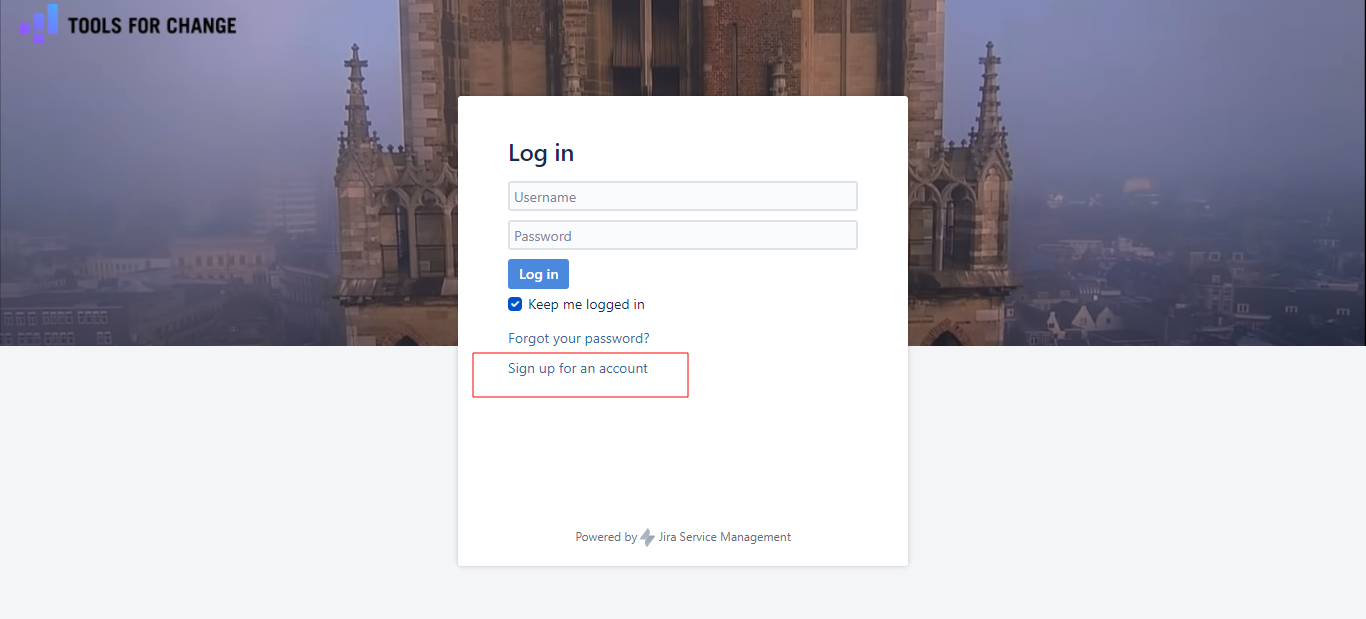
Access to this link https://support.tools-for-change.nl/servicedesk/customer/portal/2. Then click on Sign up for an account.
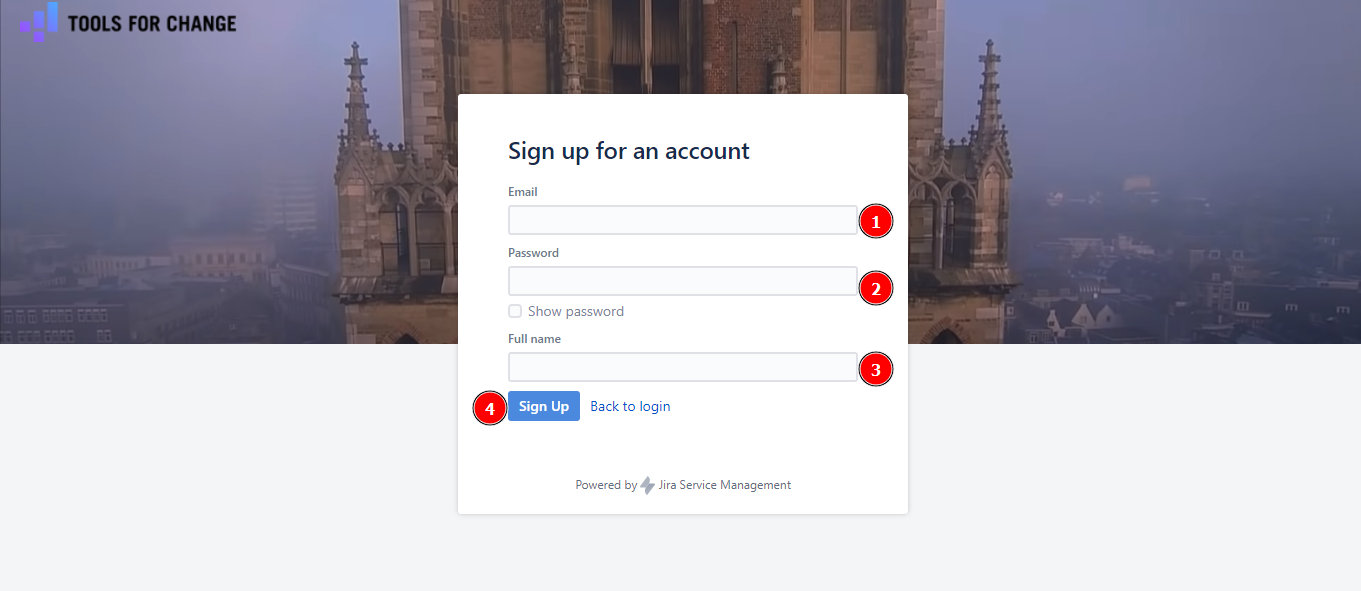
Filling the form and click on Sign Up
To make a request
After a few seconds, your account will be created. You will see the Help Center with six options for requirements
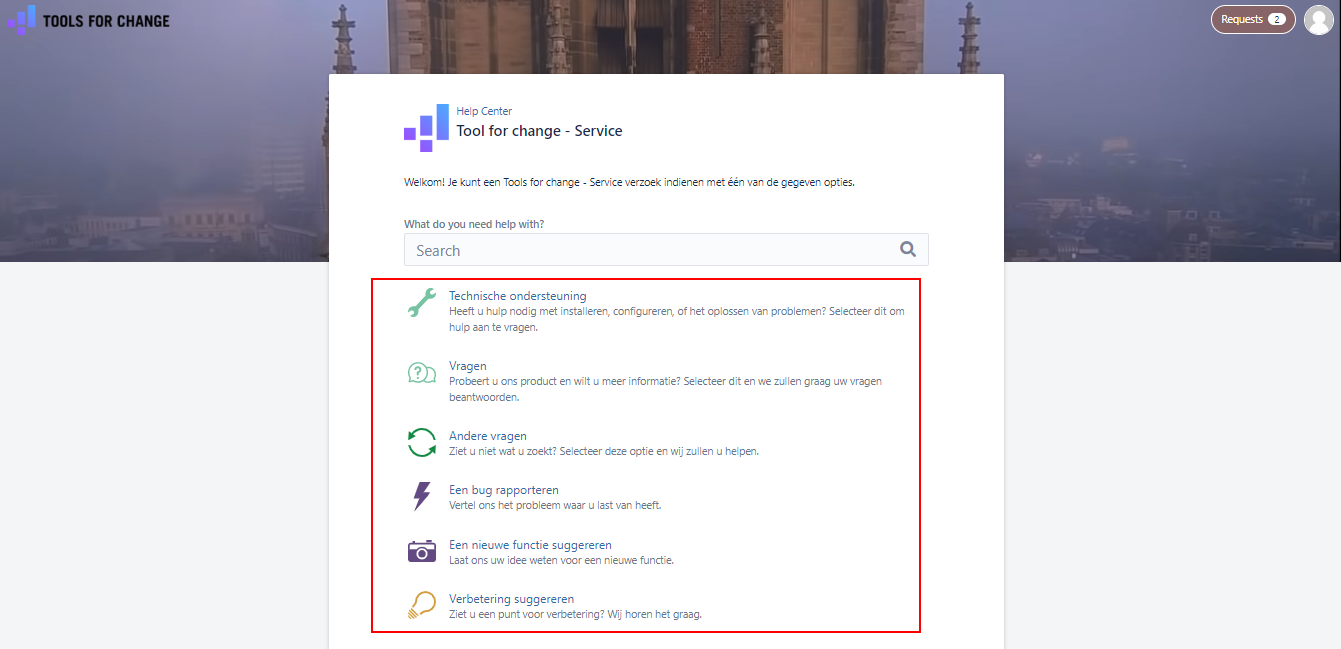
About usage, they are very similar. But each option serves a different goal. That’s why bellow each option all has a small description to help us more clearly.
Example: When you need to know more about something, sellect option Vragen to leave the question
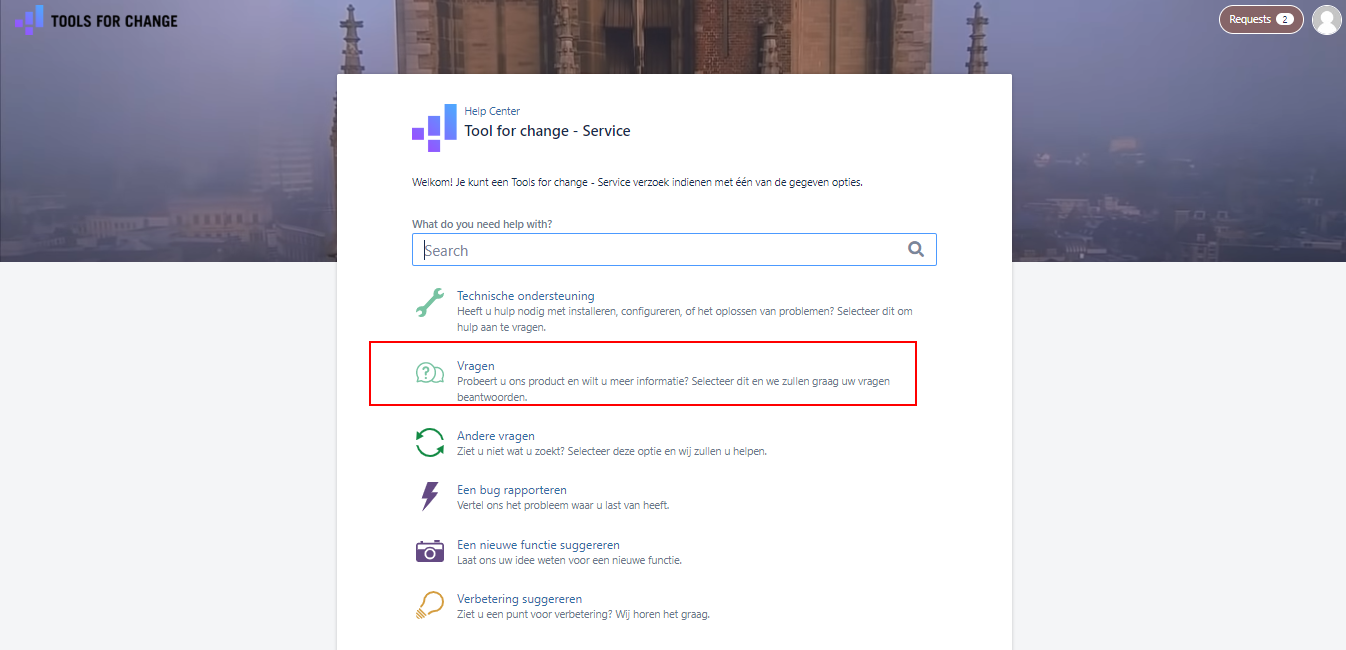
After clicked, an popup appear. You can leave the question here. Let’s add an image and link to the page have problem for help us approve it faster.
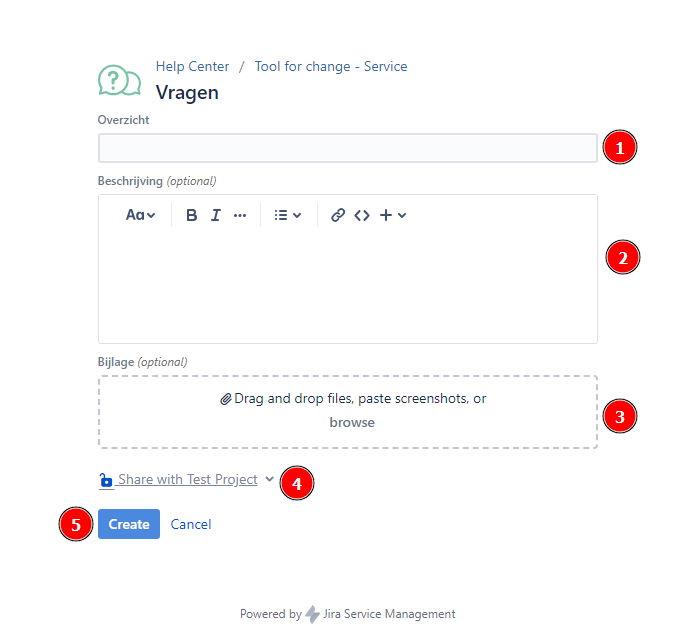
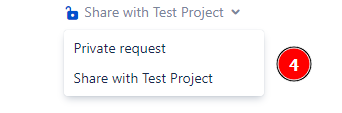
In step 4, That’s give us options about privacy:
Private request: Use for request personal
Share with origination: Where others user in the same origination can see your request
Finally, click on create to finish create the question.
You can do with the same way for the others requirements.
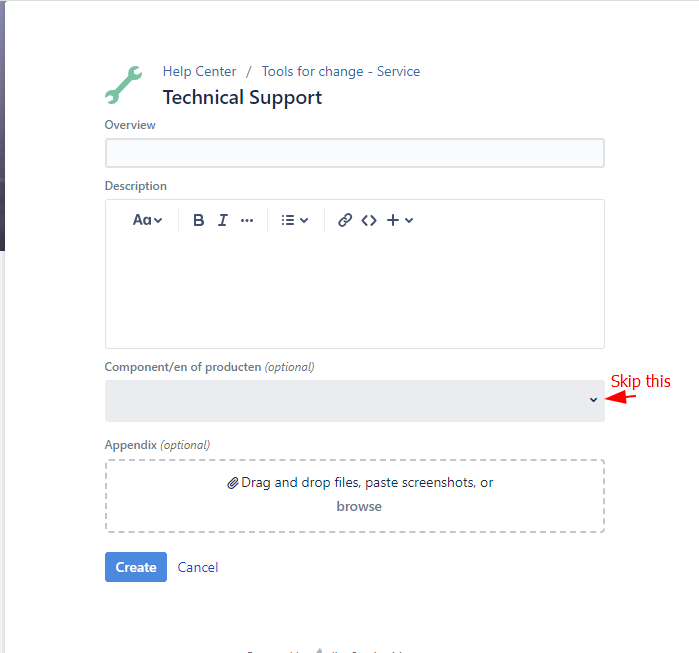
With Technical Support, we can skip section Component/en of producten (optional)
To see all request and filter them
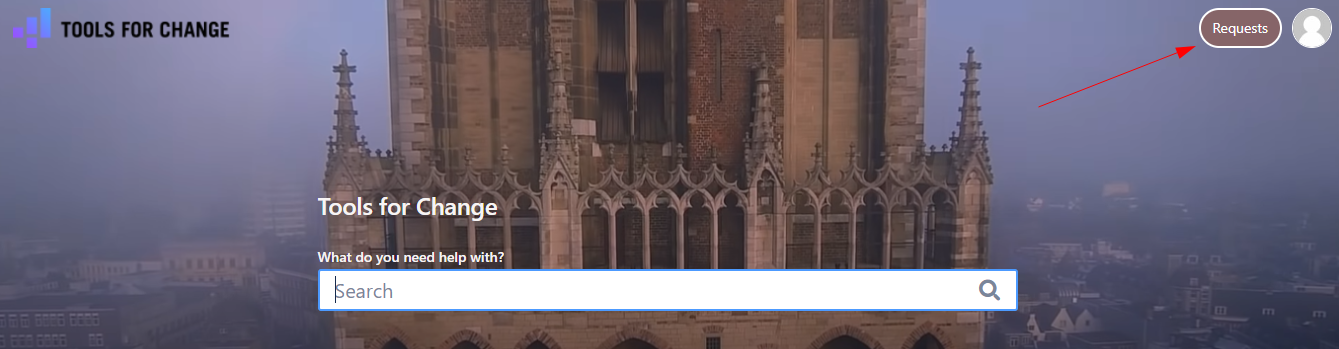
On the top right of Jira Channel, you see Request button. Click on it
Then you see 2 options to see the request
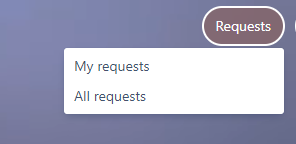
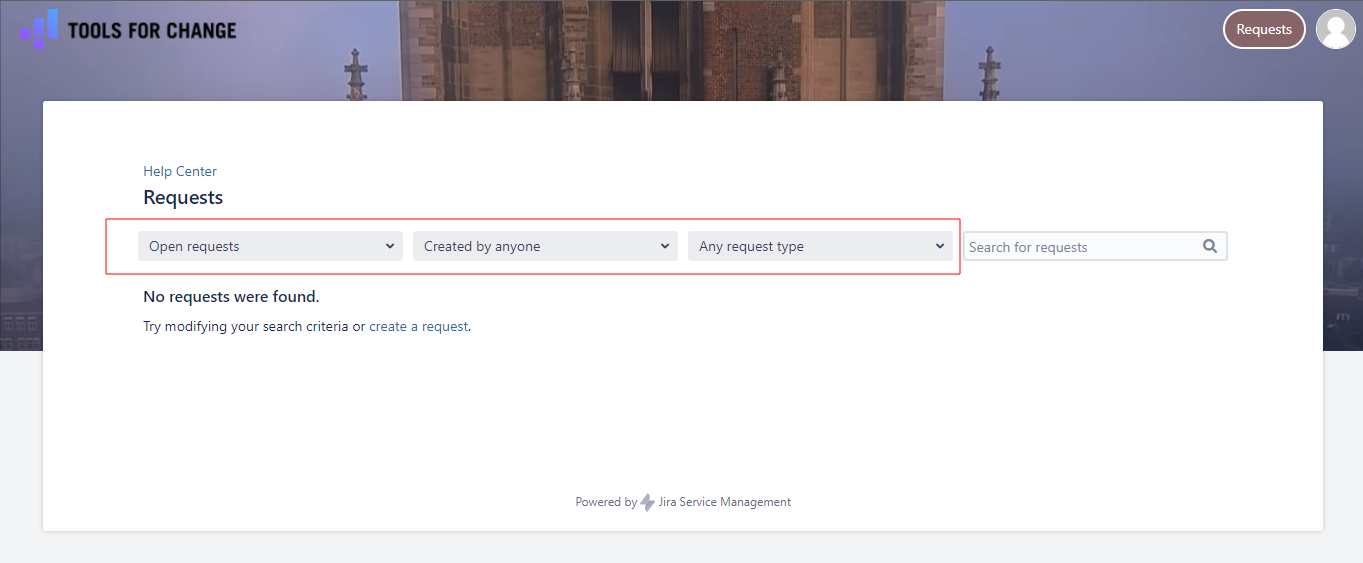
Let’s choose one. Then the filtering appear, use it to filter request suitable with your wishes. Or you can use the search bar at the right side to search a request with its name.
We are happy to receive your request and try our best to improve everything better and better. Thank you for reading!