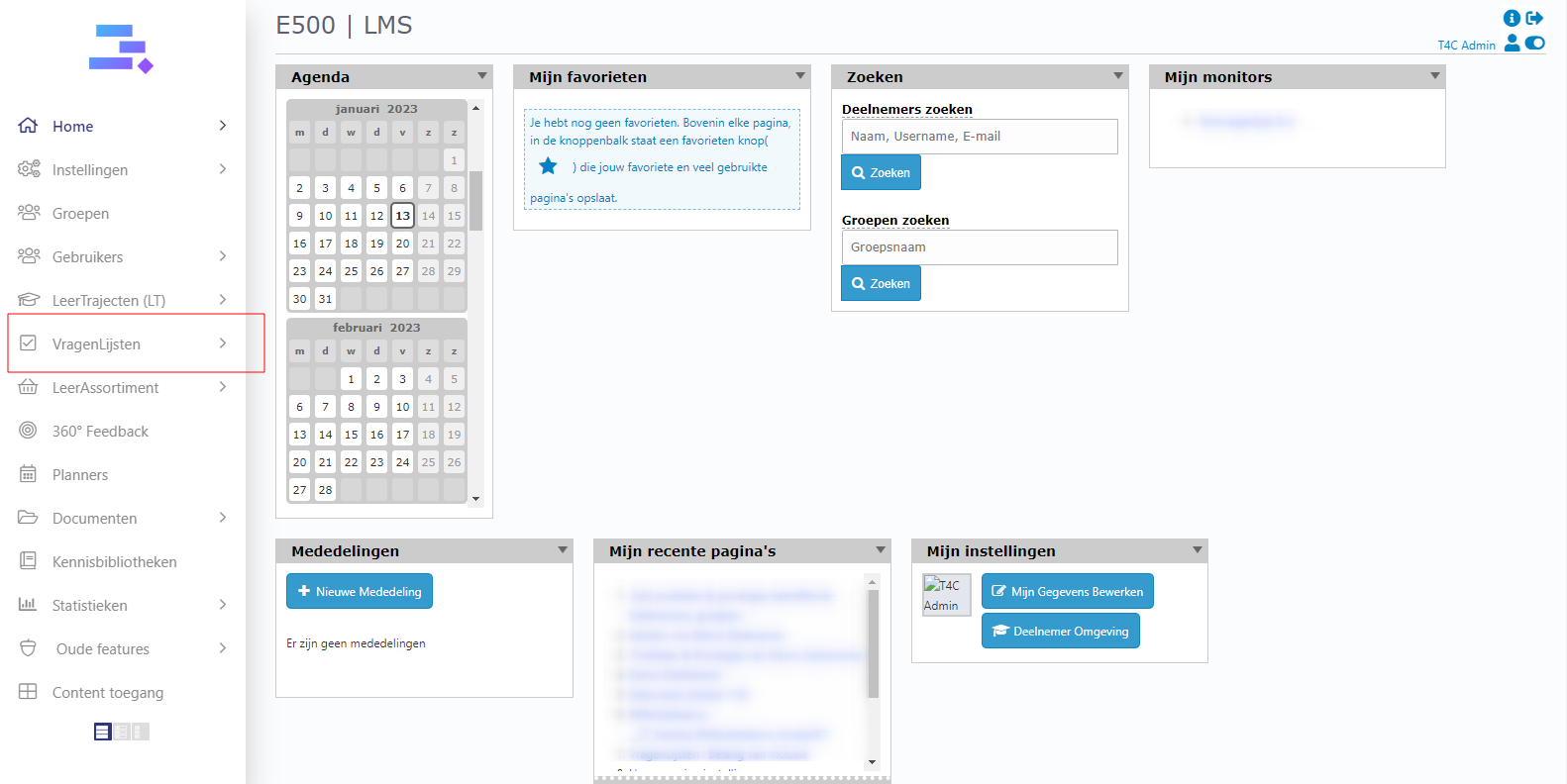
1. Log in with your administrator account. Click on Vragenlijsten.
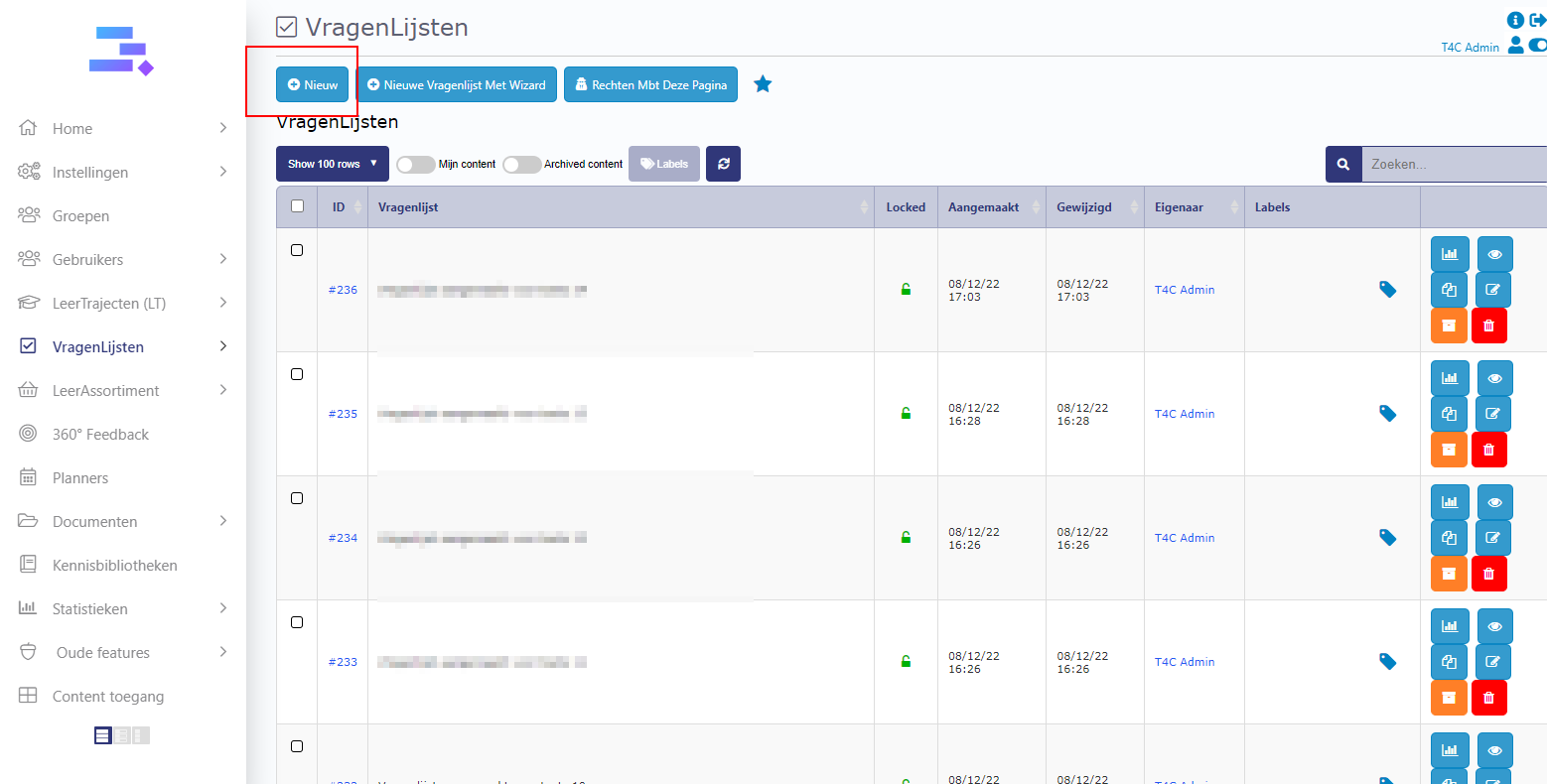
2. Click Nieuw to create new Vragenlijsten
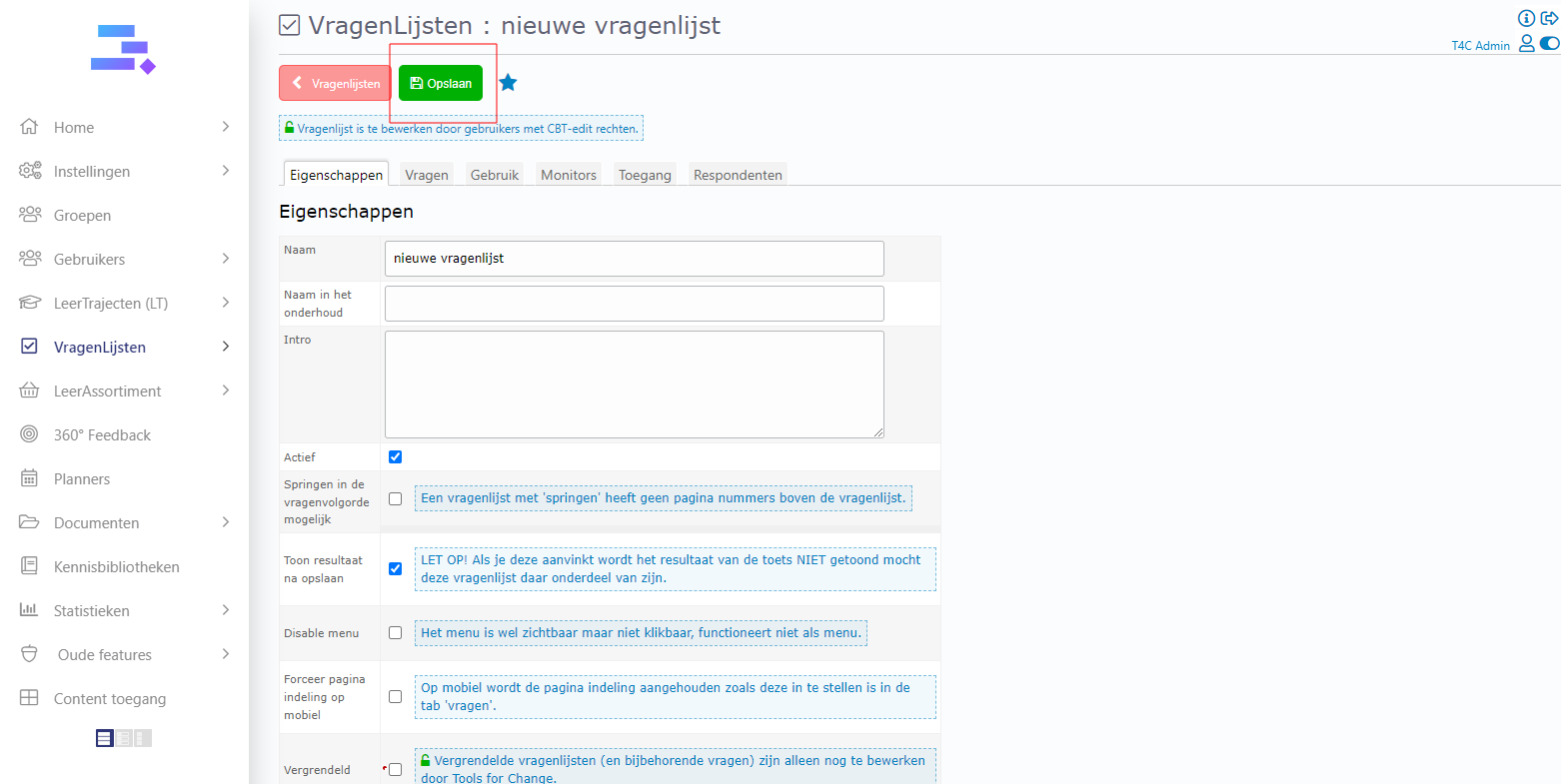
3. In the new window, fill in the information about the characteristics of the questionnaire and click Opslaan to save.
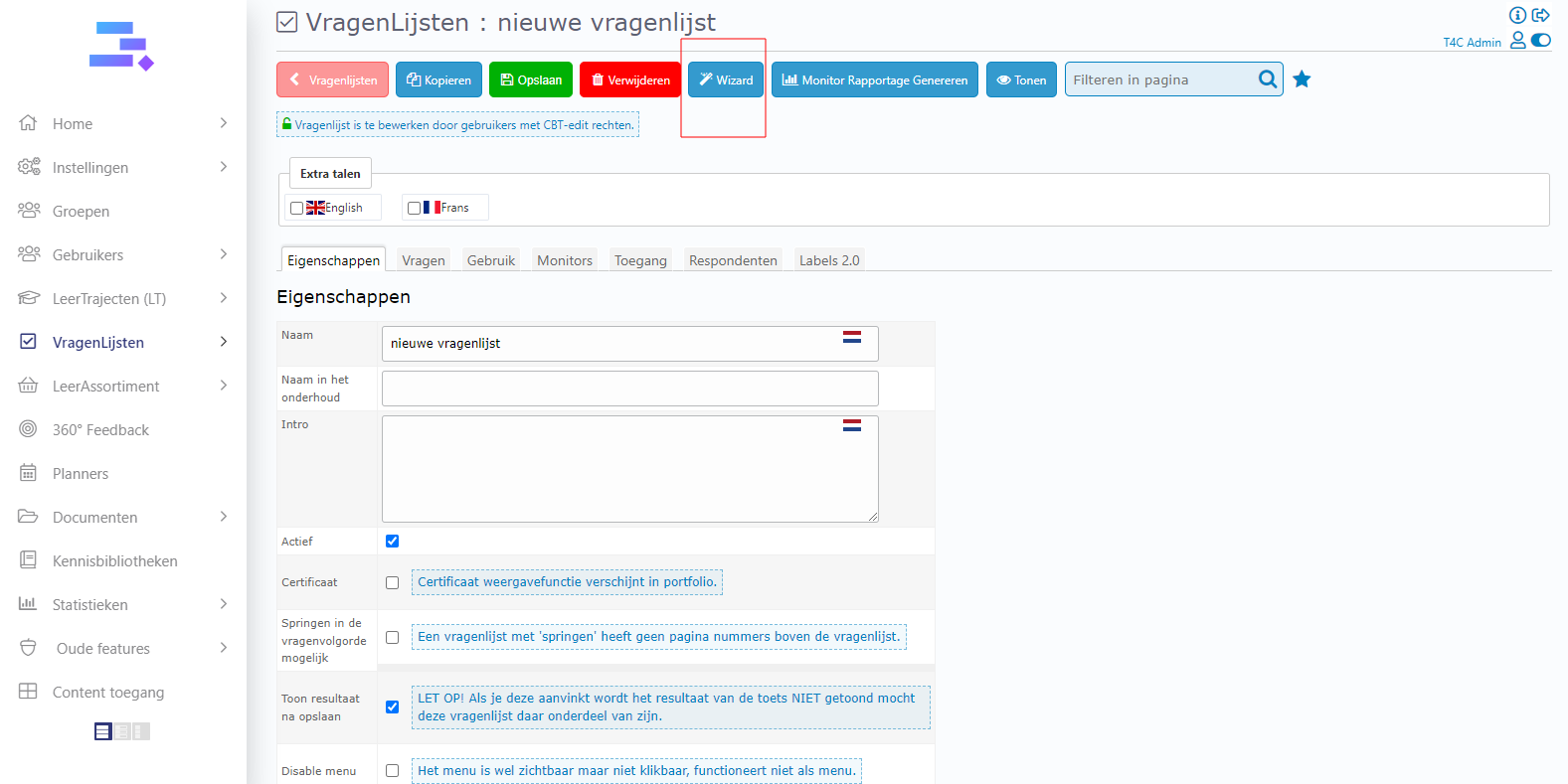
4. Next click on the blue Wizard icon at the top. A new window opens, click Nieuwe Vraag to add and edit the new questions.
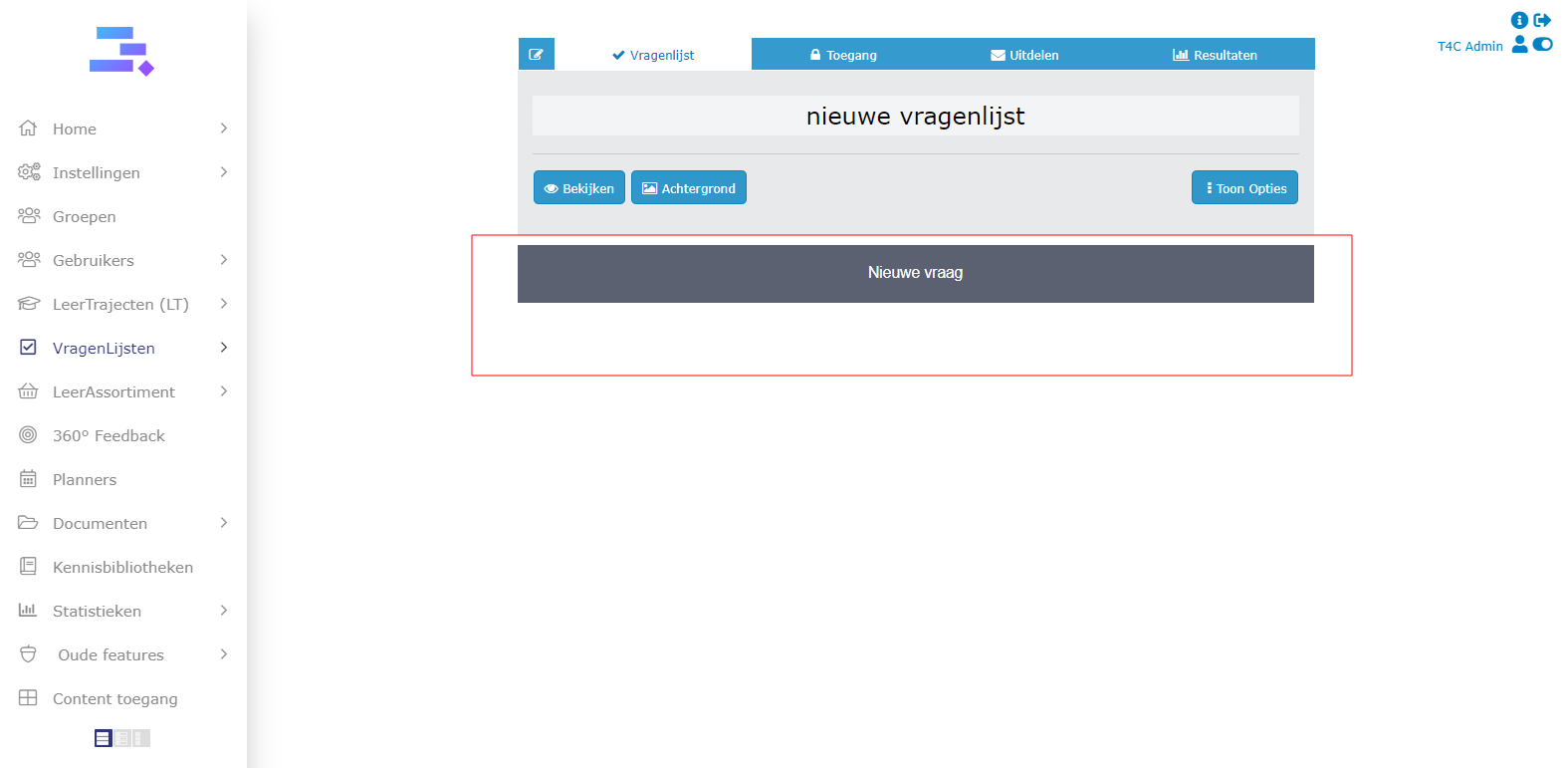
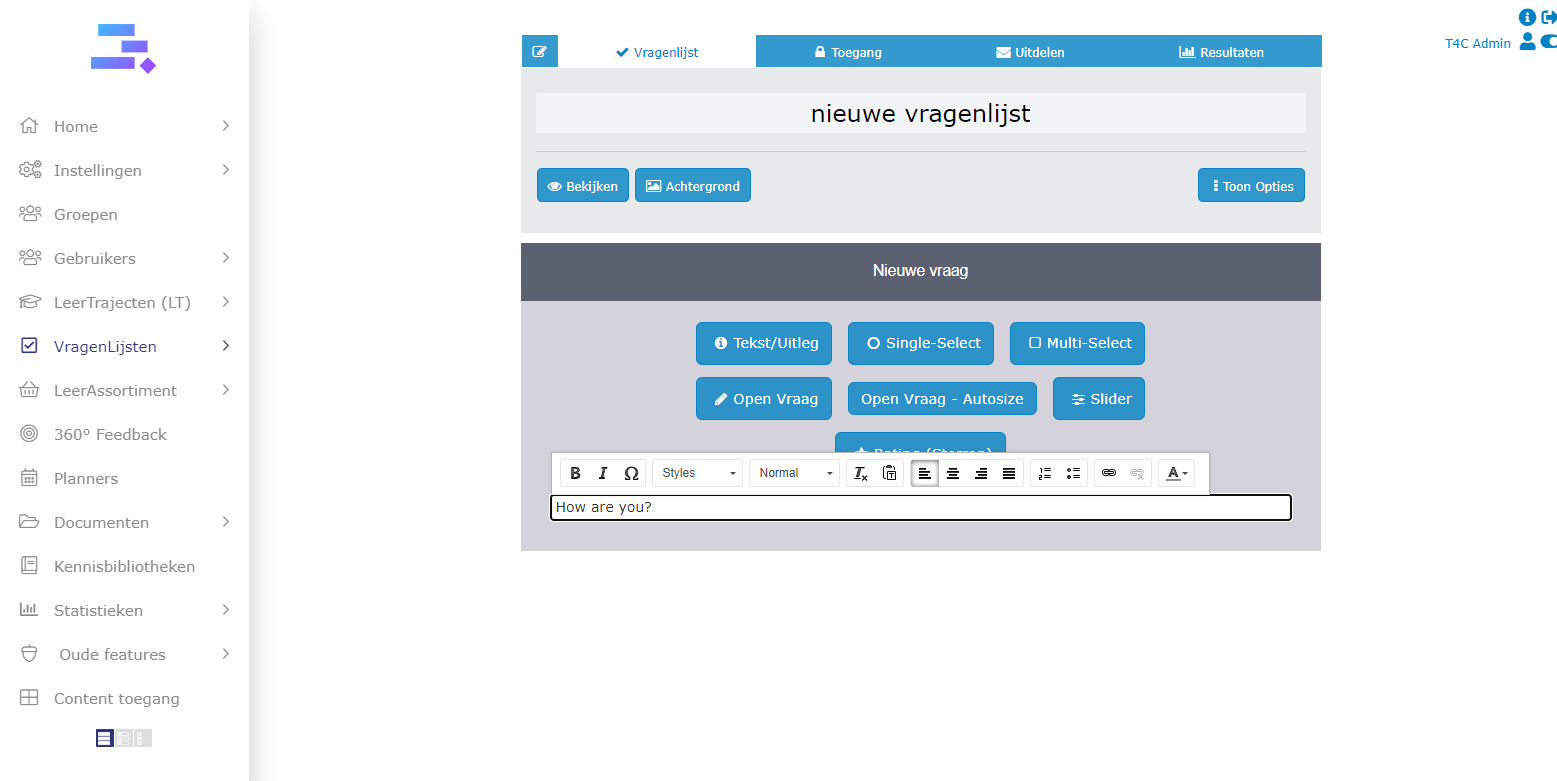
4. Now you have many options to edit your questionnaire such as style of question, font, format,…
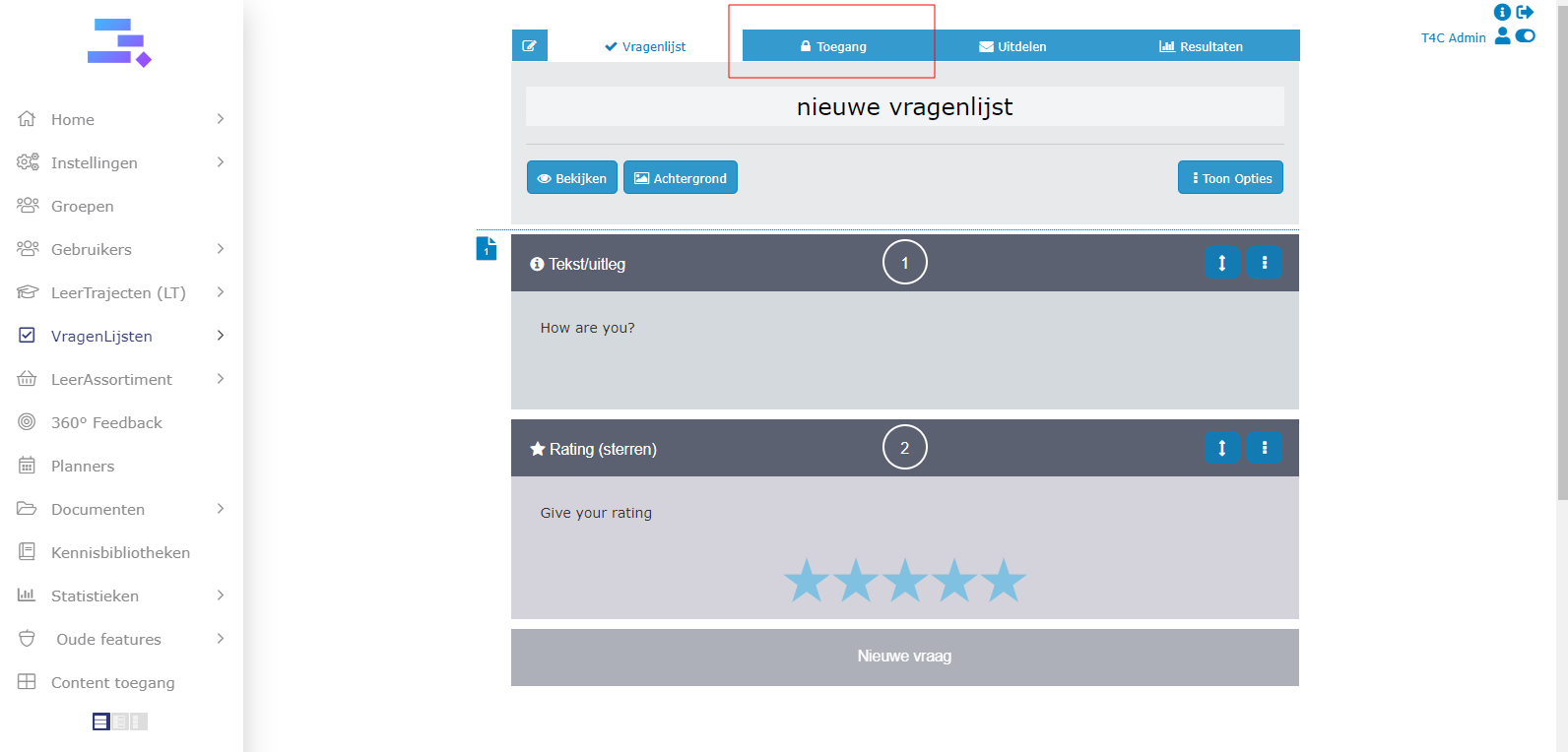
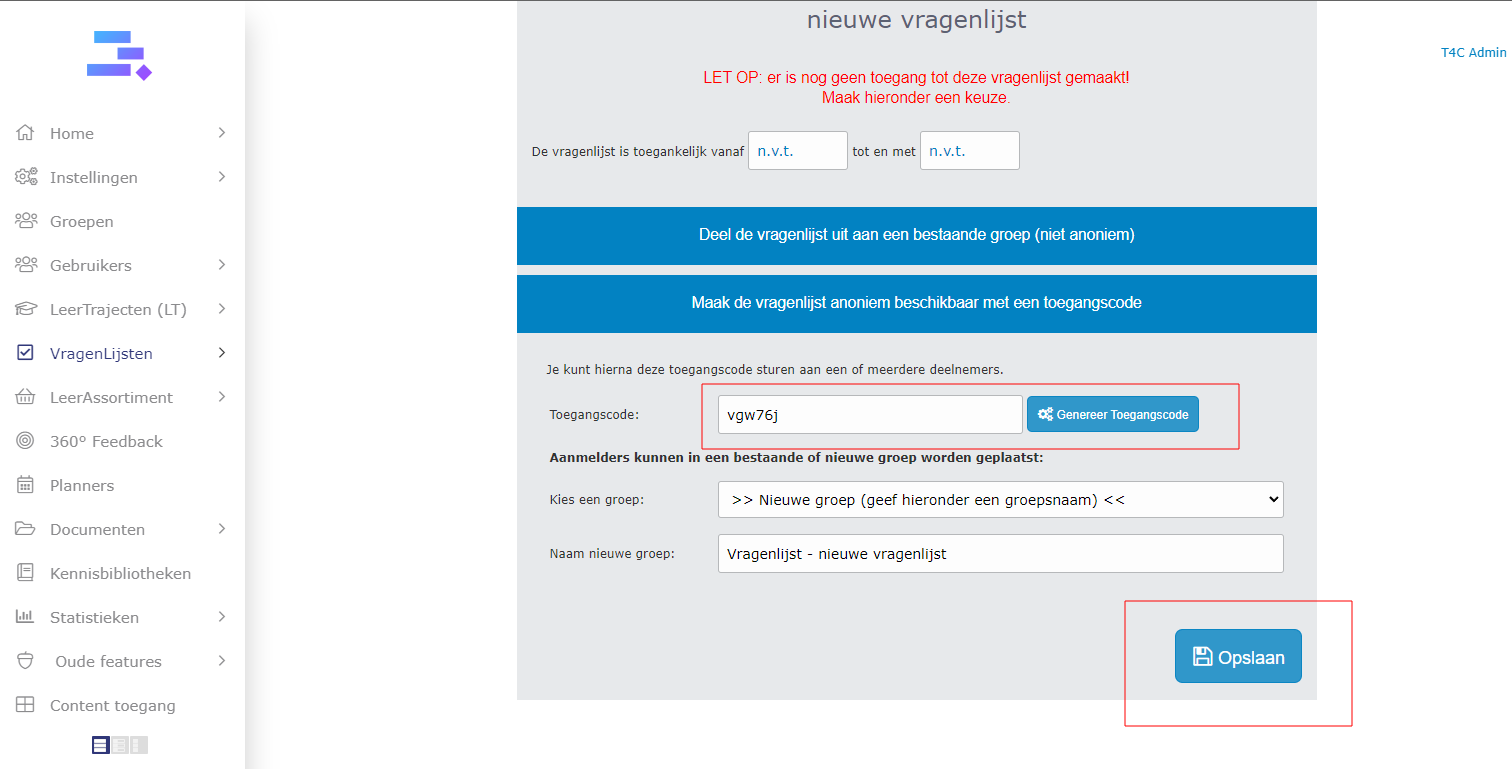
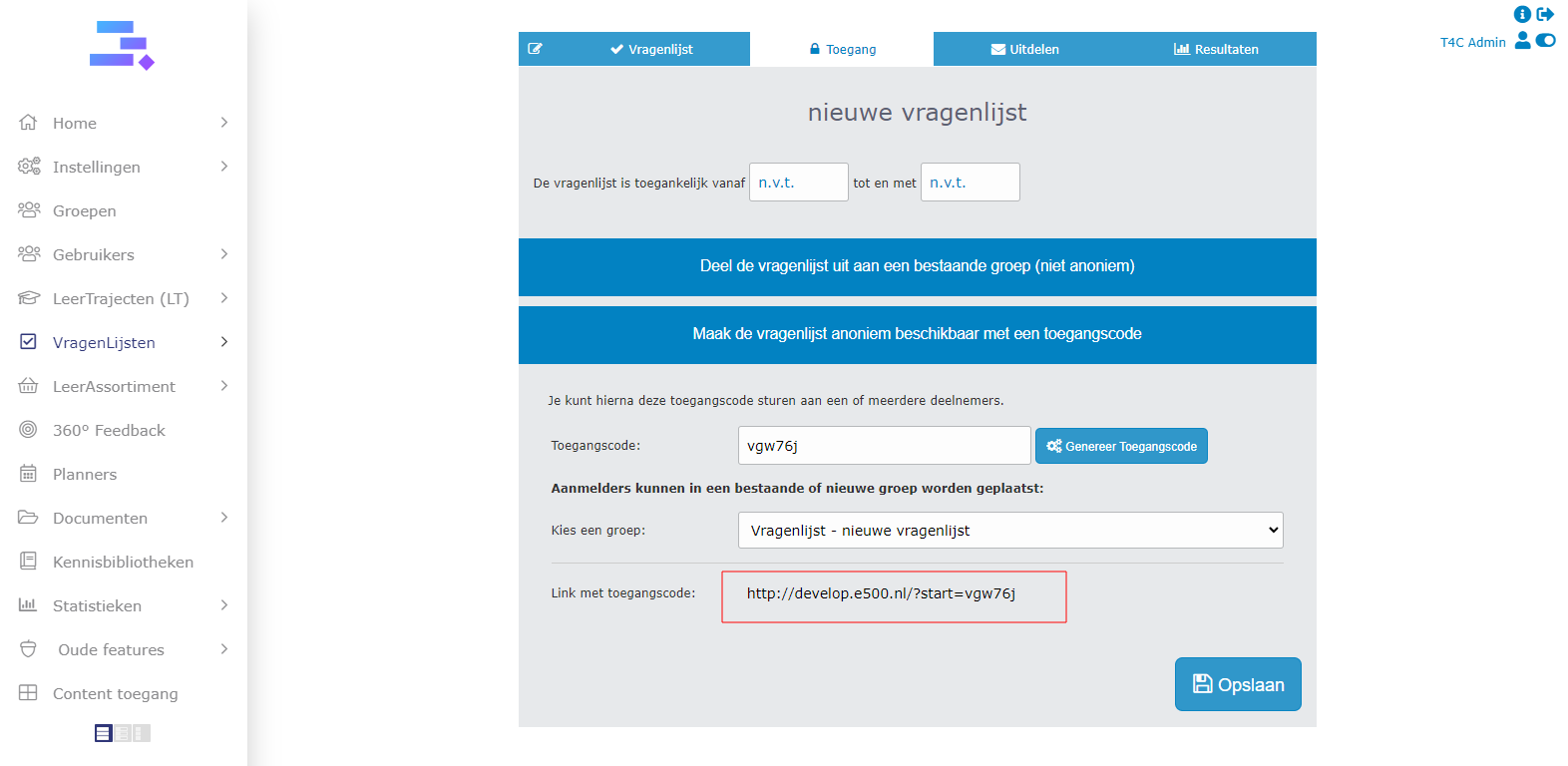
5. When all question are ready, click Toegang to choose how the user can access the questionnaire. Click on Maak de vragenlijst anoniem beschikbaar met toegangscode to set an accesscode for users.
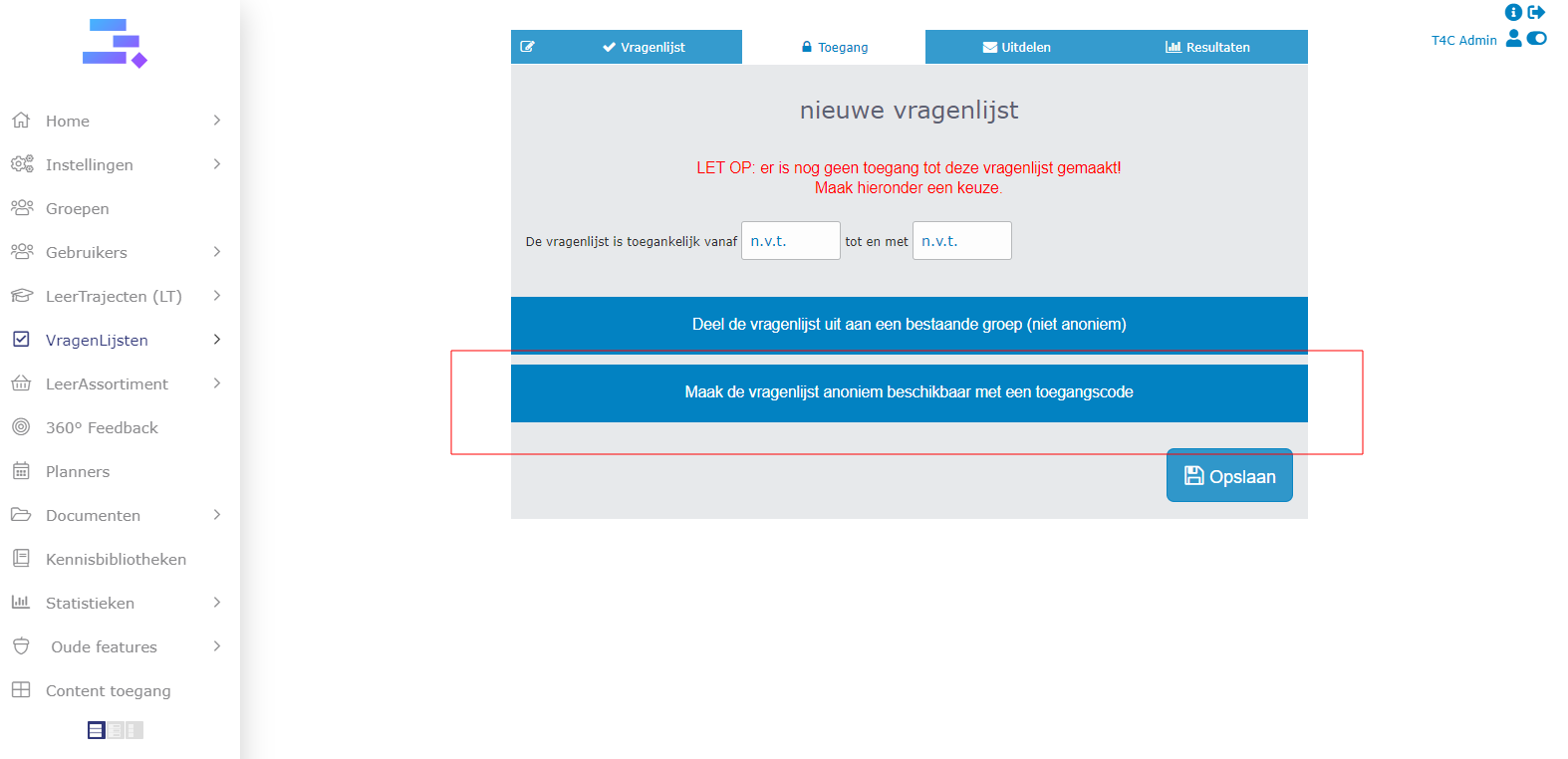
6. Fill in the accesscode and click Opslaan to save. After that, you have to copy the Link met toegangscode and share it to the users to see your questionaries. The user can use this link to access the questionnaire, or you can just give them the accesscode. They can use it on the login page to access the questionnaire.
Make the questionnaire and shared it with accesscode for user so easy!
Good luck!