Performing mass actions on users helps you save time and effort. Let’s see how to perform mass actions on users in E500 with a few easy steps!
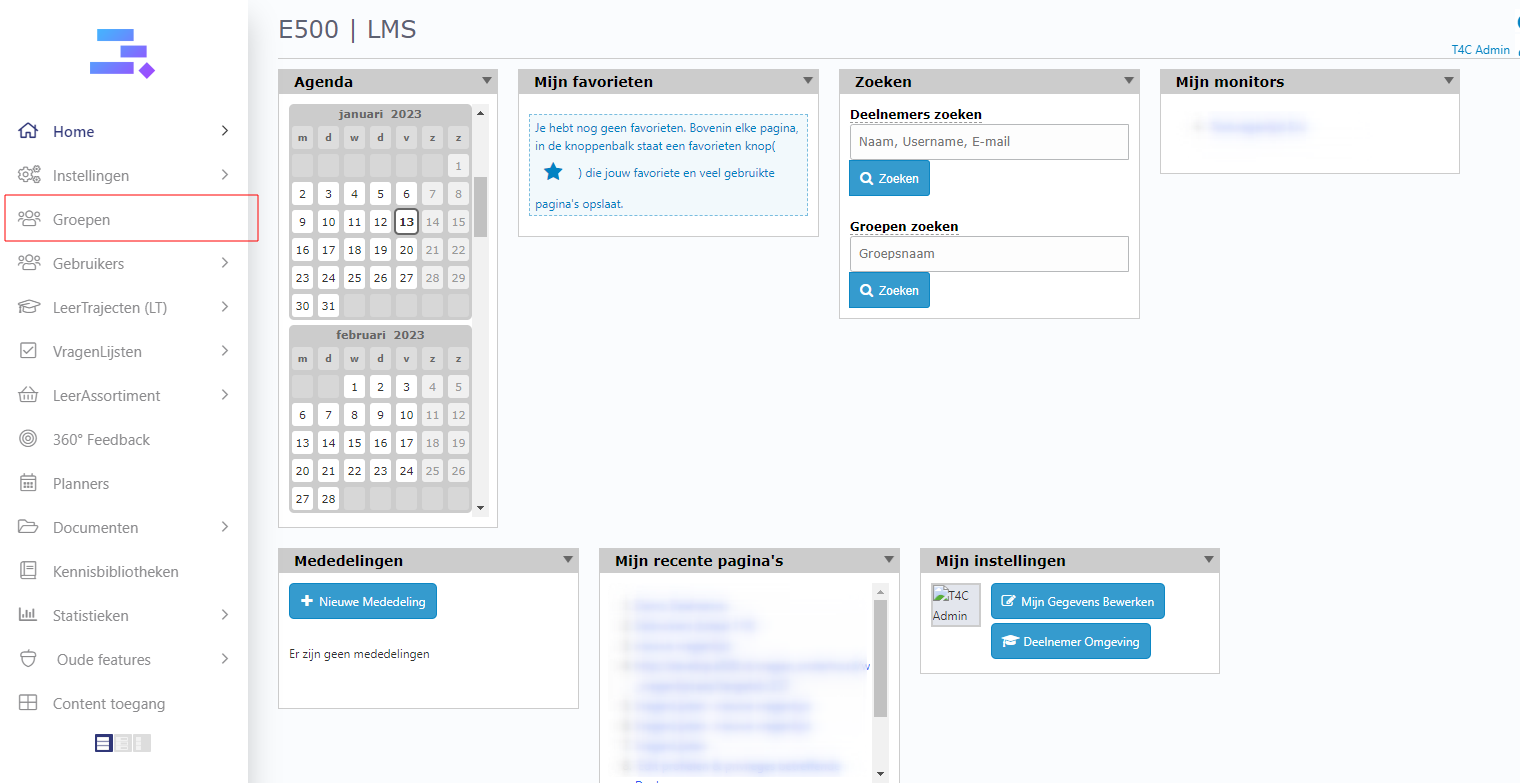
1. Login with your Administrator account. Click on Groepen.
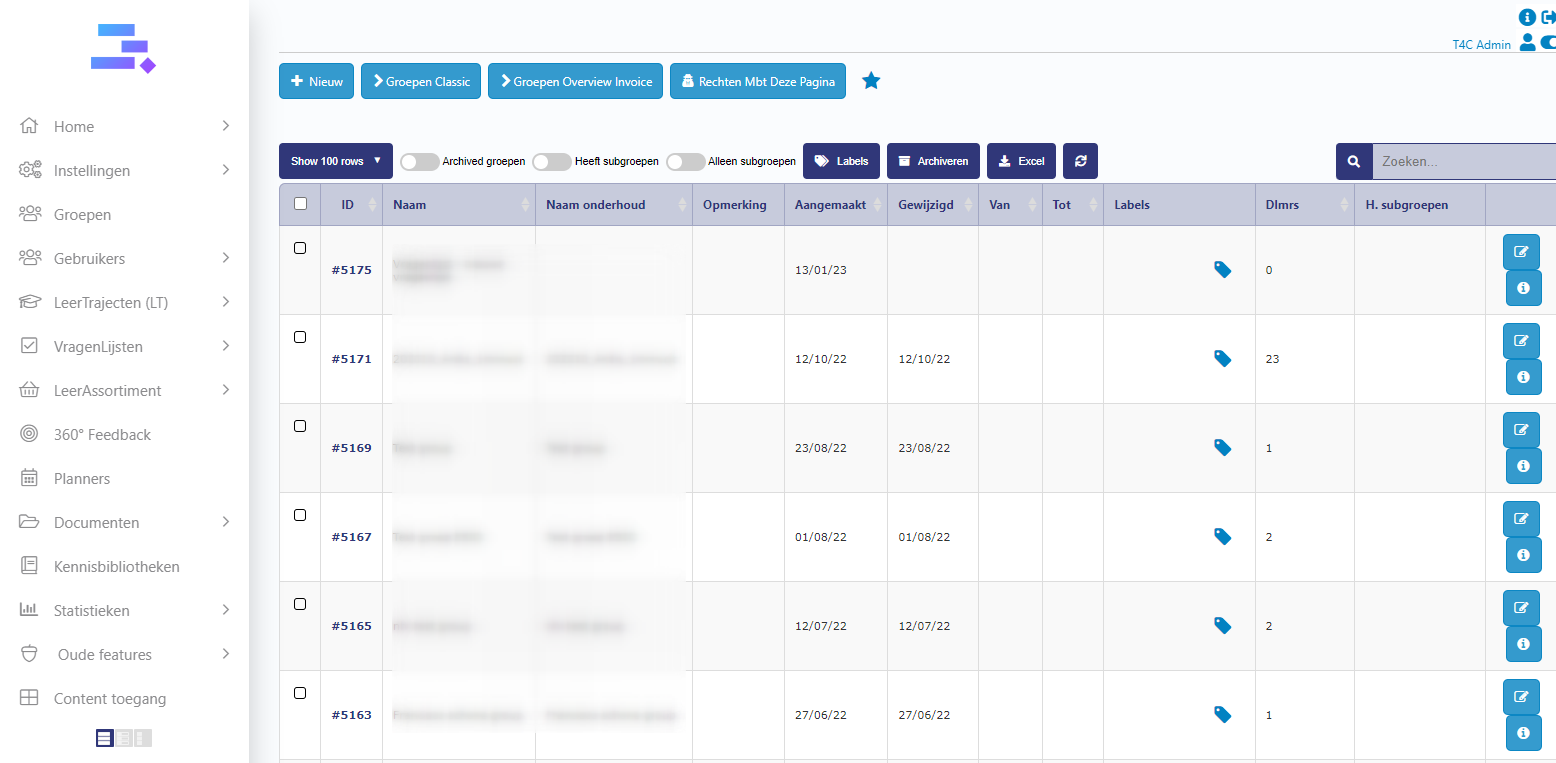
2. A new window will open, click to choose the group that you want to perform a mass action on.
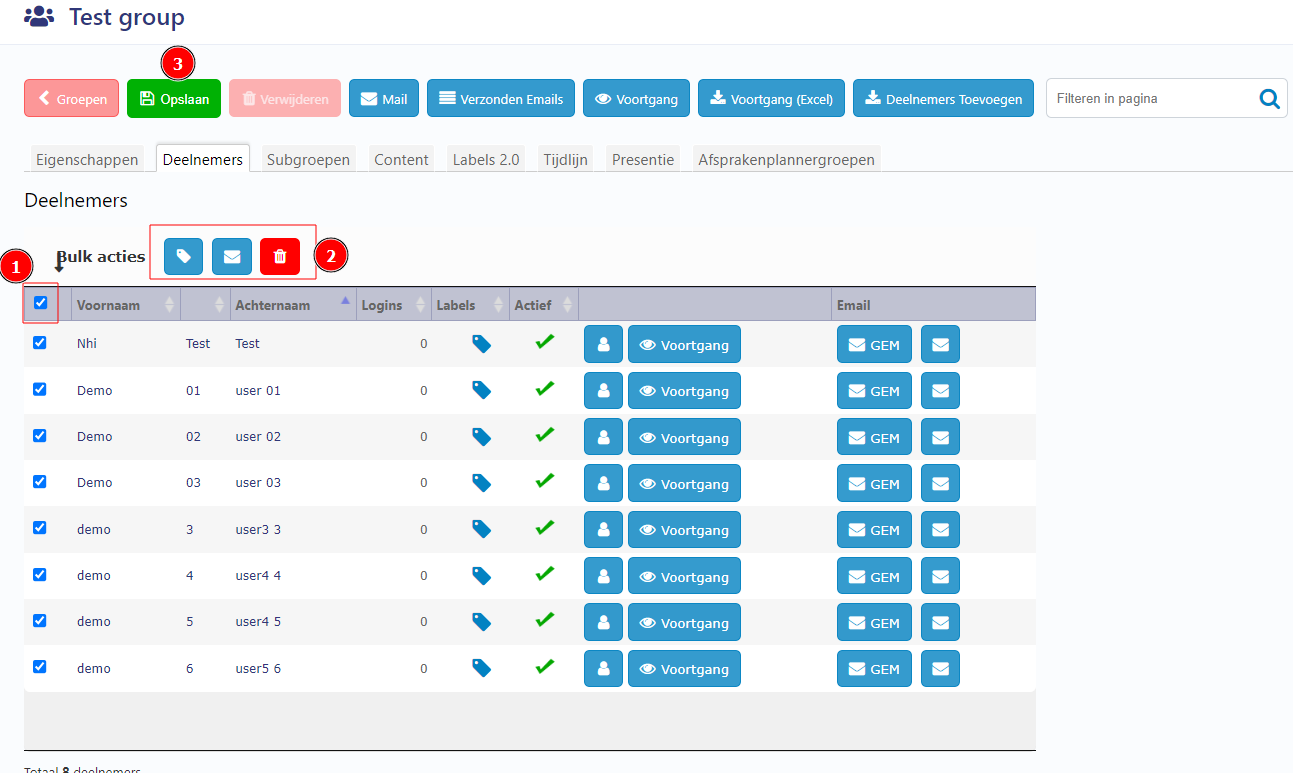
3. Now you just click the tickbox Bulk acties active to choose all users or click a specific user. Then, click to choose the action that you want to perform as amass actions (Add label, send email or delete users). After all, click Opslaan to save all updates.
So easy to perform mass actions on users !
Good luck!